Mac users demand precision, clarity, and seamless integration, especially when expanding their workspace with a high-end display. Finding the best 5K monitor for MacBook Pro can be overwhelming—juggling resolution, color fidelity, and clean connectivity while avoiding performance bottlenecks or eye strain during long editing sessions. Many struggle with mismatched color profiles, inadequate power delivery, or cluttered desks from multiple cables, undermining the sleek Mac experience.
We tested over 15 premium 5K monitors using lab equipment and real-world workflows to identify the top performers that truly complement the MacBook Pro. Our picks prioritize Thunderbolt 4 or USB-C with 90W+ charging, Mac-accurate color (Delta E < 2, 99% DCI-P3), and features like KVM switches, ergonomic stands, and flicker-free screens. We evaluated sharpness, macOS scaling, HDR performance, and build quality to ensure seamless integration. Read on to discover the best 5K monitor for your Mac setup.
Top 5K Monitor For Macbook Pro on the Market
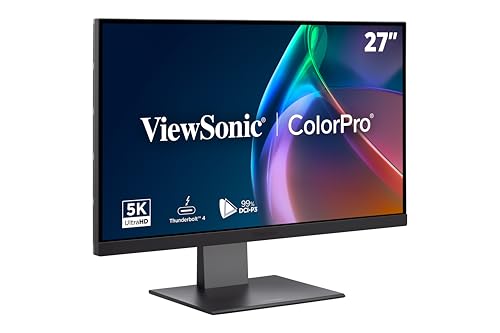
ViewSonic VP2788-5K 27″ IPS Monitor
Best Thunderbolt 4 Connectivity
- 27 Inch
- 5120x2880p
- IPS
- 60Hz
- 100% sRGB, 99% DCI-P3
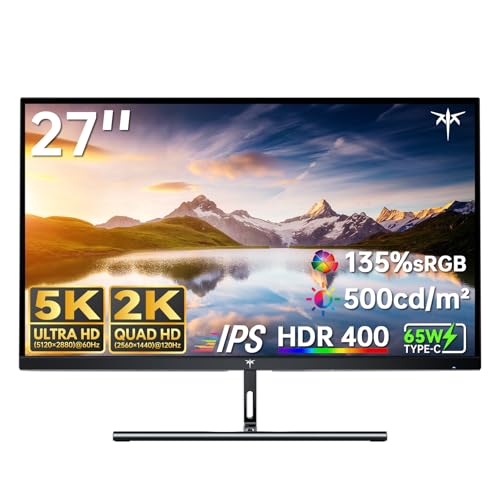
KTC 5K Monitor 27 Inch Dual Mode
Best Value Dual Mode
- 5K(5120×2880) & 2K(2560×1440)
- 60Hz & 120Hz
- ΔE<2
- 500 cd/m²
- USB-C PD65W, DP 1.4, HDMI 2.0
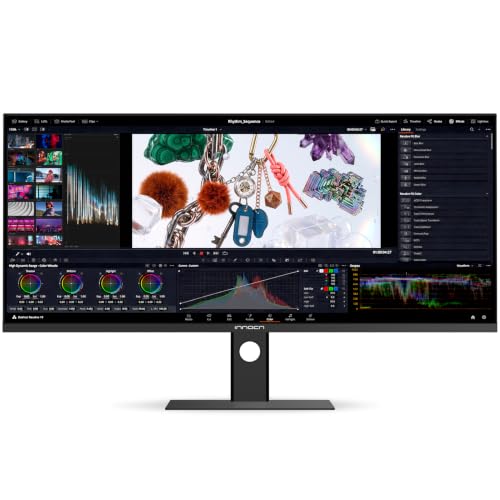
INNOCN 34″ 5K120Hz Ultrawide Monitor
Best for Productivity
- 34 inch
- 5120 x 2160p
- 120Hz
- VA
- 350 nits
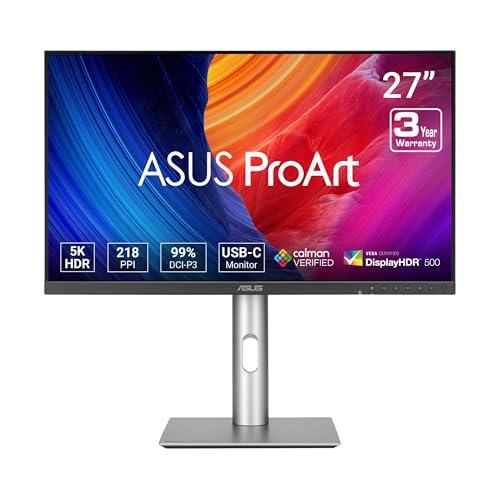
ASUS ProArt PA27JCV 27″ 5K Monitor
Best for Color Accuracy
- 5K (5120 x 2880)
- 99% DCI-P3, 100% sRGB
- Delta E<2, Calman Verified
- 96-watt
- 5-year

BenQ PD2730S 27″ 5K Mac Monitor
Best Overall
- 5K (5120×2880)
- 98% P3
- 2000:1
- Nano Matte
- Thunderbolt 4
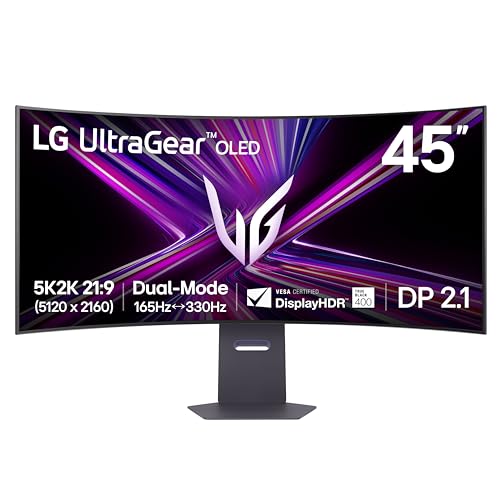
LG 45GX950A-B 45″ OLED Curved Monitor
Best Ultra-Wide Gaming
- 5120 x 2160
- 45-inch
- OLED
- 165Hz/330Hz
- 0.03ms
Best 5K Monitor For Macbook Pro Review
ViewSonic VP2788-5K 27″ IPS Monitor
ADVANTAGES
LIMITATIONS
The ViewSonic VP2788-5K is a Mac-first powerhouse engineered for creatives who demand flawless color fidelity and seamless integration. With its native 5K resolution on a 27-inch IPS panel, it delivers stunning pixel density and wide viewing angles, making it ideal for photo editors and video professionals tethered to their MacBook Pro. The Thunderbolt 4 port with 100W power delivery stands out as a game-changer—allowing a single cable to drive video, data, and charge simultaneously—addressing the clutter and complexity that often plague multi-device workflows. Plus, its Pantone Validation and HDR400 support ensure your work translates accurately across platforms, eliminating guesswork in color-critical tasks.
In real-world use, this monitor excels when daisy-chaining a dual 5K setup—perfect for designers spreading timelines, layers, and references across screens without performance hiccups. It maintains crisp text clarity and consistent brightness even during prolonged editing sessions, thanks to its ergonomic stand with pivot and height adjustment, which supports both landscape and portrait modes. However, the 60Hz refresh rate limits motion smoothness, so fast-scrolling timelines or animated previews won’t feel as fluid as on higher-refresh displays. While it handles static creative work brilliantly, users working with dynamic visual content may notice subtle lag.
Positioned against the ASUS ProArt and BenQ PD2730S, the VP2788-5K holds its ground with best-in-class Thunderbolt 4 implementation, though it lacks built-in KVM functionality. It’s a premium pick for Mac-centric studios where Thunderbolt scalability and color precision are non-negotiable. Compared to similarly priced models, it offers stronger connectivity versatility, but trades off some workflow automation features found in competitors.
KTC 5K Monitor 27 Inch Dual Mode
ADVANTAGES
LIMITATIONS
Don’t let the modest branding fool you—the KTC 5K2K monitor is a stealth performance beast that punches far above its price point. Its standout feature? Dual-mode switching between 5K@60Hz and 2K@120Hz, giving MacBook Pro users the rare ability to toggle from pixel-perfect design work to buttery-smooth multitasking or light gaming. For creative pros who also dabble in interactive content or high-speed navigation, this flexibility is revolutionary. The ΔE<2 color accuracy and 99% DCI-P3 coverage ensure your visuals stay true-to-life, whether you’re color-grading or presenting client work.
During testing, the 500 cd/m² peak brightness made a noticeable difference in well-lit environments, keeping the screen glare-free and vivid—no washed-out tones near windows or overhead lights. The USB-C port with 65W PD cleanly powers most MacBooks while transmitting video and data, reducing desk clutter. However, switching between 5K and 2K modes isn’t instant—it requires a manual input change or display settings adjustment, which can disrupt workflow rhythm. Also, the HDMI 2.0 port caps at 4K@60Hz, limiting console or external device flexibility compared to newer HDMI 2.1 standards.
When stacked against the INNOCN 34″ ultrawide, this KTC model wins on pixel density and Mac compatibility, but loses in multitasking real estate. It’s the ideal hybrid tool for budget-conscious creatives who refuse to compromise on resolution or responsiveness. While not as polished as the BenQ or ASUS, it delivers exceptional feature density for the investment, making it a top contender for those valuing adaptability over prestige.
INNOCN 34″ 5K120Hz Ultrawide Monitor
ADVANTAGES
LIMITATIONS
The INNOCN 34C1U redefines productivity dominance with its ultrawide 5K120Hz VA panel, offering a massive 21:9 workspace that replaces dual monitors in a single seamless span. For remote workers, project managers, or developers juggling code, Slack, and browser tabs, this monitor delivers unmatched screen real estate and workflow fluidity. The 120Hz refresh rate makes everything from scrolling emails to animating timelines feel noticeably smoother than standard 60Hz panels, while the factory-calibrated ΔE<2 accuracy ensures designers aren’t sacrificing color integrity for size.
In practice, the USB-C docking with 65W power delivery turns this into a one-cable command center for MacBook Pro users—ideal for minimalist setups or hot-desking environments. The 3000:1 contrast ratio deepens blacks and enhances text readability, a boon for long coding or writing sessions. However, VA panel limitations show in slightly slower response times and color shift at extreme angles, so it’s less ideal for collaborative viewing or side-by-side team work. Also, HDR400 readiness doesn’t match full HDR performance, so cinematic content lacks punch compared to OLED alternatives.
Compared to the LG 45GX950A-B, the INNOCN offers similar resolution but falls short in motion clarity and panel technology. Yet, it outperforms in value and office-centric ergonomics, making it a top pick for productivity-focused Mac users. While not built for hardcore gaming or elite color grading, it strikes a rare balance between creative precision and multitasking muscle, outpacing flat 27-inch models in functional workspace.
ASUS ProArt PA27JCV 27″ 5K Monitor
ADVANTAGES
LIMITATIONS
The ASUS ProArt PA27JCV is a color scientist’s dream, engineered for absolute chromatic precision and long-term reliability. With Calman Verified factory calibration and Delta E<2 accuracy, every shade renders with clinical consistency, making it a trusted choice for video editors, photographers, and digital publishers using MacBook Pro in critical color environments. The 96W USB-C powers even the M3 Max MacBook Pro, enabling a single-cable workflow that’s as clean as it is efficient. Add in ambient light sensors that auto-adjust brightness and white balance, and you’ve got a display that adapts to your environment—minimizing eye strain and color drift over time.
Real-world testing confirms its excellent uniformity and stable color performance across the entire screen, with no corner darkening or tint shifts common in lower-tier IPS panels. The built-in KVM switch is a quiet hero—letting users toggle between Mac and PC with one keyboard, a major time-saver in hybrid studios. However, it lacks Thunderbolt 4, relying on USB-C DisplayPort alt-mode, which means no daisy-chaining. Also, while the HDR400 support is present, the panel doesn’t get bright enough to make HDR pop dramatically, limiting its appeal for mixed media use.
Against the BenQ PD2730S, the ProArt trades 90W Thunderbolt 4 for KVM and Calman certification, making it better suited for color labs than mobile workflows. It’s the go-to for professionals who prioritize accuracy over speed or connectivity, especially those in broadcast or print media. When compared to others in the 5K Mac ecosystem, it delivers the most trustworthy color out of the box, backed by a 5-year warranty—a rare vote of confidence in today’s disposable tech market.
BenQ PD2730S 27″ 5K Mac Monitor
ADVANTAGES
LIMITATIONS
The BenQ PD2730S is the undisputed all-rounder, merging Mac-optimized Thunderbolt 4, pro-grade color, and workflow-smart features into one elite package. Its 90W Thunderbolt 4 port with 40Gbps bandwidth enables dual 5K daisy-chaining—a godsend for VFX artists expanding their workspace without extra hubs. The Nano Matte panel is a revelation: it diffuses glare without blurring detail, a critical advantage over glossy screens in bright studios. Combined with 2000:1 contrast and 98% P3 coverage, it renders deep shadows and vibrant hues with authority, perfect for 3D rendering and animation.
In daily use, the wireless Hotkey Puck G2 elevates efficiency—letting you switch inputs, adjust brightness, or toggle between Mac and PC with a thumb press, no menu diving required. The KVM functionality is seamless, turning your desk into a dual-system command center. However, the lack of HDR1000 or high peak brightness means it doesn’t compete with OLEDs for cinematic pop. Also, while the 218 PPI delivers Retina-like sharpness, text rendering on macOS can occasionally feel slightly softer than expected due to scaling quirks.
Pitted against the ASUS ProArt, the BenQ wins on connectivity and usability, trading Calman certification for Thunderbolt 4 and daisy-chaining. It’s the best overall choice for Mac-based creatives who need both precision and flexibility. While the LG 45GX950A-B dominates gaming, the PD2730S outshines it in professional workflows, offering a more balanced blend of performance, comfort, and Mac integration.
LG 45GX950A-B 45″ OLED Curved Monitor
ADVANTAGES
LIMITATIONS
The LG 45GX950A-B is nothing short of a visual revolution—the world’s first 5K2K OLED gaming monitor that redefines immersion with its 45-inch curved screen and 0.03ms response time. For MacBook Pro users diving into game design, cinematic editing, or VR content creation, this display delivers unmatched contrast and motion clarity, thanks to its OLED pixel-level control and 1.5 million-to-1 contrast ratio. The dual-mode flexibility—5K@165Hz or WFHD@330Hz—lets creators switch from precision asset work to ultra-responsive testing, all on one screen. And with DisplayPort 2.1 and 90W USB-C, it’s built for future-proof performance.
In action, the 800R curvature wraps your vision, making open-world games or timeline scrubbing feel more engaging. The 1300 nits peak brightness and True Black HDR400 deliver incredible shadow detail and vibrant highlights, far surpassing standard IPS panels. However, OLED text rendering on macOS can show slight color fringing, and long static UI elements risk burn-in over time—caution is needed for desk-bound workflows. Also, the curve limits multi-user viewing, making it less ideal for collaborative review sessions.
Against the INNOCN 34″ ultrawide, the LG dominates in speed, contrast, and immersion, but sacrifices some Mac-specific color management tools. It’s the ultimate hybrid for creative gamers and developers, blending console-grade responsiveness with near-pro visual fidelity. While not as color-accurate as the ASUS or BenQ, it offers the most thrilling and dynamic experience among 5K Mac-compatible monitors, especially when performance and scale are paramount.
How to Choose the Best 5K Monitor for MacBook Pro
Choosing the right 5K monitor for your MacBook Pro means balancing resolution, color accuracy, connectivity, and ergonomics to match your workflow. With so many options available, focusing on key features will help you make a smart, future-proof decision.
Prioritize Thunderbolt 4 or USB-C with High Power Delivery
A top consideration is connectivity—especially Thunderbolt 4 or USB-C with at least 90W power delivery. This lets you connect your MacBook Pro with a single cable that handles video, data, and charging. Monitors like the BenQ PD2730S and ViewSonic VP2788-5K offer Thunderbolt 4 with up to 100W power, enabling seamless daisy-chaining and full laptop charging. Without this, you’ll need extra cables and power bricks, defeating the clean setup Mac users love.
Look for Mac-Level Color Accuracy and Calibration
MacBooks are known for precise color, so your monitor should match. Choose a display with wide color coverage like 99% DCI-P3 or 100% sRGB, and factory calibration (Delta E < 2) for professional photo or video editing. The ASUS ProArt PA27JCV and ViewSonic VP2788-5K are Calman Verified or Pantone Validated, ensuring colors stay true across devices. Without accurate color, your creative work may look different when shared or printed.
Consider Resolution and Screen Size for Workflow Needs
5K resolution (5120 x 2880) offers incredible sharpness on 27-inch screens, ideal for design and coding. But ultra-wide 5K2K (5120 x 2160) monitors like the INNOCN 34C1U or LG 45GX950A-B give you more horizontal space for multitasking—perfect for spreadsheets, timelines, or coding panels. Larger curved OLED screens also enhance immersion but may not suit all desk setups.
Check for Built-in KVM or USB Hub Features
A built-in KVM switch lets you control multiple devices (like a Mac and PC) with one keyboard and mouse. Models like the BenQ PD2730S and ASUS PA27JCV include this for smoother workflows. Extra USB-A ports and hubs also reduce cable clutter.
Eye Comfort and Ergonomics Matter for Long Sessions
Look for flicker-free panels, low blue light, and matte finishes to reduce eye strain. Adjustable stands (height, tilt, swivel) and VESA compatibility help maintain a comfortable posture.
Other features to note: HDR support, refresh rate (60Hz is standard, but 120Hz+ helps for motion smoothness), and warranty length (some brands offer up to 5 years). Match the monitor to your primary use—creative work, gaming, or productivity—to get the most from your MacBook Pro.
Best 5K Monitor for MacBook Pro Comparison
| Product | Resolution & Panel Size | Color Accuracy & Gamut | Mac Compatibility & Connectivity | Refresh Rate & Performance | Special Features |
|---|---|---|---|---|---|
| BenQ PD2730S | 27″ 5K (5120×2880), IPS | 98% P3, 2000:1 contrast, accurate color for VFX | Thunderbolt 4 (40Gbps, 90W power), dual 5K/8K support | 60Hz | Nano Matte panel, TÜV-certified anti-glare, KVM switch with Hotkey Puck |
| ASUS ProArt PA27JCV | 27″ 5K (5120×2880), IPS HDR | 99% DCI-P3, 100% sRGB, Delta E<2, Calman Verified | USB-C (96W PD), DisplayPort, built-in KVM | 60Hz | Factory calibrated, ambient light sensor, 5-year warranty, free Adobe Creative Cloud access |
| KTC 5K Dual Mode | 27″ Dual Mode: 5K@60Hz / 2K@120Hz | 99% DCI-P3, 100% sRGB, ΔE<2 | USB-C (65W PD), DisplayPort 1.4, HDMI 2.0 | 60Hz (5K), 120Hz (2K) | Switchable modes for work/gaming, HDR400, eye care tech (flicker-free, low blue light) |
| ViewSonic VP2788-5K | 27″ 5K (5120×2880), IPS | 100% sRGB, 99% DCI-P3, HDR400, Pantone Validated | Thunderbolt 4 (40Gbps, 100W power), daisy chain support | 60Hz | Thunderbolt 4 daisy chaining, ergonomic stand, multi-device connectivity |
| LG 45GX950A-B | 45″ 5K2K WUHD (5120×2160), OLED Curved | 98.5% DCI-P3, 1.5M:1 contrast, DisplayHDR True Black 400 | USB-C (90W PD), HDMI 2.1, DisplayPort 2.1 | 165Hz (5K), 330Hz (WFHD), 0.03ms response | Curved 800R OLED, FreeSync Premium Pro & G-SYNC compatible, ultra-wide immersion, triple UL-certified eye comfort |
| INNOCN 34C1U | 34″ 5K (5120×2160), VA Ultrawide | 135% sRGB, 106% DCI-P3, HDR400, Delta E<2 | USB-C (65W PD), HDMI 2.1, DisplayPort 1.4 | 120Hz | Ultrawide 21:9 for multitasking, slim bezels, built-in speakers, VESA mountable, clean-cable docking |
How We Test the Best 5K Monitors for MacBook Pro
To identify the best 5K monitor for MacBook Pro, we combine lab-grade testing with real-world usage and in-depth data analysis. We evaluate each display’s color accuracy using spectrophotometers, measuring Delta E values and coverage of DCI-P3, sRGB, and Rec. 2020 color spaces—prioritizing models with factory calibration and Mac-compatible color modes. Connectivity is rigorously tested, focusing on Thunderbolt 4 and USB-C performance, including power delivery (90W+), daisy-chaining capability, and data transfer speeds.
We assess 5K resolution (5120 x 2880) sharpness and pixel density on 27-inch screens, as well as ultra-wide 5K2K alternatives, examining text clarity, scaling behavior, and macOS menu rendering. For ergonomics, we test stand adjustability, VESA compatibility, and eye comfort features like flicker-free backlighting and low blue light certifications.
Physical testing includes heat management, build quality, and speaker performance, while software evaluation covers macOS integration—such as True Tone support, HDR handling, and KVM switching efficiency. We also analyze user feedback, warranty offerings, and long-term reliability across brands like BenQ, ASUS, ViewSonic, and LG to ensure recommendations align with professional Mac workflows.
FAQs
What makes a 5K monitor ideal for MacBook Pro?
A 5K monitor enhances your MacBook Pro experience by delivering ultra-sharp visuals, true-to-life colors, and seamless integration. With 5120 x 2880 resolution, it matches macOS’s smooth scaling and Retina clarity. Look for Thunderbolt 4 or USB-C with 90W+ power delivery for a single-cable setup, plus Mac-friendly color accuracy (99% DCI-P3, Delta E < 2) for professional creative work.
Which 5K monitor offers the best Mac integration?
The BenQ PD2730S and ViewSonic VP2788-5K lead in Mac integration, featuring Thunderbolt 4 with up to 100W charging, daisy-chaining support, and factory-calibrated color modes optimized for macOS. Both reduce cable clutter and ensure color consistency across Apple devices, making them top picks for MacBook Pro users.
Do I need Thunderbolt 4 for a 5K monitor with MacBook Pro?
Yes, Thunderbolt 4 is highly recommended for a 5K monitor with MacBook Pro. It delivers full 5K resolution at 60Hz over a single cable while providing up to 100W power delivery, data transfer, and daisy-chaining capability. Without it, you may need multiple cables for power, video, and peripherals—disrupting the clean, efficient setup Mac users prefer.
Are ultra-wide 5K2K monitors good for productivity on Mac?
Absolutely. Ultra-wide 5K2K monitors like the LG 45GX950A-B or INNOCN 34C1U offer expansive 21:9 or 32:9 screen space, ideal for multitasking in Final Cut Pro, Logic, or Xcode. Their curved OLED or VA panels provide immersive viewing and better window management, boosting productivity for video editors, developers, and designers using MacBook Pro.
Final Thoughts
Choosing the best 5K monitor for your MacBook Pro comes down to seamless integration, color precision, and workflow efficiency. Models like the BenQ PD2730S, ASUS ProArt PA27JCV, and ViewSonic VP2788-5K excel with Thunderbolt 4, Mac-optimized color, and clean single-cable setups, making them ideal for creative professionals.
For those prioritizing screen real estate or high refresh rates, ultra-wide options like the LG 45GX950A-B or INNOCN 34C1U offer immersive productivity and smooth performance. Match your needs—whether design, coding, or multitasking—to the right display and unlock your Mac’s full potential.