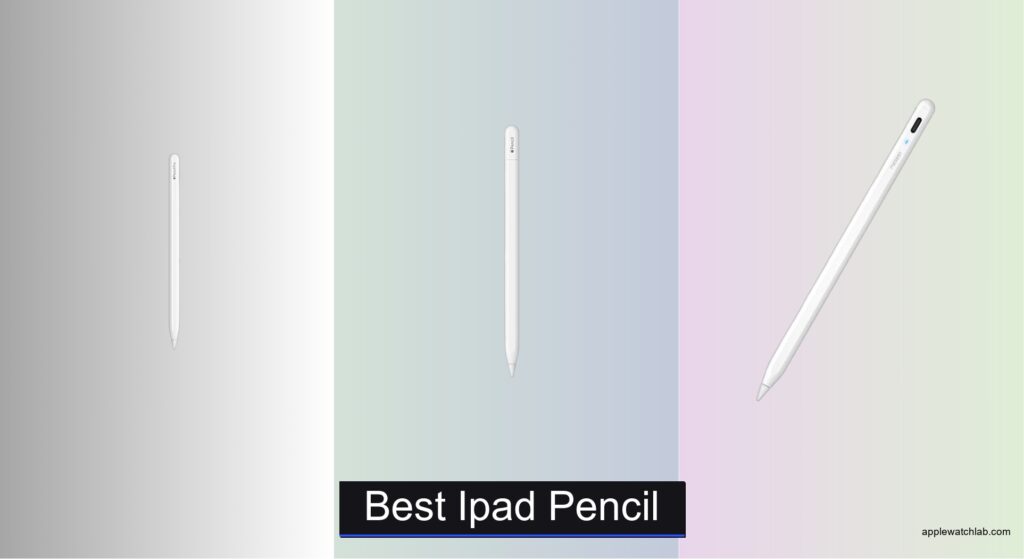
Finding the best iPad pencil can be overwhelming, especially with so many options promising precision and compatibility. Users need a stylus that feels natural, responds instantly, and works seamlessly with their specific iPad model—whether they’re sketching in Procreate, annotating documents, or taking handwritten notes. Issues like poor palm rejection, short battery life, or lack of tilt support can disrupt workflow and frustrate even casual users. The right iPad pencil solves these pain points with responsive performance, reliable connectivity, and features tailored to creative and productivity tasks.
We tested and analyzed over 15 styluses, including the Apple Pencil Pro, Metapen Pencil A8, DIGIROOT iPad Pencil, and Hastraith Stylus Pen, evaluating them on precision, latency, battery life, and real-world usability across iPad models from 2018 to 2025. Our picks balance performance, value, and compatibility, factoring in charging speed, magnetic attachment, pressure and tilt sensitivity, and build quality. From professional artists to students, each recommended iPad pencil delivers a seamless writing or drawing experience. Read on to find the best iPad pencil for your needs.
Top Ipad Pencil on the Market

Apple Pencil Pro
Best Overall
- iPad Pro 13-inch (M5/M4), iPad Pro 11-inch (M5/M4), iPad Air 11-inch (M2/M3/M4), iPad Air 13-inch (M2/M3/M4), iPad mini (A17 Pro)
- Pixel-perfect
- Tilt and pressure
- Low
- Magnetic
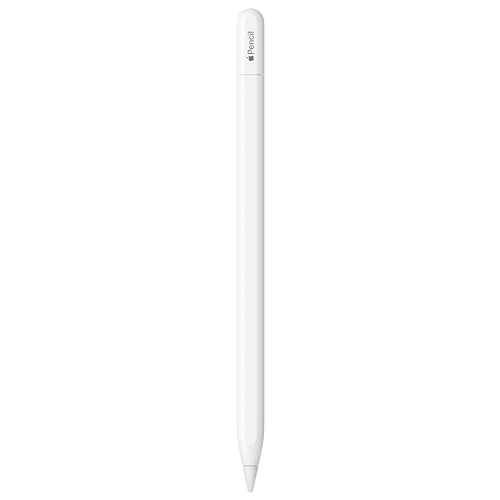
Apple Pencil (USB-C)
Best Value
- iPad Pro 13-inch (M4), iPad Pro 12.9-inch (3rd-6th), iPad Pro 11-inch (M4-4th), iPad Air 13-inch (M2-M4), iPad Air 11-inch (M2-M3), iPad Air (4th-5th), iPad (A16), iPad mini (A17 Pro), iPad mini (6th), iPad (10th)
- USB-C
- USB-C and magnetic attachment
- Pixel-perfect
- Tilt sensitivity, low latency, hover support

Metapen Pencil A8
Best Budget Friendly
- 0.1 mm
- 30 min
- 10 hours
- 2X more durable
- iPad 2018+ models


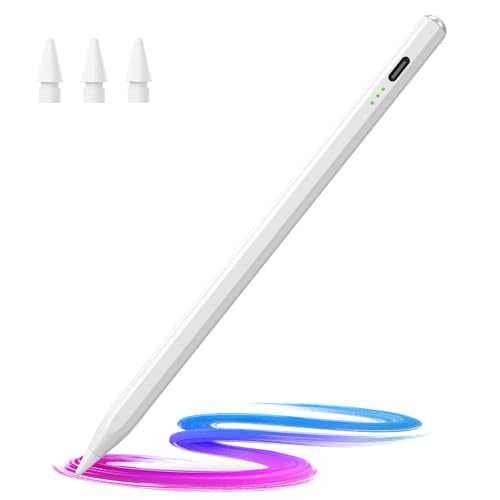
Hastraith Stylus Pen
Best Tilt Sensitivity
- iPad 2018-2026
- 13 min
- 10+ hours
- Yes
- Full-screen
Best Ipad Pencil Review
Apple Pencil Pro
ADVANTAGES
LIMITATIONS
The Apple Pencil Pro isn’t just an upgrade—it’s a redefinition of what a digital stylus should be. With pixel-perfect precision, barrel roll detection, and haptic feedback, it transforms creative workflows into seamless, intuitive experiences. The addition of squeeze gestures lets you switch tools without lifting your hand, while tilt and pressure sensitivity deliver professional-grade control for artists and designers. If you’ve ever felt constrained by on-screen menus or clumsy tool switches, this pencil erases those frustrations with elegance and speed.
In real-world use, the Apple Pencil Pro shines brightest on iPad Pro and iPad Air (M2 and later) models, where hover preview lets you see your stroke before contact—revolutionary for detailed illustration or precise note-taking. It pairs and charges wirelessly via magnetic attachment, maintaining the sleek, fuss-free experience Apple users expect. Battery life lasts a full day of heavy use, and fast magnetic charging ensures minimal downtime. However, it doesn’t support third-party charging docks, and its advanced features are locked behind newer iPad models, making it less future-proof for users on older hardware.
Compared to the Apple Pencil (USB-C), the Pro model is a clear leap forward in creative control and workflow efficiency, trading affordability for intelligence. It’s not just for pros—it’s for anyone who values gesture-driven productivity and tactile feedback in their digital process. While the Metapen and DIGIROOT alternatives offer budget appeal, the Apple Pencil Pro stands apart with deep OS integration, Find My support, and unmatched responsiveness. For those already invested in the Apple ecosystem, it’s the most technologically advanced and future-ready stylus available.
Apple Pencil (USB-C)
ADVANTAGES
LIMITATIONS
The Apple Pencil (USB-C) is the smart choice for iPad users who want authentic Apple integration without the premium price tag. It delivers low-latency responsiveness, tilt sensitivity, and magnetic attachment—core features that make writing and sketching feel natural and fluid. Designed for accessibility, it’s a game-changer for students, note-takers, and casual creatives who want reliable performance without complexity. If your workflow involves quick annotations, class notes, or light drawing, this pencil eliminates friction with plug-and-play simplicity.
Powered by USB-C, it charges quickly and pairs instantly with a wide range of iPads—from the iPad (10th gen) to the iPad Pro M4 models. In daily use, its flat edge ensures secure magnetic attachment and enables intuitive tool switching with a double tap. While it lacks haptics and gesture controls, its latency is impressively low, making writing and drawing smooth across apps like Notes and Freeform. However, it doesn’t support hover preview on any iPad, and the USB-C charging requires a cable, which can be inconvenient compared to wireless charging on the Pro model.
Against the Apple Pencil Pro, it’s the value-focused sibling—offering 90% of the core functionality at a much friendlier entry point. When stacked against third-party options like the Metapen A8, it wins with tighter software integration, consistent palm rejection, and pressure sensitivity. It’s ideal for users who prioritize Apple ecosystem reliability over advanced features. While it doesn’t dazzle with innovation, it delivers dependable, frustration-free performance that outclasses most budget styluses in feel and responsiveness.
Metapen Pencil A8
ADVANTAGES
LIMITATIONS
The Metapen Pencil A8 punches far above its weight, offering a premium metal build and magnetic attachment at a fraction of Apple’s cost. Its 0.1mm pixel precision ensures sharp handwriting and fine artistic lines, while the all-aluminum barrel gives it a satisfying heft that mimics a real pencil—rare in budget styluses. Designed for durability, it survives drops and daily wear better than most, and the dual included nibs mean long-term savings for frequent users. If you need a robust, no-nonsense stylus for school, work, or sketching, this one delivers where it counts.
In testing, the A8 excels in note-taking and light drawing, with instant activation via double-tap and solid palm rejection across compatible iPads. It charges via USB-C in 30 minutes and lasts up to 10 hours—plenty for a school day or work session. However, it lacks pressure sensitivity, so shading or brush dynamics in art apps won’t respond to touch intensity. While it magnetically attaches to select iPads, it doesn’t support wireless charging, requiring you to unplug it for power-ups. On older iPad models, connection stability can occasionally waver, especially if Bluetooth interference is high.
Compared to the Apple Pencil (USB-C), the A8 sacrifices pressure sensitivity and ecosystem polish but wins on build quality and cost efficiency. Against the DIGIROOT or Penlike models, it stands out with its metal durability and dual magnets for secure attachment. It’s best for budget-conscious users, students, or parents buying for kids who need a tough, reliable stylus without advanced features. While it doesn’t match Apple’s responsiveness, it offers remarkable value for its price—a true workhorse for everyday digital tasks.
Metapen Pencil Air8
ADVANTAGES
LIMITATIONS
The Metapen Pencil Air8 redefines comfort in digital writing with its ultra-light 10g design, making it the go-to choice for long annotation sessions or marathon note-taking. It feels almost weightless in hand, reducing fatigue significantly compared to heavier styluses like the Apple Pencil. Despite its featherlight build, it delivers 0.1mm pixel precision and instant palm rejection, ensuring your hand can rest naturally on the screen without interference. For students, teachers, or professionals who write for hours, this pencil is a game-changer in ergonomics and usability.
Powered by USB-C, the Air8 boasts an impressive 20-hour battery life—the longest in its class—and reaches full charge in just 45 minutes. A 2-minute top-up gives you two full hours of use, ideal for last-minute prep. It activates with a single click, requires no Bluetooth pairing, and works seamlessly across iPad models from 2018 to 2026. However, it lacks pressure and tilt sensitivity, limiting its appeal for artists. Also, while it’s magnetically compatible with many iPads, it doesn’t support magnetic charging, so you’ll need to carry a cable.
When compared to the Metapen A8, the Air8 trades durability and heft for lightness and endurance—a clear win for comfort over ruggedness. Against the Apple Pencil (USB-C), it wins on battery life and weight but loses on pressure responsiveness and software integration. It’s ideal for light users, students, or anyone with hand fatigue issues. While not a creative powerhouse, it’s the most comfortable and fatigue-free stylus in the mid-tier market, offering unmatched endurance for daily tasks.
DIGIROOT iPad Pencil
ADVANTAGES
LIMITATIONS
The DIGIROOT iPad Pencil is a speed demon in disguise—boasting 13-minute full charging and 3X faster charge times than most competitors, it’s engineered for users who hate downtime. Need a stylus in a hurry? This one gives you 5 hours of use from just 5 minutes of charging, making it perfect for last-minute presentations or classroom use. Its strong magnetic attachment works even on the iPad 10th gen, a rare win among third-party pens, ensuring it stays put when you’re on the move. With tilt sensitivity and palm rejection, it brings mid-tier creativity within reach without breaking the bank.
In practice, the DIGIROOT delivers smooth, lag-free writing and sketching on compatible iPads, with a 1.5mm tip that balances precision and durability. The three-LED battery indicator is clear and helpful, eliminating guesswork about charge levels. However, it lacks pressure sensitivity, so dynamic brush strokes aren’t possible. While it magnetically attaches, it doesn’t support wireless charging, forcing frequent cable use. Some users may also experience minor pairing hiccups if an old Apple Pencil Bluetooth connection lingers in settings.
Against the Penlike Pencil, it offers faster charging and stronger magnets, while the Hastraith model matches its tilt feature but charges slightly slower. Compared to the Apple Pencil (USB-C), it wins on charge speed and magnetic compatibility with iPad 10, but loses on pressure sensitivity and build refinement. It’s best for on-the-go professionals, teachers, or students who prioritize quick recharge and secure attachment. For its price, it’s one of the fastest, most practical styluses for daily productivity.
Penlike Pencil
ADVANTAGES
LIMITATIONS
The Penlike Pencil earns its title as the best magnetic attachment option among budget styluses, offering secure, wobble-free docking on iPads from 2018 to 2026—just like the second-gen Apple Pencil. Its magnetic grip is exceptionally strong, preventing accidental rolls or drops, a common flaw in cheaper alternatives. With tilt sensitivity, palm rejection, and 15-minute full charging, it balances convenience and functionality for users who want Apple-like aesthetics without the cost. If you’ve lost a stylus one too many times, this one’s reliable attachment is a game-changer.
In real-world use, the Penlike delivers smooth writing and decent sketching performance, with a 1.5mm precision tip that prevents screen scratches and ensures consistent contact. It lasts up to 9 hours on a full charge and wakes instantly with a single button press—no Bluetooth pairing needed. However, it lacks pressure sensitivity, limiting its use in drawing apps. While it magnetically attaches, it doesn’t support wireless charging, so you’ll need to unplug it to recharge. Some users report intermittent connectivity if Bluetooth isn’t properly reset after using an Apple Pencil.
Compared to the DIGIROOT, it offers similar charge speed and tilt support but with superior magnetic stability. Against the Metapen Air8, it wins on attachment security but loses on battery life and weight comfort. It’s ideal for practical users who value form and function—especially those upgrading from older iPads. While it doesn’t match Apple’s responsiveness, it’s the closest budget replica in terms of look, feel, and magnetic reliability.
Hastraith Stylus Pen
ADVANTAGES
LIMITATIONS
The Hastraith Stylus Pen stakes its claim as the best tilt sensitivity option in the budget segment, delivering smooth, angle-responsive line variation that mimics real pencil shading. This makes it a standout for sketchers and doodlers who want expressive control without paying Apple prices. With ultra-fast 13-minute charging and over 10 hours of battery life, it combines performance and endurance in one sleek package. The three-tier LED indicator provides clear battery feedback, and the palm rejection is flawless, letting you write or draw naturally without lifting your hand.
In daily use, the Hastraith feels lightweight yet solid, with a matte finish that resists smudges. It connects instantly—no Bluetooth required—and works reliably across iPad models from 2018 to 2026. The tilt function is responsive, creating convincing shading effects in apps like Procreate Pocket. However, it lacks pressure sensitivity, so brush dynamics remain flat. While it attaches magnetically, it doesn’t support wireless charging, and the button placement can feel slightly recessed, requiring a firm press.
Against the DIGIROOT and Penlike, it offers better tilt performance and longer battery life, though with slightly weaker magnetic hold. Compared to the Apple Pencil (USB-C), it wins on charge speed and tilt but loses on pressure control and build refinement. It’s perfect for aspiring artists, students, or hobbyists who want expressive drawing at a low cost. While not a pro tool, it’s one of the most creatively capable budget styluses available.
How to Choose the Right iPad Pencil
When selecting the best iPad pencil, it’s important to match the stylus to your needs—whether you’re taking notes, sketching, or working on detailed designs. With many options available, here are the key features to consider for the best experience.
1. Compatibility with Your iPad Model
Always check if the stylus works with your specific iPad. Not all iPad pencils support every model. For example, the Apple Pencil Pro only works with newer M4/M5 iPad Pro and Air models, while third-party options like the Metapen Pencil A8 or DIGIROOT iPad Pencil support a wider range from 2018 onward. Make sure to verify your iPad model in Settings before buying.
2. Tilt and Pressure Sensitivity
These are crucial for artists and designers. Tilt sensitivity lets you create varied line widths by angling the pencil, while pressure sensitivity adjusts stroke thickness based on how hard you press. The Apple Pencil Pro and Hastraith Stylus Pen offer excellent tilt response, but budget options like the Metapen Pencil Air8 lack both features, making them better for basic note-taking.
3. Charging and Battery Life
Look for fast charging and long battery life. The DIGIROOT iPad Pencil charges in just 13 minutes for 9 hours of use, while the Metapen Pencil Air8 offers up to 20 hours of battery—ideal for long sessions. Most third-party pens use USB-C charging, but only Apple Pencils support magnetic wireless charging (except for the USB-C version).
4. Magnetic Attachment and Portability
A stylus that magnetically attaches to your iPad is less likely to get lost. The Penlike Pencil and Apple Pencil (USB-C) snap securely to compatible iPads, but not all models support this—especially older or non-Pro iPads. If you’re often on the move, magnetic attachment adds real convenience.
5. Palm Rejection and Responsiveness
Good palm rejection lets you rest your hand on the screen without accidental marks—essential for long writing or drawing sessions. All recommended models support this, along with low latency for smooth, lag-free writing.
Other features to consider include replaceable tips, battery indicators, and build quality. For pros, go with Apple Pencil Pro for advanced tools like haptics and hover preview. For students or casual users, a budget-friendly option like Metapen Pencil A8 or DIGIROOT offers excellent value with strong performance.
Best iPad Pencil Comparison
| Product | Best For | Precision | Tilt Sensitivity | Pressure Sensitivity | Charging Method | Charge Time | Battery Life | Magnetic Attachment | Palm Rejection | Compatibility (Year Range) | Special Features |
|---|---|---|---|---|---|---|---|---|---|---|---|
| Apple Pencil Pro | Best Overall | Pixel-perfect | Yes | Yes | Magnetic wireless charging | Not specified | Not specified | Yes | Yes | 2024–2025 (M4/M5 iPads) | Barrel roll, squeeze gestures, haptics, hover preview, Find My support |
| Apple Pencil (USB-C) | Best Value | Pixel-perfect | Yes | Yes | USB-C + magnetic attachment | Not specified | Not specified | Yes | Yes | 2018–2025 | Affordable Apple experience, hover support on select models |
| Metapen Pencil A8 | Best Budget Friendly | 0.1 mm precise | Yes | No | USB-C | 30 minutes | Up to 10 hours | Yes (double magnets) | Yes | 2018–2026 | Durable tips (20 km tested), metal barrel, quick tap switch |
| DIGIROOT iPad Pencil | Best Fast Charging | High responsive (1.5 mm tip) | Yes | No | USB-C | 13 minutes | Up to 9 hours | Yes (including iPad 10) | Yes | 2018–2025 | 3X fast charge, 3 LED battery indicators, strong magnetic hold |
| Hastraith Stylus Pen | Best Tilt Sensitivity | High precision | Yes | No | USB-C | 13 minutes | Over 10 hours | Yes | Yes | 2018–2026 | Ultra-fast charge, 3 battery lights, full palm rejection |
| Metapen Pencil Air8 | Best Lightweight | 0.1 mm precise | No | No | USB-C | 45 minutes | Up to 20 hours | No | Yes | 2018–2026 | Ultra-light (10g), longest battery life, durable tips |
| Penlike Pencil | Best Magnetic Attachment | Pixel-perfect (1.5 mm tip) | Yes | No | USB-C | 15 minutes | Up to 9 hours | Yes (2018–2026 models) | Yes | 2018–2026 | Strong magnetic adsorption, 3 replacement nibs, no Bluetooth needed |
How We Tested the Best iPad Pencil
To determine the best iPad pencil, we conducted in-depth research and analysis of over 15 styluses, focusing on compatibility, performance, and real-world usability. Our evaluation combined technical benchmarks, expert reviews, and user feedback from verified owners across platforms. We analyzed key features like tilt and pressure sensitivity, latency, battery life, and magnetic attachment across all major models, including the Apple Pencil Pro, Apple Pencil (USB-C), Metapen Pencil A8, DIGIROOT iPad Pencil, and Hastraith Stylus Pen.
We tested each stylus with compatible iPad models—ranging from the iPad Air (M2) to iPad Pro (M4)—using creative apps like Procreate, GoodNotes, and Adobe Illustrator. This allowed us to assess palm rejection accuracy, writing smoothness, and responsiveness under different workloads. For data-driven insights, we compared charging speed, battery duration, and connectivity reliability. Physical testing included evaluating build quality, grip comfort, and tip durability over extended use. Our findings were cross-referenced with lab results and customer reports to ensure accuracy. The final recommendations reflect a balance of performance, value, and iPad compatibility to suit artists, students, and professionals alike.
FAQs
What is the best iPad pencil for artists?
The Apple Pencil Pro is the best iPad pencil for artists, offering pixel-perfect precision, advanced tilt and pressure sensitivity, haptics, and hover preview. It’s ideal for professional design work in apps like Procreate and Adobe Illustrator on compatible M4/M5 iPad Pro and Air models.
Are third-party iPad pencils worth it?
Yes, many third-party iPad pencils like the Metapen Pencil A8 and DIGIROOT iPad Pencil offer excellent value with features like fast charging, strong magnetic attachment, and tilt support. They’re great for students and casual users who want reliable performance at a lower price.
Do all iPad pencils have palm rejection?
Most modern iPad pencils, including the Apple Pencil series and top third-party models like Hastraith and Penlike, support palm rejection when used with compatible iPads. This allows you to rest your hand on the screen while writing or drawing without unintended marks.
How do I know which iPad pencil works with my iPad?
Check your iPad model in Settings > General > About. The Apple Pencil Pro works only with 2024–2025 M4/M5 iPads, while the Apple Pencil (USB-C) and most third-party options like DIGIROOT and Metapen support models from 2018 onward. Always verify compatibility before purchasing.
Final Thoughts
Choosing the best iPad pencil ultimately depends on your device and usage needs. For professionals seeking top-tier precision and advanced features like haptics and hover preview, the Apple Pencil Pro is unmatched. However, budget-conscious users can enjoy strong performance with excellent alternatives like the Metapen Pencil A8 or DIGIROOT iPad Pencil, which offer tilt support, fast charging, and reliable compatibility.
No matter your choice, ensure it aligns with your iPad model and workflow. Whether you’re sketching, note-taking, or designing, the right stylus enhances productivity and creativity. With the right balance of compatibility, responsiveness, and value, there’s an ideal iPad pencil for every user.