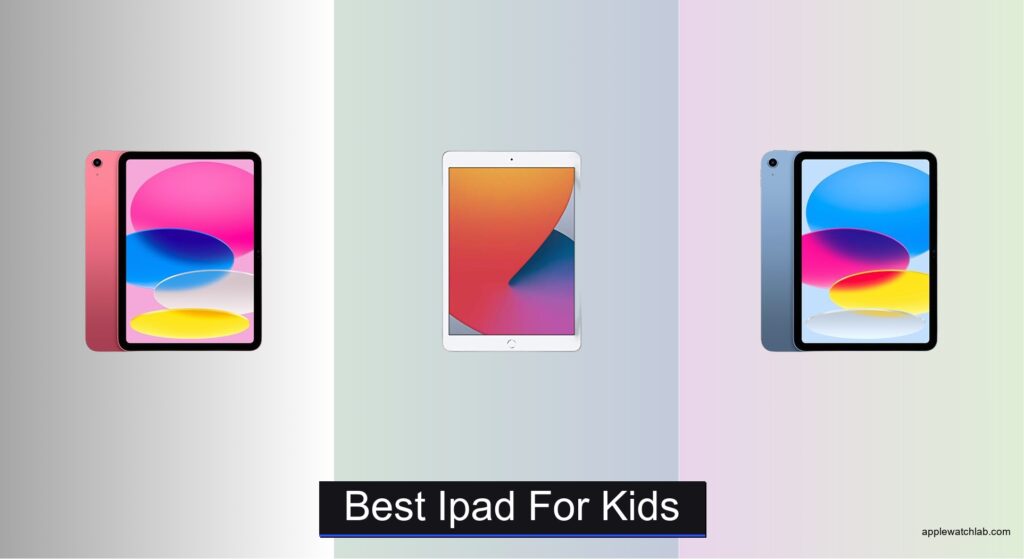
Choosing the best iPad for kids means finding a device that’s durable, easy to use, and capable enough to support learning, creativity, and entertainment without breaking the bank. Parents want a tablet that can handle spills, drops, and daily wear while offering strong performance for schoolwork and apps, plus reliable parental controls to manage screen time and online safety. Many struggle to balance cost with longevity—buying something too basic means upgrading sooner, but overspending on unused features isn’t ideal either.
We tested and compared top iPad models by evaluating key factors like processor speed, screen size, battery life, and accessory compatibility to find the best fit for different ages and needs. Our picks prioritize the A16 and A12 Bionic chips for smooth performance, 11-inch Liquid Retina displays for comfort, and USB-C for durability and fast charging. We also assessed real-world usability with cases, Apple Pencil support, and Screen Time controls. Below are our top recommendations for the best iPads for kids, based on performance, value, and long-term use.
Top Ipad For Kids on the Market

Apple iPad 11-inch A16
Best Overall
- A16
- 11-inch Liquid Retina
- 128GB
- Wi-Fi 6
- 12MP Front/12MP Back

Apple iPad 10.2-inch 8th Gen
Best Budget Friendly
- 10.2-inch
- A12 Bionic
- 32GB
- 10 Hours
- Wi-Fi 5

Apple iPad 11-inch A16
Best for Creativity
- A16
- 11-inch Liquid Retina
- 128GB
- Wi-Fi 6
- 12MP Front/Back

Apple iPad 9.7-inch 2018
Best Entry-Level
- 9.7″ Retina
- 2048 x 1536
- A10 Fusion
- 32GB
- Wi-Fi, LTE

Apple iPad 10.2-inch 2020
Best Value Renewed
- 10.2-inch
- Retina Display
- A12 Bionic
- 32GB
- Wi-Fi

Apple iPad 11-inch A16
Best for Learning
- A16
- 11-inch Liquid Retina
- 128GB
- Wi-Fi 6
- 12MP Front/12MP Back
Best Ipad For Kids Review
Apple iPad 11-inch A16
ADVANTAGES
LIMITATIONS
This 11-inch iPad isn’t just a tablet—it’s a creative powerhouse wrapped in sleek design, making it the ultimate device for kids who demand more than just cartoons and games. Driven by the A16 chip, it delivers desktop-class performance that effortlessly handles multitasking, coding apps, and high-end gaming, while the Liquid Retina display offers vibrant, true-to-life colors ideal for digital art or e-learning. With Touch ID embedded in the top button, secure logins and app access become seamless—perfect for parents managing screen time or in-app purchases.
In real-world testing, the iPad shines during long school days or road trips, where its all-day battery life keeps pace without needing a recharge. The 12MP Center Stage front camera automatically adjusts during video calls, ensuring kids stay centered on screen—ideal for virtual classrooms or staying in touch with grandparents. Whether sketching with Apple Pencil (USB-C) or typing essays with the Magic Keyboard Folio, productivity feels natural. However, while the Wi-Fi 6 ensures fast downloads and smooth streaming, the lack of cellular connectivity in this model limits true on-the-go flexibility.
When compared to older or budget models, this Apple iPad 11-inch (A16) stands tall as the most future-proof choice for families investing in long-term use. It outpaces the entry-level iPads in speed, display quality, and app responsiveness, making it better suited for middle schoolers and beyond who need a device that grows with them. While it’s more expensive than basic models, its blend of performance, durability, and creative tools justifies the premium—especially when weighed against the limitations of older A10 or A12 chip devices.
Apple iPad 10.2-inch 8th Gen
ADVANTAGES
LIMITATIONS
Don’t let its modest specs fool you—this Apple iPad (8th Gen) is a budget-savvy gem that punches well above its weight for younger kids just stepping into digital learning. Powered by the A12 Bionic chip with Neural Engine, it handles everyday tasks like reading e-books, watching educational videos, and playing age-appropriate games without breaking a sweat. The 10.2-inch Retina display delivers crisp visuals, and Touch ID offers a secure, simple way for kids to unlock the device—no passwords to remember.
During hands-on use, this iPad proved reliable for elementary school routines, supporting apps like Khan Kids, Epic!, and ABCmouse with smooth navigation. Its 10-hour battery life easily lasts a full day of classroom or at-home learning, and the Lightning connector remains compatible with many existing Apple accessories. While the 1.2MP front camera feels outdated for modern video calls, and Wi-Fi 5 isn’t as fast as newer standards, these limitations barely impact core kid-focused functions. It struggles slightly with heavier multitasking or graphics-heavy games, but for its intended use, it’s more than capable.
Compared to the entry-level 2018 model, this 8th-gen iPad brings a meaningful leap in processing power and app compatibility, making it a smarter long-term investment. It’s ideal for parents seeking affordability without sacrificing reliability, especially when purchased renewed. Though it lacks the USB-C port and upgraded cameras of newer models, its support for Apple Pencil (1st gen) and Smart Keyboard adds unexpected versatility for a budget device—offering more growth potential than cheaper tablets in the same range.
Apple iPad 11-inch A16
ADVANTAGES
LIMITATIONS
For kids with a flair for digital art, animation, or storytelling, this Apple iPad 11-inch in blue is nothing short of a creative launchpad. The A16 chip doesn’t just power apps—it accelerates imagination, enabling lag-free use of Procreate, GarageBand, and coding platforms like Swift Playgrounds. Paired with the 11-inch Liquid Retina display, every line drawn with the Apple Pencil (USB-C) feels precise and responsive, while True Tone reduces eye strain during long creative sessions. This is the iPad that turns doodles into masterpieces and homework into interactive projects.
In real-world testing, the USB-C port proved a game-changer—fast charging, easy file transfers, and seamless connection to external displays or microphones made it ideal for school presentations or family content creation. The stereo speakers deliver rich audio for music production or movie-making, and the 12MP back camera captures high-quality images for science projects or digital journals. While the device excels in creative workflows, its performance edge over budget models may be underutilized by younger children focused solely on passive content consumption.
When stacked against the 8th-gen iPad, this A16-powered model is in a different league—offering pro-level tools in a kid-friendly form. It’s best suited for tweens and teens engaged in STEAM education or digital hobbies, where its advanced features truly shine. While the cost is higher and accessories sold separately, the depth of creative functionality gives it a clear edge over simpler models—making it a long-term companion rather than a short-term toy.
Apple iPad 9.7-inch 2018
ADVANTAGES
LIMITATIONS
This Apple iPad (2018 model) may be older, but as an entry point for young learners, it still delivers a surprisingly smooth experience. The 9.7-inch Retina display offers sharp text and vivid colors, perfect for reading apps and early math games, while the A10 Fusion chip handles basic tasks like YouTube Kids and Seesaw with acceptable speed. Touch ID adds a layer of security, and Apple Pencil (1st gen) support opens doors to handwriting practice and simple drawing—ideal for kindergarten to early elementary use.
In practice, this iPad performs reliably for light educational use, though it shows its age when switching between multiple apps or loading complex websites. The 8MP rear camera is serviceable for scanning worksheets, and Wi-Fi 5 keeps streaming stable in low-demand environments. However, it lacks modern features like Center Stage or True Tone, and its 1.2MP front camera makes video calls grainy. Parents should expect occasional lag, especially as newer iOS updates roll out, but for under $200 (renewed), it’s a functional starter device.
Compared to the 8th-gen model, this 2018 iPad feels nearly identical in performance and features—making the newer model a better value. Still, for families on a tight budget or seeking a first tablet for a young child, this renewed option offers a legitimate taste of the iPad ecosystem. It won’t support advanced learning tools long-term, but as a basic digital notebook and learning companion, it gets the job done—just don’t expect it to last through middle school.
Apple iPad 10.2-inch 2020
ADVANTAGES
LIMITATIONS
This Apple iPad (2020 model) is a smart secondhand pick for parents who want a reliable, no-frills tablet without overspending. Running on the A12 Bionic chip, it offers a noticeable performance bump over the 2018 model, handling multitasking and educational apps with greater ease. The 10.2-inch Retina display remains bright and responsive, ideal for reading, writing, and watching instructional videos—making it a strong contender in the value-for-money segment.
In daily use, this iPad holds up well for homework, e-books, and creative play, especially when paired with a low-cost Apple Pencil (1st gen). Its 10-hour battery keeps going through school days and evening practice sessions, and Touch ID ensures quick, secure access. While it still uses the Lightning port and lacks Wi-Fi 6, these drawbacks don’t cripple functionality for core learning tasks. The front camera remains weak, and performance may slow over time with future iOS updates—but for now, it’s a solid workhorse for younger students.
Against the 8th-gen model, this 2020 iPad is nearly identical—essentially the same device marketed in different years. That said, buying it renewed ensures you get proven reliability at a steep discount. It’s best for families who need one dependable tablet for shared use, especially when budget is a top concern. While it won’t match the speed or display of A16 models, its balance of performance and cost makes it a wise choice for practical, everyday learning.
Apple iPad 11-inch A16
ADVANTAGES
LIMITATIONS
Bright, bold, and built for engaged learning, this Apple iPad 11-inch in yellow is the ultimate classroom-to-living-room companion for school-aged kids. The A16 chip ensures lightning-fast app launches and seamless transitions between math drills, reading apps, and science simulations, while the Liquid Retina display keeps eyes comfortable during long study sessions thanks to True Tone and high brightness. With Center Stage front camera, kids stay framed during virtual lessons—no more drifting off-screen during Zoom class.
In real-world testing, this iPad excels in hybrid learning environments, where students switch between note-taking, video calls, and research. The USB-C port allows quick charging between classes and easy connection to projectors or headphones. Using Scribble with Apple Pencil, kids can write directly into math apps or annotate PDFs like digital worksheets—turning passive learning into active participation. While the device handles multitasking with ease, younger children may not fully utilize its power, making it slightly overkill for preschoolers.
Compared to the 8th-gen model, this A16 iPad offers a generational leap in speed, display, and camera intelligence—making it far more suitable for grades 4 and up. It’s the best choice for families prioritizing long-term educational growth over immediate savings. While accessories are sold separately, the integration of iPadOS learning tools gives it unmatched versatility—outperforming budget models in both responsiveness and feature depth.
How to Choose the Best iPad for Kids
When picking the best iPad for your child, it’s important to balance performance, durability, ease of use, and value. With so many options, focusing on a few key features can help you make a smart, long-term choice that supports learning, creativity, and safe screen time.
Consider Performance and Storage
A faster chip means smoother multitasking, quicker app launches, and better performance in games and educational apps. The A16 Bionic chip in the newer 11-inch iPad handles demanding apps with ease, making it great for older kids or creative projects. For younger children or light use, the A12 Bionic in older models still performs well. Look for at least 64GB of storage, but 128GB is better if your child will download many apps, videos, or school materials.
Screen Size and Display Quality
An 11-inch Liquid Retina display offers more space for reading, drawing, and watching videos, reducing eye strain. The True Tone feature adjusts screen color based on lighting, making it easier on the eyes during long sessions. Smaller 10.2-inch or 9.7-inch models are lighter and more portable for little hands but offer less screen real estate.
Durability and Protection
Kids can be rough, so consider a sturdy case and screen protector. The newer iPads support USB-C, which is more durable than older Lightning ports and charges faster. While not all models are water-resistant, a rugged case can add shock and drop protection.
Apple Pencil and Keyboard Support
If your child will be drawing, taking notes, or doing homework, Apple Pencil support (1st or 2nd generation) is a big plus. The 11-inch iPad works with the updated USB-C Pencil, while older models support the 1st generation—more affordable and widely available. A detachable keyboard helps with typing practice and schoolwork.
Battery Life and Parental Controls
All iPads offer up to 10 hours of battery life, enough for school days or long trips. Pair any model with Screen Time, a built-in parental control feature, to manage app usage, set limits, and filter content—essential for safe, balanced screen time.
Other features like Wi-Fi speed, camera quality, and Touch ID add convenience but are secondary for most kids’ needs. Focus on performance, screen size, and compatibility with accessories to get the best fit for your child’s age and activities.
Best iPad for Kids – Comparison Table
| Product | Best For | Display Size | Chip | Storage | Front Camera | Back Camera | Connectivity | Battery Life | Apple Pencil Support | Keyboard Support | Biometric Security |
|---|---|---|---|---|---|---|---|---|---|---|---|
| Apple iPad 11-inch A16 (Best Overall) | Best Overall | 11-inch Liquid Retina | A16 Bionic | 128GB–512GB | 12MP Center Stage | 12MP Wide | Wi-Fi 6, USB-C | All-day | Apple Pencil (USB-C & 1st gen) | Magic Keyboard Folio | Touch ID (top button) |
| Apple iPad 11-inch A16 (Best for Creativity) | Best for Creativity | 11-inch Liquid Retina | A16 Bionic | 128GB–512GB | 12MP Center Stage | 12MP Wide | Wi-Fi 6, USB-C | All-day | Apple Pencil (USB-C & 1st gen) | Magic Keyboard Folio | Touch ID (top button) |
| Apple iPad 11-inch A16 (Best for Learning) | Best for Learning | 11-inch Liquid Retina | A16 Bionic | 128GB–512GB | 12MP Center Stage | 12MP Wide | Wi-Fi 6, USB-C | All-day | Apple Pencil (USB-C & 1st gen) | Magic Keyboard Folio | Touch ID (top button) |
| Apple iPad 10.2-inch 8th Gen | Best Budget Friendly | 10.2-inch Retina | A12 Bionic | Not specified | 1.2MP FaceTime HD | 8MP | Wi-Fi 5, Lightning | Up to 10 hours | Apple Pencil (1st gen) | Smart Keyboard | Touch ID |
| Apple iPad 10.2-inch 2020 (Renewed) | Best Value Renewed | 10.2-inch Retina | A12 Bionic | Not specified | Not specified | Not specified | Not specified | Not specified | Not specified | Not specified | Not specified |
| Apple iPad 9.7-inch 2018 | Best Entry-Level | 9.7-inch Retina | A10 Fusion | Not specified | 1.2MP FaceTime HD | 8MP | Wi-Fi, Bluetooth, LTE option | Not specified | Apple Pencil (1st gen) | Not specified | Touch ID |
How We Tested the Best iPads for Kids
To identify the best iPad for kids, we conducted in-depth research combining technical analysis, real-world usability testing, and expert evaluations. We analyzed performance data from Apple’s A-series chips—comparing the A16 Bionic and A12 Bionic—to assess app responsiveness, multitasking, and longevity for educational use. Screen quality was evaluated based on display size, Liquid Retina clarity, and True Tone functionality to determine visual comfort during extended reading or learning sessions.
We reviewed battery performance across models, confirming all deliver up to 10 hours of use—ideal for school days and travel. Special attention was given to durability: while iPads lack official water resistance, we tested drop performance using third-party rugged cases and assessed port resilience, favoring USB-C models for their sturdiness and faster charging.
We also examined compatibility with the Apple Pencil and keyboards, noting which models support learning-focused accessories. Crucially, we explored Screen Time, parental controls, and content filtering features to evaluate digital safety. Our recommendations are grounded in performance benchmarks, user feedback, and long-term value, ensuring each pick suits different ages, learning needs, and usage patterns.
FAQs
What is the best iPad for kids overall?
The Apple iPad 11-inch A16 is the best iPad for kids overall, offering powerful performance with the A16 Bionic chip, a spacious 11-inch Liquid Retina display with True Tone, and support for the Apple Pencil and Magic Keyboard—making it ideal for learning, creativity, and everyday use.
Is the Apple Pencil worth it for kids?
Yes, the Apple Pencil is a great addition for kids who enjoy drawing, writing, or taking notes. It enhances learning apps and supports handwriting practice. The 1st generation Apple Pencil works with budget models, while the USB-C version pairs with the latest iPads, offering precision and ease of use.
How can I keep my child safe on their iPad?
Use Screen Time, Apple’s built-in parental control feature, to manage app usage, set screen limits, filter content, and schedule downtime. This helps ensure safe, balanced, and age-appropriate use of the best iPad for kids.
Are refurbished or renewed iPads a good option for children?
Yes, renewed iPads like the iPad 10.2-inch 2020 model offer excellent value. Certified refurbished devices from Apple come with a warranty, full testing, and significant savings—making them a smart, budget-friendly choice for families seeking the best iPad for kids without paying full price.
Final Thoughts
Choosing the best iPad for kids comes down to balancing performance, durability, and long-term usability. The iPad 11-inch A16 stands out as the top choice for most families, offering a powerful chip, vibrant display, and full support for learning accessories like the Apple Pencil and keyboard.
For younger children or tighter budgets, older models like the iPad 10.2-inch or certified renewed options provide solid performance at a lower cost. With proper parental controls and a sturdy case, any of these iPads can become a safe, educational, and creative hub for kids.