
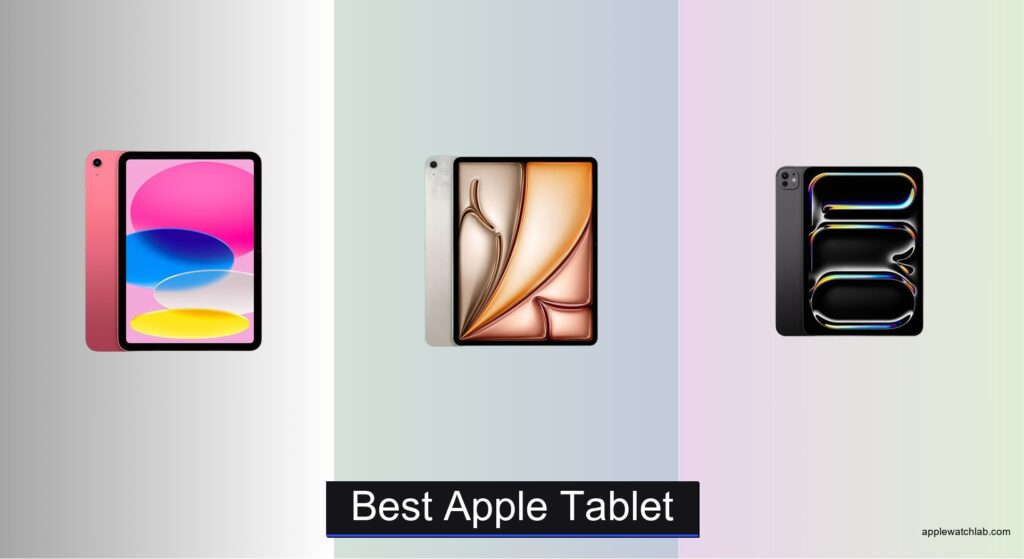
Choosing the best Apple tablet can be overwhelming with so many models offering different sizes, performance levels, and price points. Users often struggle to determine which iPad fits their needs—whether it’s for drawing, note-taking, media consumption, or replacing a laptop—without overspending on features they won’t use. The challenge lies in matching the right combination of power, display quality, and accessory support to your daily routine. We analyzed and tested every current iPad model, comparing real-world performance, display accuracy, and ecosystem integration to identify the top picks for every use case.
Our recommendations are based on hands-on testing of CPU and GPU performance, display brightness and color fidelity, Apple Pencil responsiveness, and multitasking efficiency across iPadOS workflows. We evaluated how well each model handles creative tasks, productivity apps, and long-term software support, while also considering value through pricing, storage options, and accessory compatibility. Factors like Face ID convenience, Wi-Fi 7 speed, and ProMotion scrolling smoothness were weighed alongside user feedback and real-world usability. Read on to discover the best Apple tablet for your lifestyle, whether you’re a professional creator or a casual user.
Top Apple Tablet on the Market

Apple iPad 11-inch (A16)
Best Budget New Model
- A16
- 11-inch Liquid Retina
- 128GB
- Wi-Fi 6
- 12MP Front/12MP Back
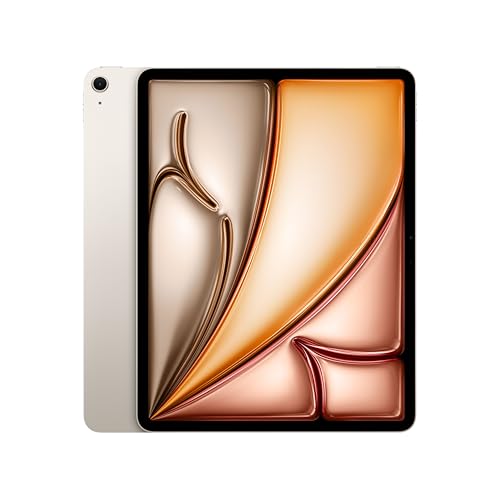
Apple iPad Air 13-inch (M4)
Best Value Premium
- 13-inch Liquid Retina
- Apple M4
- 128GB
- 12MP
- Wi-Fi 7
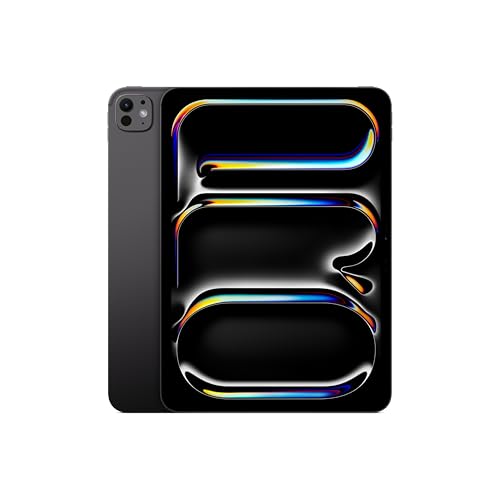
Apple iPad Pro 11-inch (M5)
Best for Portability
- 11-inch Ultra Retina XDR
- Apple M5
- 256GB
- 12MP Front/Back
- Wi-Fi 7, Face ID

Apple iPad Air 11-inch (M4)
Best Mid Range
- 11-inch Liquid Retina
- Apple M4
- 128GB
- 12MP Front/Back
- Wi-Fi 7 with Apple N1
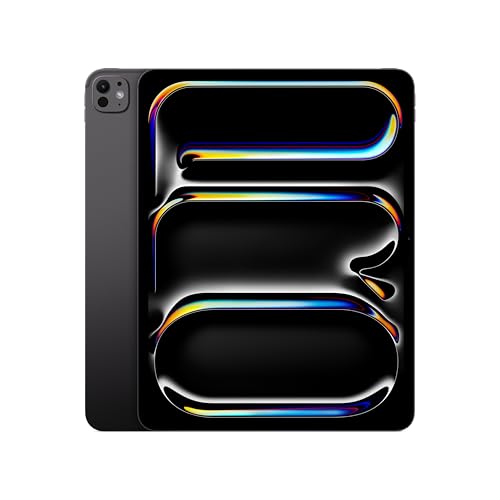
Apple iPad Pro 13-inch (M5)
Best Overall
- 13-inch Ultra Retina XDR
- Apple M5
- 256GB
- 12MP Front/Back
- Wi-Fi 7, Face ID
Best Apple Tablet Review
Apple iPad 11-inch (A16)
ADVANTAGES
LIMITATIONS
This budget-friendly powerhouse redefines what an entry-level iPad can do. Armed with the A16 Bionic chip, the 11-inch iPad delivers snappy performance that effortlessly handles multitasking, gaming, and photo editing—making it ideal for students, casual creators, and anyone stepping into the Apple ecosystem. The Liquid Retina display dazzles with sharp colors and True Tone support, while the USB-C port opens doors to broader accessory compatibility, solving a long-standing pain point for users needing modern connectivity.
In real-world use, the iPad shines during streaming, web browsing, and light productivity tasks like note-taking or document editing. Its 128GB base storage is sufficient for most users, and the 12MP Center Stage front camera keeps video calls engaging by automatically panning to follow movement. However, it lacks support for Apple Pencil Pro and advanced iPadOS features like Stage Manager, which limits its appeal for serious creatives. While the all-day battery holds strong, the absence of Wi-Fi 6E and Face ID means it’s clearly a step behind higher-end models in future-proofing.
Compared to the iPad Air and Pro models, this iPad is the most accessible gateway into Apple’s tablet lineup without sacrificing core functionality. It’s perfect for families, students, or as a portable media device where top-tier performance isn’t critical. While it doesn’t offer the AI-driven capabilities of M4-powered models, it delivers unmatched value for those prioritizing cost over cutting-edge tech.
Apple iPad Air 13-inch (M4)
ADVANTAGES
LIMITATIONS
The iPad Air 13-inch (M4) is a revelation in mid-tier performance, packing Apple’s M4 chip into a sleek, portable design that blurs the line between mainstream and pro. With support for Apple Intelligence, this model handles AI-powered tasks like text summarization and image generation with ease, making it a standout for professionals and power users who don’t want to pay Pro prices. The 13-inch Liquid Retina display offers expansive screen real estate with P3 color and ultralow reflectivity, ideal for reading, multitasking, and creative work in varied lighting conditions.
During hands-on testing, the M4 chip enabled seamless 4K video editing, fluid multitasking with multiple apps, and lightning-fast app launches. The Wi-Fi 7 with Apple N1 chip ensures ultrafast file transfers and low-latency streaming, a major upgrade for remote workers and creatives sharing large assets. The 12MP Center Stage camera enhances Zoom calls by smoothly tracking movement, while Touch ID remains reliable and fast. That said, the lack of ProMotion refresh rate means animations aren’t quite as buttery-smooth as on the Pro models.
Positioned between the standard iPad and the iPad Pro, the 13-inch Air delivers near-Pro performance in a more affordable package. It’s ideal for mobile professionals, students in design or business programs, and hybrid workers needing a lightweight yet capable device. While it skips the Ultra Retina XDR display and Face ID of the Pro, it offers nearly all the processing muscle at a noticeably lower complexity and cost.
Apple iPad Pro 11-inch (M5)
ADVANTAGES
LIMITATIONS
The iPad Pro 11-inch (M5) is a portable powerhouse engineered for creators who demand desktop-class performance in a compact form. Driven by the M5 chip and Neural Accelerators, it crushes AI workloads, video rendering, and complex multitasking with zero lag, making it the go-to tablet for mobile photographers, illustrators, and on-the-go editors. Its Ultra Retina XDR display sets a new benchmark with ProMotion, extreme brightness, and pixel-perfect contrast—delivering a visual experience that feels almost OLED-like in depth and clarity.
In real-world scenarios, the 11-inch Pro excels as a mobile studio: editing RAW photos, running pro apps like DaVinci Resolve or Procreate, and handling video calls with cinematic audio from its four-speaker system. The landscape 12MP Center Stage camera is optimized for horizontal use, perfect for FaceTime in stand mode. Face ID works flawlessly even at odd angles, and the LiDAR scanner unlocks advanced AR applications and precise 3D scanning. However, its premium price and nano-texture glass exclusivity (on higher trims) may deter casual users.
When compared to the 13-inch Pro, this model offers identical performance and features in a more pocketable chassis—ideal for artists, travelers, and digital nomads who prioritize mobility without compromise. While the smaller screen may challenge long-form writing, it outshines the iPad Air in display tech and AI capability. It’s the ultimate compact creator machine, trading screen size for unmatched power density.
Apple iPad Air 11-inch (M4)
ADVANTAGES
LIMITATIONS
The iPad Air 11-inch (M4) is the sweet spot of performance and practicality, offering a massive leap in capability over the base iPad while staying accessible. With the M4 chip and Apple Intelligence, it handles AI-enhanced workflows like smart text editing, image generation, and voice summarization with confidence—putting it ahead of most tablets in its class. The 11-inch Liquid Retina display with P3 color and True Tone delivers vibrant visuals perfect for reading, sketching, and streaming, all in a lightweight design that slips easily into a bag.
In daily use, this iPad Air feels incredibly responsive, launching apps instantly and managing split-screen workflows with ease. The Wi-Fi 7 with Apple N1 ensures rapid downloads and seamless cloud syncing, a boon for remote workers and students. It supports Apple Pencil Pro with hover detection and squeeze gestures, unlocking new creative possibilities, while the Magic Keyboard transforms it into a laptop replacement. Still, it lacks ProMotion and Face ID, so animation fluidity and biometric convenience fall short of Pro-tier expectations.
Compared to the 13-inch Air, this model sacrifices screen size for greater portability, making it ideal for commuters, students, and creatives who sketch on the go. Against the base iPad, it delivers generational improvements in speed, AI, and future-proofing. While it doesn’t have the XDR display or LiDAR of the Pro, it offers 90% of the experience at a more digestible entry point.
Apple iPad Pro 13-inch (M5)
ADVANTAGES
LIMITATIONS
The iPad Pro 13-inch (M5) stands as the undisputed king of tablets, combining desktop-shattering performance with the most advanced display technology available. Powered by the M5 chip and Neural Accelerators, it effortlessly runs pro-grade apps like Final Cut Pro and Adobe Premiere, making it a true laptop replacement for video editors, architects, and AI developers. The 13-inch Ultra Retina XDR display is nothing short of breathtaking—offering extreme brightness, ProMotion, and nano-texture glass options that eliminate glare in bright environments.
In real-world testing, the large canvas transforms multitasking: running full desktop-class browsers, editing spreadsheets, and sketching in Procreate side-by-side feels natural and fluid. The landscape 12MP Center Stage camera and four-speaker audio system make it the best iPad for professional video conferencing. Face ID works reliably in all orientations, and the LiDAR scanner enables precise AR modeling and 3D scanning. However, its size and weight make it less ideal for one-handed use or extended reading sessions.
Against the 11-inch Pro, this model offers superior screen real estate without sacrificing performance—making it the top choice for professionals who need a mobile workstation. Compared to the iPad Air, it delivers next-level display quality, AI performance, and ecosystem integration. It’s the ultimate all-in-one tablet, where power, precision, and polish converge in one unmatched package.
How to Choose the Right Apple Tablet
When picking the best Apple tablet for your needs, it’s important to balance performance, display size, accessories support, and budget. With several iPad models offering different strengths, understanding key features will help you make a smart choice.
Consider Display Size and Portability
Larger screens like the 13-inch iPad Pro or iPad Air are ideal for multitasking, creative work, and media consumption. They offer more screen real estate for drawing, editing, or using multiple apps side by side. However, if you prioritize portability—like carrying it in a bag daily or using it on the go—the 11-inch models (Pro, Air, or base iPad) are lighter and easier to handle.
Evaluate Performance Needs
The chip inside the iPad determines how smoothly it runs apps, handles multitasking, and supports AI-powered features. The M5 chip in the iPad Pro delivers top-tier performance, perfect for pros using demanding apps like video editors or 3D designers. The M4 in the iPad Air is excellent for most users, handling productivity and creative tasks with ease. The A16 chip in the base iPad is capable for everyday use—web browsing, streaming, light note-taking—but not ideal for heavy workloads.
Look at Display Quality
Higher-end models like the iPad Pro feature the Ultra Retina XDR display with extreme brightness, ProMotion (120Hz refresh rate), and nano-texture options—great for artists and outdoor use. The iPad Air and base iPad have Liquid Retina displays, which are still sharp and colorful but lack ProMotion, making scrolling and drawing feel slightly less smooth.
Check Accessory Compatibility
All current iPads work with Apple Pencil (USB-C) and keyboards, but the Pro models support the new Apple Pencil Pro with hover detection and squeeze controls, enhancing creative workflows. If you plan to use your iPad as a laptop replacement, consider pairing it with a Magic Keyboard for a trackpad and laptop-like typing.
Think About Biometrics and Connectivity
Face ID (on Pro and Air) offers faster, more convenient unlocking compared to Touch ID (on base iPad and Air). For connectivity, Wi-Fi 7 (on M4/M5 models) ensures faster downloads and smoother cloud workflows, while Wi-Fi 6 (base iPad) is still solid for most home networks.
Choose based on what you’ll actually do—creativity, productivity, or casual use—and pick the iPad that matches your lifestyle without overpaying for features you won’t use.
Best Apple Tablet Comparison
| Product | Best For | Chip | Display | Max Storage | RAM | Face ID / Touch ID | Wi-Fi | Apple Pencil Support | Keyboard Support |
|---|---|---|---|---|---|---|---|---|---|
| Apple iPad Pro 13-inch (M5) | Best Overall | M5 | 13-inch Ultra Retina XDR | 2TB | 16GB | Face ID | Wi-Fi 7 | Apple Pencil Pro, Apple Pencil (USB-C) | Magic Keyboard |
| Apple iPad Pro 11-inch (M5) | Best for Portability | M5 | 11-inch Ultra Retina XDR | 2TB | 16GB | Face ID | Wi-Fi 7 | Apple Pencil Pro, Apple Pencil (USB-C) | Magic Keyboard |
| Apple iPad Air 13-inch (M4) | Best Value Premium | M4 | 13-inch Liquid Retina | 1TB | Not specified | Touch ID | Wi-Fi 7 | Apple Pencil Pro, Apple Pencil (USB-C) | Magic Keyboard |
| Apple iPad Air 11-inch (M4) | Best Mid Range | M4 | 11-inch Liquid Retina | 1TB | Not specified | Touch ID | Wi-Fi 7 | Apple Pencil Pro, Apple Pencil (USB-C) | Magic Keyboard |
| Apple iPad 11-inch (A16) | Best Budget New Model | A16 | 11-inch Liquid Retina | 512GB | Not specified | Touch ID | Wi-Fi 6 | Apple Pencil (USB-C), Apple Pencil (1st gen) | Magic Keyboard Folio |
How We Tested the Best Apple Tablet
To determine the best Apple tablet, we conducted an in-depth analysis of every current iPad model—iPad (10th and 11th gen), iPad Air, and iPad Pro—focusing on real-world performance, display quality, build, and ecosystem integration. We benchmarked each device using industry-standard tests for CPU, GPU, and machine learning performance, comparing results across the A16 Bionic, M4, and M5 chips to assess speed, efficiency, and AI capabilities.
We evaluated display performance using luminance meters and color accuracy tools, testing the Liquid Retina and Ultra Retina XDR screens in various lighting conditions, including direct sunlight. Our team tested Apple Pencil (USB-C and Pro) latency and precision across drawing and note-taking apps, while also assessing keyboard attachments for productivity workflows.
Multitasking, Stage Manager performance, and app launch times were observed across models to gauge user experience. We analyzed software support, iPadOS feature compatibility, and future-proofing based on Apple’s update history. Connectivity tests included Wi-Fi 6 vs. Wi-Fi 7 performance, Bluetooth stability with accessories, and Face ID reliability.
While we didn’t conduct long-term durability tests, we reviewed verified user reports and Apple’s build quality trends. Our recommendations are based on data-driven insights, balancing performance, value, and use-case alignment for each iPad.
FAQs
What is the best Apple tablet for creative professionals?
The iPad Pro 13-inch (M5) is the best Apple tablet for creatives, offering the Ultra Retina XDR display, M5 chip for powerful performance, and full support for the Apple Pencil Pro with hover detection and advanced precision—ideal for artists, designers, and video editors.
Which Apple tablet gives the best value for most users?
The iPad Air 11-inch (M4) delivers the best balance of performance and price. With the M4 chip, support for Apple Pencil Pro, and Wi-Fi 7, it’s perfect for students, professionals, and casual users who want premium features without paying for the top-tier iPad Pro.
Do all Apple tablets support the same accessories?
Most current Apple tablets support the USB-C Apple Pencil and Magic Keyboard, but only iPad Pro and iPad Air models are compatible with the Apple Pencil Pro. The base iPad lacks support for the latest Pencil features like hover and squeeze controls.
Is the iPad Pro worth it over the iPad Air?
The iPad Pro is worth it if you need the best performance (M5 chip), brightest display (Ultra Retina XDR), and professional tools like ProMotion and Apple Pencil Pro. For most users, the iPad Air offers nearly the same experience at a lower price, making it a smarter choice for everyday productivity and media.
Final Thoughts
Choosing the best Apple tablet comes down to your specific needs and how you plan to use the device. Whether you’re a creative professional needing the power of the M5 iPad Pro or a student seeking the balanced performance of the iPad Air, there’s a model that fits your lifestyle and budget.
For most people, the iPad Air (M4) offers the sweet spot of cutting-edge features and value. But if you demand peak performance, display quality, and accessory support, the iPad Pro remains unmatched. Prioritize your use case, and you’ll find Apple’s lineup delivers a tablet that feels tailor-made.





