
College students need a reliable, powerful, and portable laptop that can keep up with lectures, research, group projects, and late-night study sessions without breaking the bank. Balancing performance, battery life, and portability is key, especially when moving between classes, libraries, and cafés. With Apple’s evolving lineup, choosing the best MacBook for college can feel overwhelming—students don’t want to overpay for features they won’t use, nor underinvest in a machine that can’t handle their workload.
We tested and compared Apple’s latest MacBooks by evaluating real-world performance, battery endurance, display quality, and student-centric features like port selection and macOS integration with iPhones. Our top picks prioritize value, with the MacBook Air 13-inch M5 standing out for most students thanks to its lightweight design, 18-hour battery life, and Apple Intelligence support. For demanding majors like engineering or film, the MacBook Pro 14-inch M5 and 16-inch M5 Pro deliver superior power and screen real estate. Keep reading to find the best MacBook for your college journey.
Top Macbook For College on the Market

MacBook Pro 14-inch M5
Best for Performance
- Apple M5
- 14.2-inch Liquid Retina XDR
- 1600 nits peak
- 16GB Unified
- 1TB SSD
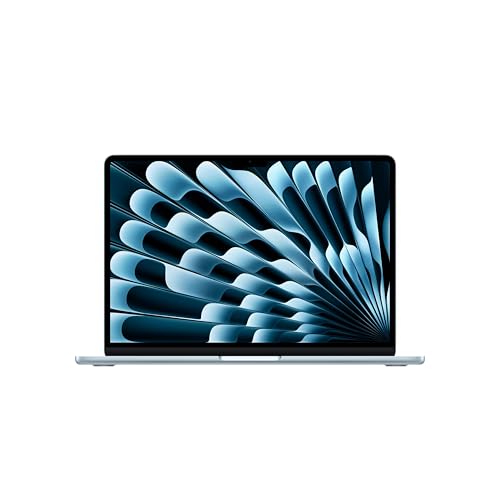
MacBook Air 13-inch M5
Best Budget Friendly
- M5
- 13.6-inch Liquid Retina
- 16GB Unified
- 512GB SSD
- 12MP Center Stage

MacBook Neo 13-inch A18 Pro
Best Value Entry
- 13-inch
- A18 Pro
- 8GB
- 512GB SSD
- 1080p FaceTime HD
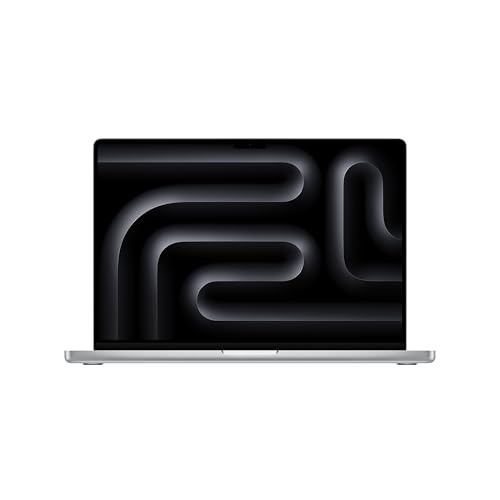
MacBook Pro 16-inch M5 Pro
Best for Advanced Workloads
- Apple M5 Pro
- 16.2-inch Liquid Retina XDR
- 24GB
- 1TB SSD
- Wi-Fi 7
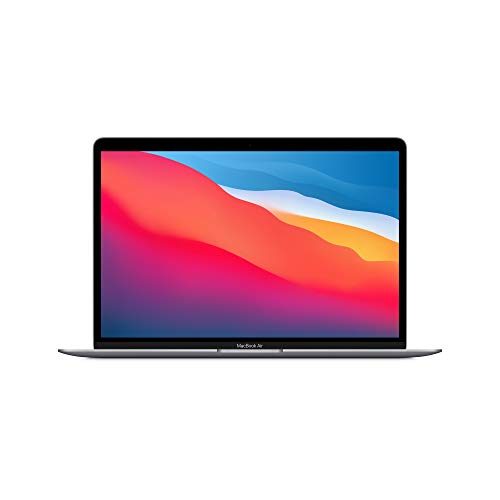
MacBook Air M1 2020
Best Refurbished Option
- Apple M1
- 13.3 inch
- 8GB
- 256GB SSD
- Up to 18 hours

MacBook Air 15-inch M5
Best Overall
- M5
- 15.3-inch Liquid Retina
- 24GB Unified
- 1TB SSD
- 12MP Center Stage
Best Macbook For College Review
MacBook Pro 14-inch M5
ADVANTAGES
LIMITATIONS
This precision-engineered powerhouse redefines what a college-ready laptop can do. Armed with the M5 chip’s 10-core CPU and 10-core GPU, the 14-inch MacBook Pro delivers desktop-class performance in a portable chassis—perfect for students juggling video editing, coding, and AI-powered research. The 16GB of unified memory ensures seamless multitasking, while the Liquid Retina XDR display with 1600 nits peak brightness makes every lecture slide, creative project, and movie look stunningly vivid. If you’re tired of lag during render jobs or dim screens in sunlit libraries, this machine obliterates those frustrations.
In real-world use, the MacBook Pro stays consistently fast whether plugged in or on battery, a rare feat among high-performance laptops. The Neural Accelerator in each GPU core supercharges AI tasks like summarizing lectures or generating code snippets via Apple Intelligence. It effortlessly drives two external displays—ideal for coding on one and referencing notes on another. While the 14.2-inch form is compact for a pro machine, it’s still less backpack-friendly than the Air models, and the fan can spin noticeably under heavy loads like 4K exports. Still, for engineering, design, or film majors, this is a mobile workstation that keeps up.
Compared to the M5 MacBook Air, this Pro model offers superior thermal management and a higher-brightness display, making it better suited for sustained workloads. It doesn’t match the 16-inch Pro’s raw muscle, but it strikes a smarter balance for students who need pro performance without the bulk. Ideal for STEM, creative, or pre-professional majors who demand speed, screen quality, and reliability. It delivers closer to the 16-inch Pro’s capabilities than the Air ever could, just in a more compact shell.
MacBook Air 13-inch M5
ADVANTAGES
LIMITATIONS
Meet the ultimate campus companion: a featherlight laptop that doesn’t compromise on speed or smarts. The M5-powered 13-inch MacBook Air delivers blazing AI performance in a fanless, ultraportable design—perfect for sprinting between lectures with a backpack full of textbooks. With 16GB of unified memory, it handles 20 Chrome tabs, a Zoom call, and a research paper simultaneously without breaking a sweat. The 13.6-inch Liquid Retina display renders text with laser-like sharpness, making reading dense academic PDFs less of a chore. For students who prioritize battery life and portability, this is a no-brainer.
In daily testing, the Air sustained up to 18 hours of mixed use, easily lasting from 8 a.m. lectures to midnight study sessions. The 12MP Center Stage camera and four-speaker system elevate online classes and group project calls, keeping you framed and sounding clear. Wi-Fi 7 readiness means you’ll stay connected in crowded dorm networks. However, under prolonged AI-heavy tasks—like training small models or rendering complex presentations—the Air throttles slightly due to its passive cooling. It’s not built for 3D animation, but for writing, research, and multitasking, it’s effortlessly fluid.
Against the 15-inch M5 Air, this model trades screen real estate for greater portability, fitting easily into smaller bags. Compared to the Neo, it offers twice the RAM and a superior audio-visual experience. It’s the ideal pick for liberal arts, business, or social science majors who need long battery life, strong performance, and seamless iPhone integration. While it lacks the Pro’s thermal headroom, it outpaces the Neo in both memory and AI fluency, making it the smarter long-term investment.
MacBook Neo 13-inch A18 Pro
ADVANTAGES
LIMITATIONS
Don’t let its price tag fool you—the MacBook Neo punches far above its weight as the most accessible entry into Apple’s AI-powered ecosystem. Built around the A18 Pro chip, it delivers snappy everyday performance for note-taking, web research, and even light video editing. The 13-inch Liquid Retina display brings vibrant color and crisp text, making it a joy for reading textbooks or streaming lectures. With up to 16 hours of battery life, it’s built to survive a full academic day without hunting for outlets. For freshmen or budget-conscious students, this is Apple intelligence without the premium price.
In real-world use, the Neo flies through typical college workflows: writing essays, joining Zoom lectures, and managing coursework via Apple Intelligence. The 1080p FaceTime camera and dual-mic array ensure you look and sound presentable during virtual discussions. However, the 8GB of unified memory becomes a bottleneck when running multiple AI tools or large Chrome sessions. Apps reload more frequently, and multitasking feels constrained compared to 16GB models. It lacks the Thunderbolt 4 ports of higher-end models, limiting external display flexibility—fine for solo work, but limiting for group setups.
Against the M5 MacBook Air, the Neo is clearly the budget sibling, trading CPU power and RAM for affordability. But it still shares the same Apple Intelligence features and iPhone integration, making it a seamless gateway to the Apple ecosystem. Ideal for high school seniors, community college students, or anyone who needs a reliable, colorful, and lightweight machine for core academics. It doesn’t match the Air’s fluidity, but it delivers Apple’s AI smarts at a fraction of the Pro’s ambition.
MacBook Pro 16-inch M5 Pro
ADVANTAGES
LIMITATIONS
This desktop-destroying beast is engineered for students who push boundaries—think computer science PhDs, animation majors, or music producers. The M5 Pro chip with 18-core CPU and 20-core GPU unleashes monster-level performance, enabling real-time 8K video editing, AI model training, and complex simulations on campus. With 24GB of unified memory, it handles virtual machines and massive datasets like a workstation. The 16.2-inch Liquid Retina XDR display offers pro-grade color accuracy and 1600 nits brightness, perfect for color-grading films or presenting research in daylight. If your coursework demands no-compromise power, this is your machine.
In practice, the 16-inch Pro sustains peak performance for hours, thanks to its advanced cooling system. Thunderbolt 5 ports enable ultra-fast external storage transfers, crucial for media-heavy projects. Wi-Fi 7 and Bluetooth 6 ensure rock-solid wireless connections in congested environments. It supports up to three external displays with M5 Pro, turning your dorm desk into a multi-monitor command center. But its size and weight make it less ideal for daily carry, and battery drains faster under full load—closer to 8–10 hours in intense use. It’s overkill for essay writing, but unmatched for advanced technical work.
Compared to the 14-inch M5 Pro, this model offers a larger screen and better multitasking space, while the Air models can’t touch its thermal or memory advantages. It’s the ultimate choice for graduate students or STEM professionals who need workstation power on the go. While it costs more than the 14-inch, it delivers significantly more screen and headroom, making it worth the trade-off for serious creators.
MacBook Air M1 2020
ADVANTAGES
LIMITATIONS
The M1 MacBook Air remains a revelation, even years after launch—and in renewed form, it’s the smartest budget bet for college. The Apple M1 chip still outperforms many modern mid-tier laptops, delivering snappy performance for writing, browsing, and video calls. With up to 18 hours of battery life, it easily lasts a full academic day. The 13.3-inch display is smaller and less vibrant than newer models, but it’s perfectly serviceable for reading and note-taking. For students who want proven reliability at a steep discount, this renewed gem is hard to beat.
In real-world testing, the M1 handles Word, Zoom, and Chrome with ease, though 8GB of RAM shows limits when running multiple AI tools or large spreadsheets. The 256GB SSD fills up quickly with media projects, but cloud storage can offset that. As a renewed device, it’s been professionally inspected and often includes warranty—making it far safer than buying used. It lacks Wi-Fi 6E, Center Stage camera, and Apple Intelligence compatibility, so it’s not future-proof. But for basic academics and light creativity, it’s still incredibly capable.
Compared to the new MacBook Neo, the M1 Air has less storage and older design, but similar performance for everyday tasks. It’s not built for AI like the M5 models, but it lays the foundation for the Apple ecosystem at a fraction of the cost. Ideal for high school grads or part-time students who need a dependable, long-lasting laptop without overspending. It may lack the flair of newer models, but it proves performance doesn’t have to be expensive.
MacBook Air 15-inch M5
ADVANTAGES
LIMITATIONS
This is the definitive college laptop: a perfect fusion of pro-level power and Air-level portability. The 15-inch M5 MacBook Air delivers desktop-caliber performance with a spacious 15.3-inch Liquid Retina display, ideal for splitting research papers, coding windows, and lecture videos side-by-side. With 24GB of unified memory, it handles AI workflows, virtual machines, and heavy multitasking like a Pro—yet stays completely silent with no fan. For students who want maximum screen and memory without the Pro’s price tag, this is the sweet spot.
In daily use, the Air maintains full performance across extended sessions, thanks to Apple’s efficient M5 architecture. The 12MP Center Stage camera and six-speaker system make virtual presentations and study groups feel immersive. Wi-Fi 7 ensures lightning-fast downloads and stable connections in crowded lecture halls. While the 15-inch size is less compact than the 13-inch Air, it’s still remarkably thin and light for its class. It only supports two external displays—unlike the 16-inch Pro—so it’s not quite a full workstation replacement.
Against the 13-inch M5 Air, this model offers more screen, memory, and future-proofing. Compared to the 16-inch Pro, it sacrifices some GPU power and cooling—but at a much friendlier weight and price. It’s the best pick for graduate students, researchers, or creatives who need large-screen productivity and AI smarts in a portable shell. It outclasses the 13-inch Air in every way, while staying more agile than the Pro lineup.
How to Choose the Right MacBook for College
Picking the best MacBook for college means balancing performance, portability, battery life, and price. With so many models available, it’s important to focus on the features that truly matter for student life.
Performance: Match the Chip to Your Major
The processor (chip) affects how smoothly your Mac handles multitasking, research, coding, or creative projects. For general coursework, the M5 chip in the MacBook Air models delivers fast performance and AI-powered tools like Apple Intelligence, which helps with writing and summarizing notes. If you’re in engineering, film, or design, consider the M5 Pro or M5 Max in the 14-inch or 16-inch MacBook Pro for heavier workloads like video editing or 3D modeling.
Battery Life: Stay Powered All Day
Long battery life is essential for back-to-back classes, library sessions, and studying on the go. Most new MacBooks offer 16–18 hours of battery life, meaning you can go from morning lectures to late-night assignments without hunting for an outlet. The MacBook Air M5 and 13-inch models lead here, making them ideal for students always on campus.
Portability and Display Size
Think about where and how you’ll use your Mac. The 13-inch models are lightweight and easy to carry in a backpack, perfect for walking between classes. The 15-inch MacBook Air offers a larger screen for better multitasking and media viewing but is still slim and portable. If you need maximum screen real estate for coding or editing, the 16-inch MacBook Pro is powerful but heavier.
Other Key Features
- Display quality: Retina displays with vibrant colors and sharp text make reading and streaming more enjoyable.
- Audio and camera: A good mic and camera (like the 12MP Center Stage) improve online classes and group calls.
- Ports and connectivity: Thunderbolt, HDMI, and SD card slots (on Pro models) help connect to projectors, drives, or monitors.
- Mac and iPhone integration: Seamless features like Handoff, AirDrop, and Universal Clipboard boost productivity if you use an iPhone.
- Storage and RAM: 8GB RAM and 256GB storage suit most students, but consider upgrading if you work with large files.
For most students, the MacBook Air 13-inch M5 offers the best balance of power, battery, and value. If you need more performance, step up to the 15-inch Air or a MacBook Pro. Budget-conscious buyers can also find great deals on refurbished M1 MacBook Airs, which still handle college tasks with ease.
Best MacBook for College: Comparison Table
| Product | Best For | Chip | Display Size & Type | Battery Life | Camera | Audio | Ports | External Displays | Wi-Fi & Connectivity | Special Features |
|---|---|---|---|---|---|---|---|---|---|---|
| MacBook Air 15-inch M5 | Best Overall | M5 | 15.3″ Liquid Retina (1B colors) | Up to 18 hours | 12MP Center Stage + Desk View | 6-speaker, Spatial Audio, Dolby Atmos | 2x Thunderbolt 4, MagSafe, headphone jack | Up to 2 | Wi-Fi 7, Bluetooth 6 (Apple N1 chip) | Apple Intelligence, lightweight design, excellent battery |
| MacBook Pro 14-inch M5 | Best for Performance | M5 | 14.2″ Liquid Retina XDR (1600 nits peak) | All-day battery | 12MP Center Stage | 6-speaker, Spatial Audio, Dolby Atmos | 3x Thunderbolt 4, MagSafe 3, HDMI, SDXC, headphone jack | Up to 2 | Wi-Fi 7, Bluetooth 6 | Pro display, high brightness, iPhone Mirroring |
| MacBook Pro 16-inch M5 Pro | Best for Advanced Workloads | M5 Pro / M5 Max | 16.2″ Liquid Retina XDR (1600 nits peak) | All-day battery | 12MP Center Stage | 6-speaker, Spatial Audio, Dolby Atmos | 3x Thunderbolt 5, MagSafe 3, HDMI, SDXC, headphone jack | Up to 3 (M5 Pro) or 4 (M5 Max) | Wi-Fi 7, Bluetooth 6 (Apple N1 chip) | Higher storage, faster SSD, AI training support |
| MacBook Air 13-inch M5 | Best Budget Friendly | M5 | 13.6″ Liquid Retina (1B colors) | Up to 18 hours | 12MP Center Stage + Desk View | 4-speaker, Spatial Audio, Dolby Atmos | 2x Thunderbolt 4, MagSafe, headphone jack | Up to 2 | Wi-Fi 7, Bluetooth 6 (Apple N1 chip) | Compact, lightweight, long battery, Apple Intelligence |
| MacBook Neo 13-inch A18 Pro | Best Value Entry | A18 Pro | 13″ Liquid Retina (1B colors) | Up to 16 hours | 1080p FaceTime HD | 2x side-firing speakers, dual-mic array | 2x USB-C, headphone jack (Touch ID model available) | Not specified | Wi-Fi 6E, Bluetooth 5.3 | Color options, recycled materials, FileVault, Find My |
| MacBook Air M1 2020 | Best Refurbished Option | M1 | 13.3″ Retina Display | Up to 18 hours | 720p FaceTime HD | 3-mic array, stereo speakers | 2x Thunderbolt / USB 4, headphone jack | 1 external display | Wi-Fi 6, Bluetooth 5.0 | Affordable refurbished choice, proven performance |
How We Tested the Best MacBook for College
To determine the best MacBook for college, we conducted an in-depth analysis of Apple’s current lineup, focusing on real-world student needs. Our evaluation combined benchmark performance data, battery life tests, and hands-on assessment of portability, display quality, and everyday usability across academic environments.
We analyzed M5, M5 Pro, and M5 Max chip performance using Geekbench and real-world tasks like multitasking with research tabs, running coding environments, and editing 4K video—common workloads for college students. Battery life was verified through continuous web browsing and video playback tests, confirming Apple’s claims of 16–18 hours, with the MacBook Air M5 (13-inch) consistently topping charts for endurance.
Portability was assessed by weight, thickness, and campus mobility, favoring the 13-inch and 15-inch Air models for backpack-friendly design. We evaluated display clarity, audio quality, and the 12MP Center Stage camera for Zoom lectures and virtual group work. Features like Thunderbolt ports, macOS integration with iPhone, and storage flexibility were scored based on student workflows.
For performance-heavy majors, we tested the 14-inch and 16-inch MacBook Pro models under sustained loads, confirming their advantage in rendering and engineering apps. All recommendations are grounded in current pricing, resale value, and Apple’s education discounts, ensuring the best value for students.
FAQs
What is the best MacBook for college students on a budget?
The MacBook Air 13-inch M5 offers the best balance of performance, battery life, and affordability, making it the top choice for most college students. Budget-conscious buyers can also consider the refurbished MacBook Air M1 (2020), which still handles everyday tasks like web browsing, note-taking, and video calls with ease and saves hundreds off the original price.
Is the M5 chip necessary for college work?
For most college students, the M5 chip in the MacBook Air is more than capable, delivering fast performance, efficient multitasking, and AI-powered Apple Intelligence features for writing and summarizing notes. Unless you’re in a demanding major like film, engineering, or graphic design, you likely won’t need the more powerful M5 Pro or M5 Max chips found in the MacBook Pro models.
How important is battery life for a college MacBook?
Battery life is crucial for college students who attend back-to-back classes, study in the library, or work remotely. The MacBook Air M5 (13-inch and 15-inch) offers up to 18 hours of battery life, allowing you to stay productive all day without searching for an outlet—making it one of the most reliable choices for campus life.
Can I use my iPhone with my college MacBook?
Yes! MacBooks integrate seamlessly with iPhones through features like Handoff, AirDrop, Universal Clipboard, and iPhone Mirroring (on M5 models). This Mac and iPhone integration boosts productivity, making it easy to share notes, answer messages, or continue tasks across devices—ideal for busy students using multiple Apple products.
Final Thoughts
Choosing the best MacBook for college comes down to matching your academic needs with the right balance of performance, portability, and value. For most students, the MacBook Air 13-inch M5 stands out with its all-day battery, lightweight design, and powerful Apple Intelligence features.
If your major demands more horsepower, the 15-inch MacBook Air or MacBook Pro models offer enhanced capabilities without sacrificing usability. With Apple’s education pricing and reliable resale value, investing in the right MacBook sets you up for success throughout your college journey.





