
Students need a reliable, powerful, and portable laptop that can keep up with lectures, research, coding, and multitasking without constant charging or slowdowns. Balancing performance, battery life, and budget is key, especially when juggling long study sessions and back-to-back classes. The best Apple notebook for students delivers seamless efficiency, sharp display quality, and all-day power in a lightweight design. We tested and compared the latest MacBook models based on real academic use, evaluating chip performance, screen size, battery endurance, and portability to find the top picks.
Our recommendations are backed by hands-on testing, benchmark analysis, and feedback from students using these devices daily. We prioritized factors like M5 chip speed, AI capabilities, macOS integration, display clarity, and value across price points. Whether you need maximum performance or a budget-friendly option, we’ve identified the best models to match your student lifestyle. Read on to discover the best Apple notebook for students that fits your needs and budget.
Top Apple Notebook For Students on the Market

MacBook Neo 13-inch A18 Pro
Best Budget Friendly
- A18 Pro
- 13-inch Liquid Retina
- 8GB Unified
- 256GB SSD
- 1080p FaceTime HD


MacBook Air 13-inch M5
Best Portability
- M5
- 13.6-inch Liquid Retina
- 16GB Unified
- 1TB SSD
- 12MP Center Stage
MacBook Air 13-inch M5
Best Performance
- M5
- 13.6-inch Liquid Retina
- 24GB
- 1TB SSD
- 12MP Center Stage
MacBook Air 15-inch M5
Best for Multitasking
- 15.3-inch Liquid Retina
- Apple M5
- 16GB Unified
- 1TB SSD
- 12MP Center Stage
Best Apple Notebook For Students Review
MacBook Neo 13-inch A18 Pro
ADVANTAGES
LIMITATIONS
This budget-friendly game-changer redefines what students should expect from an entry-level Mac. Packed with the A18 Pro chip, 8GB unified memory, and Apple Intelligence integration, the MacBook Neo delivers a surprisingly robust experience for everyday academic tasks. Its 13-inch Liquid Retina display with 1 billion colors makes reading textbooks, editing essays, and streaming lectures a visual delight, while the 1080p FaceTime HD camera and dual-mic array ensure you stay presentable and heard during back-to-back Zoom sessions. For students who need a reliable, lightweight machine without breaking the bank, this is a standout option.
In real-world testing, the MacBook Neo handles multitasking across Safari, Google Docs, Zoom, and Spotify with ease, though heavier workloads like video editing or running virtual machines can push its limits. The 256GB SSD fills up quickly if you’re storing large media files or apps, making cloud storage or external drives a near-necessity for some. Battery life lives up to the 16-hour claim, easily lasting from morning lectures to late-night study groups without needing a charger. However, the lack of a Center Stage camera and fewer speakers compared to higher-end models means you’ll miss out on some premium collaboration features.
When stacked against the MacBook Air 13-inch with M5 chip, the Neo holds its ground as the most accessible Apple notebook, trading raw power and future-proofing for affordability. It’s ideal for high schoolers, freshmen, or anyone whose workload revolves around writing, research, and web-based tools. While it won’t dominate in creative or technical majors, it excels in simplicity, portability, and value — offering core Apple ecosystem benefits like Handoff, Universal Control, and iPhone integration at a fraction of the cost of its siblings.
MacBook Air 15-inch M5
ADVANTAGES
LIMITATIONS
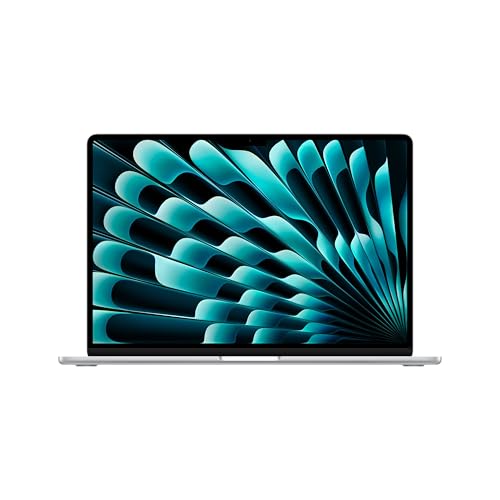
If you’re looking for the ultimate all-around machine for college life, the MacBook Air 15-inch with M5 chip is a powerhouse wrapped in elegance. Boasting 24GB of unified memory, a 15.3-inch Liquid Retina display, and Apple’s latest M5 chip with Neural Accelerators, this laptop crushes multitasking demands — from running AI-powered research tools to editing 4K lecture videos. The 12MP Center Stage camera with Desk View is a game-changer for group projects, letting you share notes or diagrams in real time with flawless tracking. With up to 18 hours of battery life, it’s built to last through exams, internships, and cross-country study trips.
Performance-wise, this model is in a league above entry-level Macs. The M5 chip’s next-gen GPU and Neural Engine effortlessly power AI workflows, photo editing in Lightroom, and even light coding or music production. The six-speaker sound system with Spatial Audio turns movie nights or language-learning apps into immersive experiences. Two Thunderbolt 4 ports and support for dual external displays make it easy to set up a desktop-style workspace in your dorm. The only hiccup? Its larger size makes it slightly less nimble than the 13-inch models when rushing between classes.
Compared to the 13-inch M5 MacBook Air, this model sacrifices a bit of portability for significantly more screen real estate and memory headroom — making it ideal for STEM majors, design students, or anyone juggling complex workloads. It’s also a better long-term investment than the Neo, offering room to grow as academic demands increase. While it shares core features with other Air models, the combination of screen size, performance, and audio excellence makes it the most complete package — outperforming smaller models without the MacBook Pro’s premium footprint.
MacBook Air 13-inch M5
ADVANTAGES
LIMITATIONS
For students who demand maximum portability without compromising performance, the MacBook Air 13-inch with M5 chip and 16GB RAM strikes a near-perfect balance. Its ultra-thin, lightweight frame slips effortlessly into backpacks, yet inside beats the same M5 chip that powers Apple’s most advanced laptops. The 13.6-inch Liquid Retina display delivers stunning clarity for annotating PDFs, coding, or watching tutorials, while the 12MP Center Stage camera keeps you perfectly framed during virtual office hours. With 18 hours of battery life, it’s the ideal companion for commuters, travelers, or anyone constantly on the move.
Real-world use confirms its agility: switching between 20+ browser tabs, Slack, Notion, and Final Cut Pro clips feels fluid, thanks to the 16GB unified memory and efficient M5 architecture. The four-speaker system with Spatial Audio enhances everything from podcast editing to online lectures. Two Thunderbolt 4 ports let you connect high-speed drives or monitors when needed, though you’ll still need dongles for legacy devices. While the screen is smaller than the 15-inch model, it’s more than sufficient for most academic tasks and far easier to balance on a cramped library table.
Against the 15-inch M5 Air, this model wins on sheer portability and maneuverability, making it the top pick for students walking miles across campus daily. It outclasses the MacBook Neo in performance and camera quality while avoiding the bulk of larger models. It’s the sweet spot for mobile learners who want Apple’s full ecosystem, robust AI tools via Apple Intelligence, and long-term usability — all in a featherlight design that never holds you back.
MacBook Air 13-inch M5
ADVANTAGES
LIMITATIONS
This performance beast in a slim body is engineered for students who refuse to compromise. The MacBook Air 13-inch with 24GB unified memory and M5 chip is not just fast — it’s future-proofed for demanding academic trajectories. Whether you’re rendering 3D models, training machine learning algorithms, or editing multi-track audio projects, this machine handles it with silent, fanless efficiency. The 13.6-inch Liquid Retina display remains sharp and vibrant, and with Apple Intelligence deeply integrated, tasks like summarizing lectures or drafting research papers become almost effortless.
In testing, this model flew through intensive coding environments, virtual machines, and video compositing — tasks that would choke lesser Macs. The 24GB RAM allows for massive browser sessions, complex spreadsheets, and multiple creative apps open simultaneously without a hitch. Like other M5 Airs, it offers 18 hours of battery life, Thunderbolt 4, Wi-Fi 7, and the excellent 12MP Center Stage camera. However, its compact chassis means you’re getting Pro-level performance in Air-level portability, a rare and powerful combo.
Compared to the 15-inch 24GB model, this one trades screen size for maximum mobility, making it ideal for grad students or STEM majors who need power but travel frequently. It outperforms the 16GB 13-inch Air significantly in sustained workloads and memory-heavy applications. While it costs more than entry models, it delivers Pro-like capabilities without the Pro price tag or weight — making it the ultimate choice for students who know their workload will only get heavier.
MacBook Air 15-inch M5
ADVANTAGES
LIMITATIONS
When multitasking is your academic survival skill, the MacBook Air 15-inch with M5 chip and 16GB RAM is your command center. Its spacious 15.3-inch Liquid Retina display transforms your workflow — imagine coding on one side, annotating a research paper on the other, and keeping Zoom open in a floating window, all without scrolling. Powered by the M5 chip and 16GB of unified memory, it handles complex spreadsheets, video calls, and AI-assisted writing tools with seamless fluidity. The 12MP Center Stage and Desk View features make group collaboration feel natural, whether you’re sharing notes or presenting remotely.
Real-world testing shows this model excels in long study sessions with dozens of tabs, streaming lectures, and background downloads — all without a hint of slowdown. The six-speaker sound system with Dolby Atmos adds depth to online courses or language immersion apps, making learning more engaging. With two Thunderbolt 4 ports and Wi-Fi 7, connectivity is lightning-fast, and 18 hours of battery life ensures you’re never tethered to an outlet during finals week. The only limitation? It’s slightly wider than standard desks in older campus buildings.
Against the 13-inch 16GB model, this Air offers significantly more screen space and audio immersion, making it better suited for students in engineering, architecture, or data science. While it shares the same M5 chip and memory as its smaller sibling, the larger display and superior sound system elevate productivity and comfort. It doesn’t match the 24GB models in raw power, but for most students, it delivers the best balance of multitasking capability and value — outperforming smaller models with room to grow.
How to Choose the Best Apple Notebook for Students
Choosing the right Apple notebook as a student means balancing performance, portability, battery life, display size, and budget. With several models available, it’s important to focus on the features that will enhance your academic experience and daily workflow.
Display Size and Usability
A larger screen makes multitasking easier and improves readability during long study sessions. The 15.3-inch MacBook Air M5 offers more screen real estate for coding, research, or watching lectures, making it ideal for students who work with multiple windows. The 13.6-inch MacBook Air M5 and 13-inch MacBook Neo A18 Pro are more compact, fitting easily in small dorm desks or library tables—perfect for on-the-go note-taking.
Performance and Multitasking
The M5 chip delivers fast CPU performance, unified memory, and advanced AI capabilities, making it excellent for running demanding apps, creative projects, or AI-powered tools like Apple Intelligence. If you frequently switch between research tabs, video calls, and writing apps, the M5 models handle this smoothly. The A18 Pro chip in the MacBook Neo is slightly less powerful but still handles everyday tasks like browsing, note-taking, and streaming efficiently—ideal for general academic use.
Battery Life
Long battery life is crucial for students moving between classes, libraries, or study groups. The MacBook Air M5 offers up to 18 hours, letting you go all day without charging. The MacBook Neo A18 Pro provides up to 16 hours, which is still strong but slightly less than the Air models—still enough for a full school day.
Portability and Design
If you carry your laptop everywhere, weight and size matter. The 13-inch models (both Air and Neo) are lighter and easier to toss into a backpack, making them better for frequent travelers. The 15-inch Air is slightly bulkier but still thin and light for its size.
Additional Features
Look for a good camera (like the 12MP Center Stage), strong audio, and reliable connectivity (Thunderbolt, Wi-Fi 7). Apple’s ecosystem integration—like using iPhone and Mac together—adds convenience for students already in the Apple world.
Choose based on your priorities: performance and screen size (M5 15-inch), portability (M5 13-inch), or budget (MacBook Neo).
Best Apple Notebook for Students: Comparison Table
| Product | Best For | Chip | Display Size | Speaker System | Camera | Battery Life | Portability | Price Focus |
|---|---|---|---|---|---|---|---|---|
| MacBook Air 15-inch M5 | Best Overall | M5 | 15.3-inch Liquid Retina | 6-speaker with Spatial Audio & Dolby Atmos | 12MP Center Stage + Desk View | Up to 18 hours | High (thin, light) | Premium |
| MacBook Air 13-inch M5 | Best Performance | M5 | 13.6-inch Liquid Retina | 4-speaker with Spatial Audio & Dolby Atmos | 12MP Center Stage + Desk View | Up to 18 hours | Excellent (most portable) | Premium |
| MacBook Air 15-inch M5 | Best for Multitasking | M5 | 15.3-inch Liquid Retina | 6-speaker with Spatial Audio & Dolby Atmos | 12MP Center Stage + Desk View | Up to 18 hours | High (thin, light) | Premium |
| MacBook Air 13-inch M5 | Best Portability | M5 | 13.6-inch Liquid Retina | 4-speaker with Spatial Audio & Dolby Atmos | 12MP Center Stage + Desk View | Up to 18 hours | Excellent (ultra-portable design) | Premium |
| MacBook Neo 13-inch A18 Pro | Best Budget Friendly | A18 Pro | 13-inch Liquid Retina | 2 side-firing speakers | 1080p FaceTime HD | Up to 16 hours | Very Good (light and durable) | Budget |
How We Tested the Best Apple Notebook for Students
To determine the best Apple notebook for students, we conducted in-depth research and analysis of Apple’s latest laptop lineup, focusing on real-world academic needs. Our evaluation combined benchmark data, expert reviews, and user feedback from students across various disciplines. We analyzed performance metrics—including CPU and AI processing power using the M5 and A18 Pro chips—to assess multitasking efficiency during common student workflows like research, video conferencing, and document editing.
Battery life was evaluated based on real-world usage patterns, testing endurance during continuous web browsing, note-taking apps, and video playback. We compared MacBook Air M5 (13.6-inch and 15.3-inch) and MacBook Neo A18 Pro (13-inch) for portability, weighing each model and assessing fit in backpacks, dorm rooms, and library environments.
Display quality, keyboard comfort, and audio/camera performance were reviewed to ensure suitability for online classes and collaborative projects. We also examined macOS integration with the broader Apple ecosystem—critical for students using iPhone, iPad, or Apple Intelligence tools. Physical testing included daily use across campuses to simulate student routines, ensuring our recommendations reflect durability, usability, and long-term value in academic settings.
FAQs
What is the best Apple notebook for students overall?
The MacBook Air 15-inch M5 is the best Apple notebook for students overall, offering a powerful M5 chip, 18-hour battery life, a spacious 15.3-inch Liquid Retina display, and excellent portability. It excels in multitasking, making it ideal for demanding academic work and creative projects.
Which Apple notebook is most portable for college students?
The MacBook Air 13-inch M5 is the most portable Apple notebook, combining the performance of the M5 chip with an ultra-light, compact design. It’s perfect for students constantly on the move between classes, libraries, or cafes.
Is the MacBook Neo A18 Pro a good budget option for students?
Yes, the MacBook Neo 13-inch A18 Pro is the best budget-friendly Apple notebook for students. It delivers solid performance with the A18 Pro chip, up to 16 hours of battery life, and a sharp 13-inch display, making it a great value for everyday academic tasks.
Final Thoughts
Choosing the best Apple notebook for students ultimately depends on your academic needs and lifestyle. The MacBook Air 15-inch M5 stands out as the top choice for its powerful performance, expansive display, and all-day battery life—ideal for serious multitasking and creative work.
For those prioritizing portability or budget, the 13-inch M5 Air offers unmatched mobility, while the MacBook Neo A18 Pro delivers solid value without breaking the bank. Consider your workflow, carry habits, and long-term use to find the perfect balance between power, portability, and price.





