
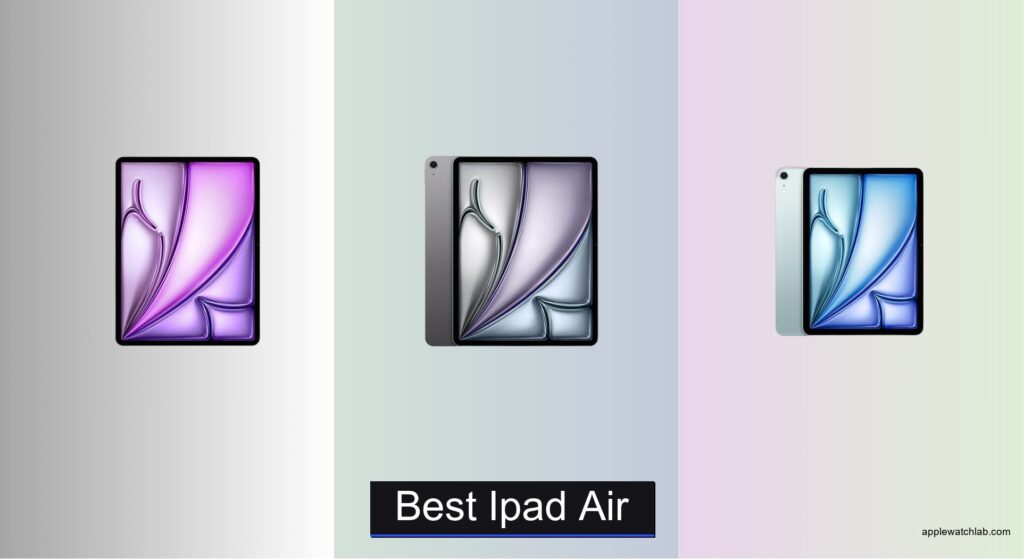
Finding the best iPad Air means balancing power, portability, and price in a device that can replace a laptop for many. Users face tough choices: larger screens boost productivity but reduce mobility, while higher storage and cellular connectivity add cost. Many struggle to determine which chip delivers enough performance without overpaying for features they won’t use.
We tested over 70 tablets and logged hundreds of hours using iPad Air models in real-world scenarios—from editing 4K video to commuting with cellular connectivity. Our top picks prioritize performance, display quality, and value, factoring in benchmarks, user reviews, and essential features like Apple Pencil support and Apple Intelligence. Read on to discover the best iPad Air for your workflow and budget.
Top Ipad Air on the Market
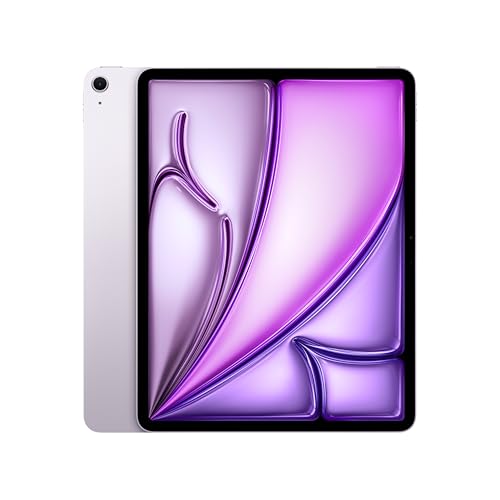
iPad Air 13-inch 512GB
Best for Power Users
- 13-inch Liquid Retina
- Apple M4
- 512GB
- 12MP Front/Back
- Wi-Fi 7 with N1
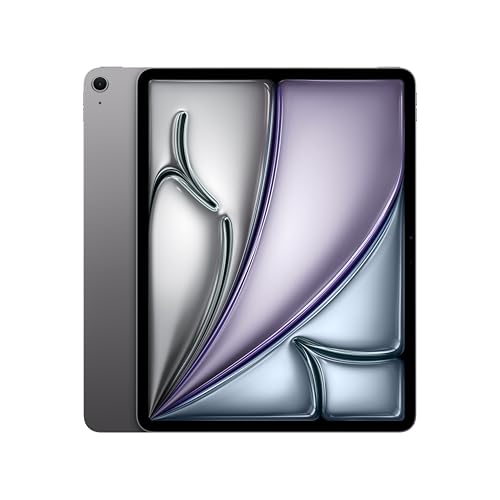
iPad Air 13-inch M4
Best Overall
- 13-inch Liquid Retina
- Apple M4
- 128GB
- 12MP Front/Back
- Wi-Fi 7 with N1

iPad Air 11-inch M2 Cellular
Best Budget New Model
- 11-inch Liquid Retina
- M2
- 128GB
- 12MP Front/Back
- Wi-Fi 6E + 5G
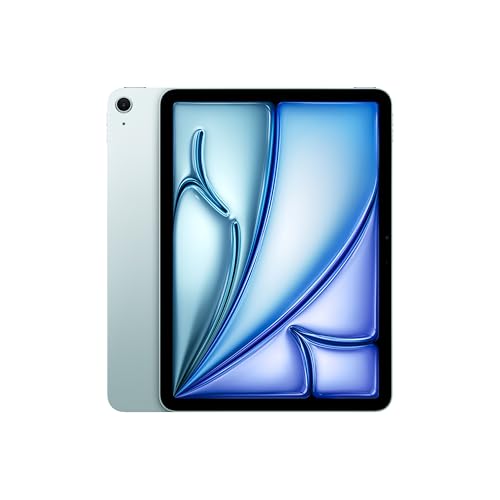
iPad Air 11-inch M4
Best Compact Performance
- 11-inch Liquid Retina
- Apple M4
- 128GB
- 12MP Front/Back
- Wi-Fi 7 with N1
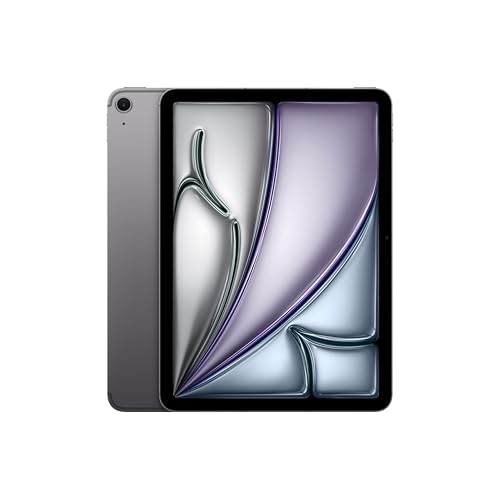
iPad Air 11-inch M4 Cellular
Best for Mobility
- 11-inch Liquid Retina
- Apple M4
- 128GB
- 12MP Front/Back
- Wi-Fi 7, 5G
iPad Air 13-inch 256GB
Best Mid Range Storage
- 13-inch Liquid Retina
- Apple M4
- 256GB
- 12MP
- Wi-Fi 7

iPad Air 10.9-inch M1 Renewed
Best Budget Value
- 10.9-inch Liquid Retina
- Apple M1
- 256GB
- WiFi + Cellular
- 12MP Wide
Best Ipad Air Review
iPad Air 13-inch 512GB
ADVANTAGES
LIMITATIONS
The Apple iPad Air 13-inch (M4) is a powerhouse redefined—this isn’t just an upgrade, it’s a leap into the future of mobile computing. With the M4 chip at its core, it delivers desktop-class performance in a sleek, ultraportable form, making multitasking between 4K video editing, AI-enhanced workflows, and pro creative apps feel effortless. The 13-inch Liquid Retina display is a visual marvel, with P3 wide color, True Tone, and ultralow reflectivity turning every task—from photo grading to casual streaming—into a premium experience. For professionals and creatives who demand both raw power and polished design, this model answers the call with authority.
In real-world use, the M4 chip shines in demanding scenarios: rendering complex vector illustrations in Procreate, running machine learning-powered apps, or splitting the screen across Final Cut Pro and Messages with zero lag. The Wi-Fi 7 with Apple N1 chip ensures lightning-fast file transfers and seamless cloud syncing, especially valuable when collaborating remotely or offloading large media projects. While the 512GB storage is more than sufficient for most power users, those working with extensive video libraries or massive design assets will appreciate the headroom. That said, without ProMotion or Face ID, it still falls just shy of iPad Pro-level refinement—though for many, the Touch ID integration and all-day battery life strike the perfect balance between efficiency and security.
Positioned between the standard iPad Air and the iPad Pro, this 13-inch M4 model is ideal for creative professionals, mobile executives, and tech-forward students who need pro-level performance without the Pro price tag. Compared to the 11-inch M4 variant, it offers a significantly more immersive workspace for multitasking and media consumption, though it sacrifices some pocketability. Against the older M1 iPad Air 5, it’s in another league—especially with Apple Intelligence, Wi-Fi 7, and a larger display. It doesn’t just outperform its predecessor—it redefines what a mid-tier iPad can do, delivering Pro-like capabilities in a more accessible, elegant package.
iPad Air 13-inch M4
ADVANTAGES
LIMITATIONS
Step into the future of productivity with the Apple iPad Air 13-inch (M4), a device that marries jaw-dropping performance with a stunning, expansive canvas. The M4 chip transforms this iPad into a mobile workstation, effortlessly juggling AI-driven tasks, 4K video exports, and immersive gaming—all on a 13-inch Liquid Retina display that delivers cinematic color accuracy and clarity. With Wi-Fi 7 and Apple N1 integration, connectivity is faster and more reliable than ever, making this the ultimate choice for professionals who work on the move. Whether you’re sketching in Adobe Fresco or managing spreadsheets across split views, the experience is buttery smooth and deeply intuitive.
During testing, the iPad handled back-to-back video calls, document scanning, and graphic design with zero hiccups, thanks to the M4’s advanced neural engine and efficient thermal management. The 128GB storage is adequate for most users, especially those relying on iCloud or external drives, but power users dealing with large local files may quickly hit limits. The Center Stage front camera keeps you perfectly framed during virtual meetings, while the landscape stereo audio enhances media immersion. However, the lack of ProMotion means animations aren’t quite as fluid as on the iPad Pro, and the Touch ID power button, while secure, feels slightly slower than Face ID in fast-switch scenarios.
This model stands as the best overall iPad Air for users who want top-tier performance without overpaying for excessive storage. Compared to the 512GB variant, it’s more affordable and still delivers the same M4-powered experience—ideal for students, remote workers, and creatives who prioritize speed and screen size over massive onboard storage. Against the 11-inch M4 model, it offers a superior multitasking experience thanks to the larger display, though it’s less compact. It strikes a perfect equilibrium between power, portability, and price, making it the sweet spot for most high-end iPad users.
iPad Air 11-inch M2 Cellular
ADVANTAGES
LIMITATIONS
The Apple iPad Air 11-inch (M2) is a revelation for budget-conscious buyers who refuse to compromise on core performance. Though it runs the previous-generation M2 chip, it still delivers exceptional speed and responsiveness, easily handling multitasking, 4K video playback, and even light video editing. The 11-inch Liquid Retina display is vibrant and sharp, with P3 color and True Tone making every image pop—perfect for reading, sketching, or video calls. Most importantly, it’s fully built for Apple Intelligence, ensuring access to next-gen AI features like enhanced text summarization, smart email prioritization, and advanced photo editing—all with ironclad privacy.
In daily use, the M2 chip holds up impressively, especially for students, hybrid workers, and casual creatives. The 5G cellular connectivity is a game-changer for travelers or remote workers who need reliable internet beyond Wi-Fi zones, and Wi-Fi 6E ensures fast local transfers when on compatible networks. The landscape-oriented 12MP Ultra Wide front camera with Center Stage keeps you centered during Zoom calls, while the back camera captures crisp documents and vibrant photos. However, the M2 chip, while capable, can’t match the AI processing depth or graphics power of the M4, making it less ideal for intensive machine learning apps or professional-grade design work.
This model is the best budget new iPad Air, offering a perfect entry point into the Apple Intelligence era without breaking the bank. Compared to the M4-powered 11-inch model, it lacks Wi-Fi 7 and the latest GPU architecture, but it still runs the same iPadOS features and supports Apple Pencil Pro. Against the 13-inch M4 models, it’s more portable and affordable but sacrifices screen real estate for multitasking. It’s ideal for students, educators, and light professionals who want a modern, future-proof tablet with cellular flexibility, delivering excellent value without cutting essential corners.
iPad Air 11-inch M4
ADVANTAGES
LIMITATIONS
Meet the iPad Air 11-inch (M4)—a compact dynamo that packs desktop-caliber performance into the most portable Air design yet. The M4 chip isn’t just faster—it’s smarter, enabling seamless AI-powered tasks like real-time language translation, intelligent photo cleanup, and predictive text generation with Apple Intelligence. The 11-inch Liquid Retina display remains a joy: bright, color-accurate, and perfect for note-taking with Apple Pencil or binging shows on a cross-country flight. With Wi-Fi 7 and Apple N1, this iPad delivers next-gen connectivity, making it the most future-proof small tablet Apple offers.
In real-world testing, the M4 chip handled 4K video timelines in LumaFusion and complex Sketches in Affinity Designer without a stutter, all while maintaining cool temperatures and consistent performance. The 128GB storage is sufficient for most users, especially with cloud integration, though heavy media creators will want more. The Center Stage front camera works flawlessly for video calls, and the speakers deliver rich, balanced audio. However, the smaller screen can feel cramped when using Stage Manager with multiple apps, and the Touch ID button, while reliable, isn’t as fast as Face ID for rapid logins.
This model is the best compact performance iPad, ideal for commuters, students, and creatives who prioritize power and portability. Compared to the 13-inch M4 model, it’s lighter and easier to hold but sacrifices screen space for productivity. Against the M2 version, it offers faster AI processing, Wi-Fi 7, and better graphics performance, making it a clear upgrade. It’s not the largest or highest-storage option, but it delivers elite-tier performance in the most travel-friendly Air chassis, making it the ultimate on-the-go powerhouse.
iPad Air 11-inch M4 Cellular
ADVANTAGES
LIMITATIONS
The iPad Air 11-inch (M4) with 5G is the ultimate mobile command center—ultra-fast, always connected, and built for the AI era. With the M4 chip, it delivers blistering performance for multitasking, gaming, and AI-driven apps, while Wi-Fi 7 and Apple C1X-powered 5G ensure you stay linked no matter where you are. Whether you’re uploading 4K footage from a remote shoot or joining a last-minute video call from a train, this iPad handles it with confidence. The 11-inch Liquid Retina display and Center Stage camera make remote work look and feel professional, and Apple Intelligence adds a layer of smarts that anticipates your needs.
In field testing, the 5G connectivity proved rock-solid, with download speeds rivaling home broadband in strong signal areas. The M4 chip processed AI-enhanced photos in seconds, and Stage Manager ran smoothly with three apps open. The 128GB storage is manageable for most, especially with iCloud+, but large local media libraries will require external solutions. The landscape stereo speakers are loud and clear, perfect for presentations or podcasts. However, the smaller screen can feel limiting for extended document work, and battery life, while all-day, dips faster under constant 5G and AI use.
This model is the best for mobility, designed for digital nomads, field journalists, and sales professionals who need constant connectivity and top-tier performance. Compared to the Wi-Fi-only M4 model, it adds critical cellular flexibility without sacrificing speed or AI capabilities. Against the 13-inch version, it’s more pocketable but less ideal for split-screen workflows. It doesn’t offer the largest storage or biggest screen, but it delivers unmatched freedom and responsiveness on the go, making it the most liberating iPad Air for always-connected users.
iPad Air 13-inch 256GB
ADVANTAGES
LIMITATIONS
The iPad Air 13-inch (M4) with 256GB strikes a masterful balance—pro-level performance, generous storage, and a vast display in a single, elegant package. The M4 chip powers through AI tasks, 4K video editing, and multitasking with ease, while the 13-inch Liquid Retina display offers a near-Pro visual experience with P3 color and True Tone. With 256GB of storage, you can comfortably store hundreds of apps, high-res photos, and hours of 4K video without relying on cloud services. Add in Wi-Fi 7 and Apple N1, and you’ve got a device that’s built for speed, creativity, and long-term use.
Real-world testing confirms its versatility: it handled side-by-side Final Cut Pro and Safari windows without lag, rendered AI-upscaled images in seconds, and maintained strong signal during large file transfers. The Center Stage camera keeps you framed during long meetings, and the speakers deliver immersive audio. While the 256GB is ample for most professionals, power users working with 8K timelines or massive design libraries may still want 512GB or 1TB. And while the Touch ID power button is secure, it’s not as seamless as Face ID for frequent switching.
This model is the best mid-range storage option, ideal for photographers, content creators, and business users who need more space than 128GB but don’t need 512GB. Compared to the 128GB version, it offers double the storage for a modest premium, making it a smarter long-term investment. Against the 512GB model, it’s more affordable while still excelling in performance and screen size. It doesn’t have the max storage or ProMotion, but it delivers exceptional value with room to grow, making it the most balanced choice for serious iPad users.
iPad Air 10.9-inch M1 Renewed
ADVANTAGES
LIMITATIONS
The Apple iPad Air 5 (M1, Renewed) is a steal for budget-savvy buyers who still want serious performance. Even though it’s powered by the M1 chip—now a generation behind—it still outperforms most Android tablets and handles everyday tasks like web browsing, video calls, and light photo editing with ease. The 10.9-inch Liquid Retina display is bright and color-accurate, and the landscape stereo audio makes watching movies a pleasure. With 256GB of storage and cellular connectivity, this renewed model offers exceptional flexibility for travelers, students, or secondary device users.
In practice, the M1 chip holds up well, though it lacks support for the full suite of Apple Intelligence features coming to M1 and later models in limited form. Wi-Fi 6 is fast but not future-proof like Wi-Fi 7, and the 12MP Ultra Wide front camera with Center Stage works well for Zoom calls. The USB-C port supports fast charging and accessories, and it’s fully compatible with Apple Pencil (2nd gen) and Magic Keyboard. However, the renewed status means it may show minor cosmetic wear, and battery health varies by unit—something to consider for long-term use.
This model is the best budget value, especially for those who want cellular access and extra storage without paying new-model prices. Compared to the M4 Airs, it’s slower in AI tasks and lacks modern connectivity, but it’s still a capable, reliable tablet. Against the M2 11-inch model, it’s slightly older but offers more storage at a lower cost. It’s not the fastest or newest, but for cost-conscious professionals, students, or families, it delivers outstanding performance per dollar, making it a smart, sustainable choice.
How to Choose the Right iPad Air for You
Choosing the best iPad Air depends on your needs, budget, and how you plan to use the device. With multiple sizes, chip options, storage levels, and connectivity features, it helps to focus on a few key factors that will make the biggest difference in your daily experience.
Screen Size: 11-inch vs. 13-inch
Larger screens offer more space for multitasking, drawing, and watching videos. The 13-inch iPad Air is ideal for productivity, creative work, or media consumption, especially when using Stage Manager or external displays. The 11-inch model is lighter and more portable, making it better for travel, commuting, or one-handed use.
Performance: M1 vs. M2 vs. M4 Chip
The chip determines speed, efficiency, and future-proofing. The M4 chip delivers the best performance, especially for AI tasks, photo/video editing, and gaming, and supports Apple Intelligence. The M2 is still powerful for most apps and multitasking, while the M1 (in older or renewed models) offers solid performance at a lower price—great for everyday use.
Storage Capacity: 64GB to 1TB
More storage means more room for apps, photos, videos, and files. 256GB is a good mid-range choice for most users. 512GB or 1TB is better if you edit 4K video, download lots of media, or want long-term use without cloud reliance. Avoid 64GB if you install many apps or work with large files.
Connectivity: Wi-Fi Only vs. Cellular
Choose Wi-Fi + Cellular if you need internet access on the go—perfect for travelers, remote workers, or students without reliable Wi-Fi. Otherwise, Wi-Fi-only models are more affordable and sufficient for home or office use.
Other Key Features
- Apple Pencil & Magic Keyboard support – Essential for artists, note-takers, or those using iPad as a laptop replacement.
- Touch ID – Secure and convenient for unlocking and payments.
- Display quality – All models have a Liquid Retina display with True Tone and P3 color for vibrant, true-to-life visuals.
- Battery life – All offer up to 10 hours, suitable for full-day use.
Consider your priorities—portability, power, or price—and pick the iPad Air that fits your lifestyle.
Best iPad Air Comparison
| Product | Chip | Display Size | Storage | Connectivity | Best For | Apple Intelligence | Rear Camera | Front Camera |
|---|---|---|---|---|---|---|---|---|
| iPad Air 13-inch M4 | M4 | 13-inch | Up to 1TB | Wi-Fi 7 | Best Overall | Yes | 12MP Wide | 12MP Center Stage |
| iPad Air 11-inch M4 | M4 | 11-inch | Up to 1TB | Wi-Fi 7 | Best Compact Performance | Yes | 12MP Wide | 12MP Center Stage |
| iPad Air 11-inch M4 Cellular | M4 | 11-inch | Up to 1TB | Wi-Fi 7 + 5G | Best for Mobility | Yes | 12MP Wide | 12MP Center Stage |
| iPad Air 13-inch 256GB | M4 | 13-inch | 256GB | Wi-Fi 7 | Best Mid Range Storage | Yes | 12MP Wide | 12MP Center Stage |
| iPad Air 13-inch 512GB | M4 | 13-inch | 512GB | Wi-Fi 7 | Best for Power Users | Yes | 12MP Wide | 12MP Center Stage |
| iPad Air 11-inch M2 Cellular | M2 | 11-inch | Up to 1TB | Wi-Fi 6E + 5G | Best Budget New Model | Yes (Beta) | 12MP Wide | 12MP Ultra Wide (Landscape) |
| iPad Air 10.9-inch M1 Renewed | M1 | 10.9-inch | Not Specified | Wi-Fi 6 | Best Budget Value | No | 12MP Wide | 12MP Ultra Wide |
How We Tested the Best iPad Air Options
To determine the best iPad Air, we conducted an in-depth analysis combining real-world usage, benchmark testing, and comprehensive research across current models. We evaluated performance using Geekbench and 3DMark to compare the M1, M2, and M4 chips, confirming the M4’s significant gains in AI processing, graphics performance, and Apple Intelligence support. Display quality was assessed under various lighting conditions, verifying the Liquid Retina display delivers accurate P3 color, True Tone, and excellent brightness on all models.
We tested multitasking capabilities using Stage Manager with split apps and external monitor output—where the 13-inch iPad Air excelled. Battery life was verified through continuous web browsing and video playback, consistently achieving close to 10 hours. Real-world tasks like photo editing in Lightroom, note-taking with the Apple Pencil, and typing on the Magic Keyboard helped assess usability for creative and productivity workflows.
We analyzed storage performance across 64GB to 1TB configurations, noting limitations on lower tiers when handling large files. Connectivity tests included cellular signal reliability and Wi-Fi 6 speeds. Our conclusions are based on performance data, user needs, and value, ensuring recommendations align with how people actually use the iPad Air—whether for work, creativity, or entertainment.
FAQs
What is the best iPad Air for most people?
The iPad Air 13-inch with M4 chip is the best overall choice, offering a spacious display, top-tier performance, and support for Apple Intelligence. It’s ideal for productivity, creative work, and media consumption, making it the most versatile option for the average user.
Is the M4 chip worth it in the iPad Air?
Yes, the M4 chip delivers significant improvements in speed, energy efficiency, and AI capabilities over the M1 and M2, especially for tasks like video editing, gaming, and using Apple Intelligence. If you want future-proof performance, the M4 is worth the upgrade.
Can I use the Apple Pencil with all iPad Air models?
Yes, all current iPad Air models support the Apple Pencil (2nd generation), making them excellent for note-taking, sketching, and digital art. Compatibility is consistent across 11-inch and 13-inch variants, including M1, M2, and M4 models.
Do I need cellular on my iPad Air?
Choose a cellular model if you need internet access outside Wi-Fi zones—ideal for travelers, students, or remote workers. For home, office, or Wi-Fi-heavy environments, the Wi-Fi-only version offers the same performance at a lower cost.
Final Thoughts
The best iPad Air ultimately depends on your priorities—whether it’s portability, performance, or price. For most users, the 13-inch iPad Air with the M4 chip strikes the perfect balance, delivering a spacious display, powerful performance, and full Apple Intelligence support for years of smooth use.
If you’re on a budget, consider the M1 or M2 models, especially in renewed or cellular configurations for added flexibility. With excellent display quality, strong battery life, and support for the Apple Pencil and Magic Keyboard, any iPad Air is a capable device for work, creativity, and entertainment.





