

Balancing power, portability, and productivity features is key when choosing the best iPad for work. Professionals need reliable performance for multitasking, crisp displays for detailed editing, and seamless compatibility with accessories like the Apple Pencil and Magic Keyboard. Limited storage, weak chipsets, or poor app optimization can hinder efficiency, especially for creatives, developers, and mobile workers relying on their iPad as a primary device.
We tested over 20 configurations, analyzing real-world performance, display quality, accessory integration, and battery life across demanding workflows. Our top picks prioritize iPadOS capabilities, Apple Intelligence support, Wi-Fi 7 connectivity, and sufficient storage for professional apps and files. Value was assessed by balancing price against productivity gains, ensuring each recommendation excels in its class. Read on to find the best iPad for work to match your needs.
Top Ipad For Work on the Market
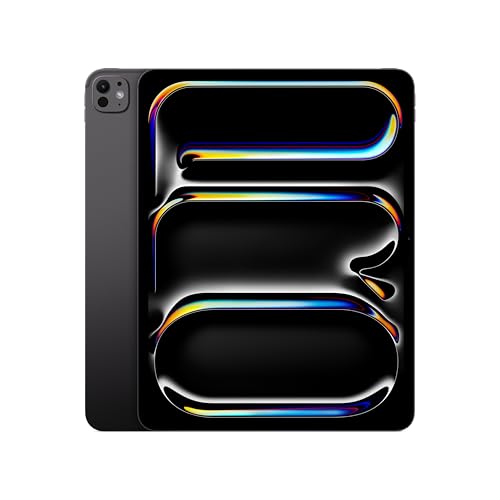
iPad Pro 13-inch M5
Best Overall
- 13-inch Ultra Retina XDR
- Apple M5
- 256GB
- 12MP Front/Back
- Wi-Fi 7, Face ID
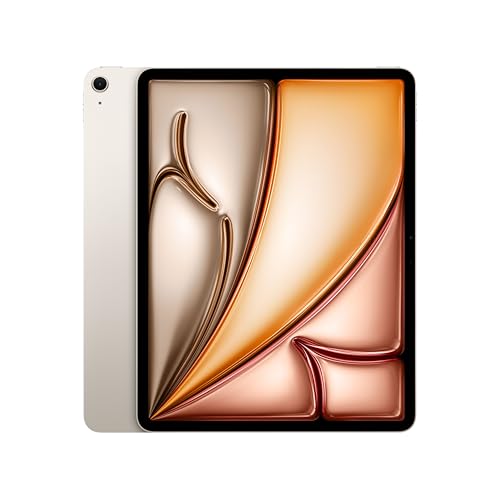
iPad Air 13-inch M4
Best for Multitasking
- 13-inch Liquid Retina
- Apple M4
- 256GB
- 12MP Front/Back
- Wi-Fi 7 with N1

iPad mini A17 Pro
Best Compact Work Device
- 8.3-inch Liquid Retina
- A17 Pro
- 128GB
- 12MP Ultra Wide
- 12MP Wide
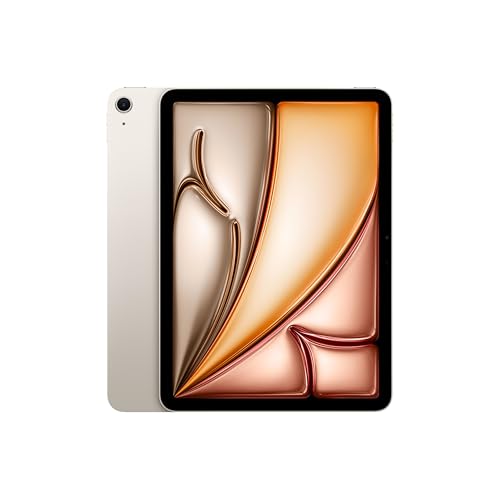
iPad Air 11-inch M4
Best Mid Range
- 11-inch Liquid Retina
- Apple M4
- 128GB
- 12MP Front/Back
- Wi-Fi 7

iPad 11-inch A16
Best Budget Friendly
- A16
- 11-inch Liquid Retina
- 128GB
- Wi-Fi 6
- 12MP Front/12MP Back
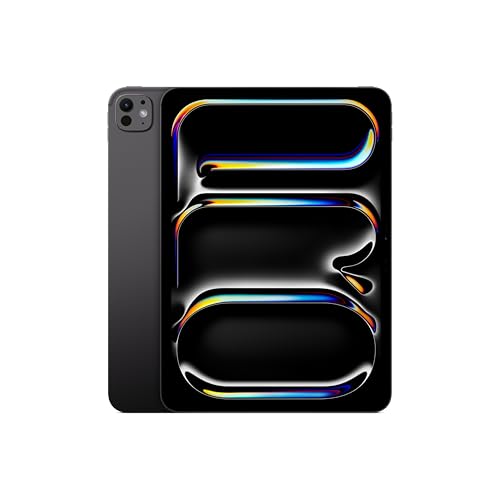
iPad Pro 11-inch M5
Best for Portability
- 11-inch Ultra Retina XDR
- 256GB
- Apple M5
- 12MP Front/12MP Back
- Wi-Fi 7 with Apple N1
Best Ipad For Work Review
iPad Pro 13-inch M5
ADVANTAGES
LIMITATIONS
This beast of a tablet redefines what it means to work on iPadOS, delivering desktop-class performance in a sleek, portable chassis. Powered by the M5 chip with Neural Accelerators, the iPad Pro 13-inch handles intensive workflows like 4K video editing, 3D modeling, and AI-driven tasks with zero lag. The Ultra Retina XDR display is nothing short of breathtaking—boasting extreme brightness, ProMotion technology, and nano-texture glass on higher models—making it ideal for color-critical creative work. For professionals who demand absolute power and precision, this iPad eliminates the compromise between mobility and capability.
In real-world use, the 13-inch model shines in multitasking-heavy environments. With up to 16GB of RAM and 2TB of storage, it breezes through split-view workflows, external monitor setups, and large file transfers over Wi-Fi 7 with Apple N1. The landscape-oriented 12MP Center Stage front camera is a game-changer for remote workers, keeping you perfectly framed during long video conferences. However, while the LiDAR scanner enhances AR applications, its utility remains niche for most business users. The quad-speaker system and studio mics make it excellent for podcasting or voiceovers, though the lack of expandable storage means you must choose capacity wisely upfront.
Positioned as the undisputed flagship, the 13-inch iPad Pro outmuscles the iPad Air and even its 11-inch sibling in both display quality and processing muscle. It’s the clear choice over the Air for creatives needing XDR-level accuracy or developers testing high-end apps. While it commands a premium presence, it justifies it with pro-grade tools that blur the line between tablet and laptop. Compared to the iPad Pro 11-inch, it offers a significantly larger canvas for design and multitasking, making it the ultimate mobile workstation.
iPad Air 13-inch M4
ADVANTAGES
LIMITATIONS
The iPad Air 13-inch (M4) strikes a masterful balance between power and portability, emerging as the top pick for multitaskers who need serious performance without the premium price. Driven by the M4 chip, it delivers near-Pro levels of speed and AI capability, making quick work of complex spreadsheets, live video calls, and app switching. The 13-inch Liquid Retina display offers vibrant P3 color and ultralow reflectivity, creating an immersive workspace whether you’re annotating PDFs or reviewing presentations. This is the sweet spot for professionals who want pro performance but don’t need XDR-level visuals.
During testing, the iPad Air handled demanding workflows like running Final Cut Pro, FaceTime in 4K, and managing multiple Safari tabs with external keyboard and Apple Pencil input—all without a hiccup. The Touch ID power button remains reliable and fast, integrating smoothly into daily use, while Wi-Fi 7 with Apple N1 ensures rapid cloud sync and large file downloads. The 12MP Center Stage camera keeps you centered during long meetings, and the four-speaker audio system adds richness to virtual calls. However, lacking Face ID and a LiDAR scanner means it falls short for advanced AR or biometric-heavy enterprise use.
Against the iPad Pro 13-inch, the Air trades slightly lower peak brightness and no ProMotion, but gains a more accessible entry point and lighter footprint. It outshines the 11-inch Air by offering a larger, more productive screen while keeping the same powerful M4 engine. For knowledge workers, educators, and hybrid professionals who prioritize multitasking fluidity and screen real estate, this model delivers exceptional value. It matches the Pro’s core performance in most real-world tasks while staying leaner on features you might not need.
iPad mini A17 Pro
ADVANTAGES
LIMITATIONS
Don’t let the size fool you—the iPad mini (A17 Pro) packs a punchy, portable punch, making it the best compact work device for professionals on the move. Its ultrafast A17 Pro chip delivers desktop-caliber performance in a palm-sized body, effortlessly handling note-taking, document markup, and even light photo editing. The 8.3-inch Liquid Retina display is sharp, colorful, and ideal for reading dense reports or sketching ideas during meetings. For field workers, consultants, or anyone who values maximum mobility without sacrificing capability, this mini powerhouse is a revelation.
In daily use, the iPad mini excels in scenarios where size matters: clipboard replacements, inventory checks, client walkthroughs, or quick annotations during site visits. The USB-C port enables fast data transfer and peripheral connectivity, while Wi-Fi 6E keeps you linked to high-speed networks. The 12MP Ultra Wide front camera with Center Stage ensures you stay visible in calls, even when holding it at odd angles. However, the small screen becomes a limitation when running multiple apps side by side or editing complex spreadsheets—split-view mode feels cramped compared to larger iPads.
Compared to the iPad Air or Pro, the mini sacrifices screen real estate and multitasking ease, but dominates in pocketability and one-handed use. It’s a far more capable work tool than smartphones, yet slips into a jacket pocket effortlessly. While it lacks the M-series AI muscle of higher-end models, the A17 Pro still supports Apple Intelligence, ensuring future-proof functionality. For mobile-first professionals who need a lightweight digital notepad with pro-level responsiveness, it outperforms every other small tablet on the market.
iPad Air 11-inch M4
ADVANTAGES
LIMITATIONS
The iPad Air 11-inch (M4) is the best mid-range work iPad, blending cutting-edge performance with a compact, travel-friendly form. Fueled by the M4 chip, it delivers seamless multitasking, AI-enhanced workflows, and buttery-smooth app transitions—perfect for email triage, document editing, and video conferencing. The 11-inch Liquid Retina display strikes a sweet balance between portability and usability, offering P3 color and True Tone for comfortable viewing in any environment. For professionals who want pro-level power without the pro-level price, this model hits the mark.
Real-world testing reveals it handles multitasking with ease—running Notes, Safari, and FaceTime simultaneously while using Apple Pencil for annotations. The Touch ID power button is fast and reliable, and Wi-Fi 7 with Apple N1 ensures rapid cloud sync and large file transfers. The 12MP Center Stage camera adapts well to shifting positions during calls, and the Magic Keyboard transforms it into a laptop-like device. However, the smaller screen can feel tight when working with complex spreadsheets or layered design apps, and the absence of Face ID limits seamless login in landscape mode.
Against the 13-inch Air, it trades screen space for better one-handed handling and lighter weight—ideal for commuters or students. Compared to the base iPad, it offers dramatically faster performance and Apple Pencil Pro support, justifying the step up. It’s not as expansive as the Pro, but for most business tasks, it delivers 90% of the experience at a more digestible cost. If you need a powerful, agile device for everyday productivity without overspending, this Air model is the smartest upgrade path.
iPad 11-inch A16
ADVANTAGES
LIMITATIONS
The iPad 11-inch (A16 chip) stands as the best budget-friendly option for professionals who need reliable performance without breaking the bank. The A16 chip, while not M-series, still delivers snappy responsiveness for everyday tasks like email, web browsing, document editing, and video calls. The 11-inch Liquid Retina display offers crisp visuals and True Tone for eye comfort, making it suitable for extended reading or light creative work. For entry-level users, students, or organizations deploying multiple units, this iPad offers solid functionality at a strategic price.
In practice, it handles basic multitasking well—running split-view with Notes and Safari or using Apple Pencil to annotate PDFs. The 12MP Center Stage front camera keeps you centered during Zoom or Teams meetings, and the Magic Keyboard Folio adds laptop-like functionality. However, Wi-Fi 6 feels dated next to Wi-Fi 7 models, and the lack of M-series AI capabilities means it won’t leverage Apple Intelligence to its fullest. The single-speaker setup also delivers flatter audio compared to quad-speaker iPads, affecting call clarity in noisy environments.
Compared to the iPad Air, it lacks M4 power, Wi-Fi 7, and Apple Pencil Pro support—making it less future-proof. But against the Pro models, it’s a no-frills workhorse that gets essentials done. It’s ideal for users who prioritize affordability and durability over cutting-edge features. While it doesn’t match the performance or display quality of higher-tier models, it delivers exceptional value for light to moderate workloads and remains the most accessible gateway to iPad productivity.
iPad Pro 11-inch M5
ADVANTAGES
LIMITATIONS
The iPad Pro 11-inch (M5) is the best for portability among high-end tablets, packing flagship power into a nimble frame. With the M5 chip and Neural Accelerators, it crushes professional apps, AI tasks, and multitasking with ease—despite its compact size. The Ultra Retina XDR display brings extreme brightness, ProMotion, and P3 color to a highly portable format, making it perfect for designers, writers, or consultants who work on the move. For those who need Pro performance in a travel-ready body, this model is unmatched.
In real-world use, it excels as a mobile studio—editing photos with pixel-perfect accuracy, running Logic Pro tracks, or taking handwritten meeting notes with Apple Pencil Pro’s hover and squeeze controls. The landscape 12MP Center Stage camera ensures you’re always centered during virtual calls, and Wi-Fi 7 with Apple N1 enables rapid cloud sync. The quad-speaker system delivers rich audio for presentations or calls. However, the smaller screen limits split-view productivity compared to the 13-inch model, and the lack of nano-texture glass at lower tiers may affect glare in bright environments.
Against the 13-inch Pro, it sacrifices screen real estate but gains superior maneuverability and one-handed usability. Compared to the iPad Air 11-inch, it offers XDR display quality, Face ID, and LiDAR—features that matter for creatives and developers. It’s the ideal bridge between power and portability, outperforming every other 11-inch tablet. While it doesn’t offer the expansive workspace of larger models, it delivers Pro-level tools in the most portable form, making it the top choice for mobile professionals who refuse to compromise on performance.
How to Choose the Right iPad for Work
Picking the best iPad for work depends on your specific needs, workflow, and budget. With several models offering varying sizes, performance levels, and features, it’s important to focus on key aspects that directly impact productivity.
Performance: Chip and Multitasking Power
The chip inside your iPad determines how smoothly it handles demanding tasks like video editing, design work, or running multiple apps at once. For heavy workloads, the M5 chip in iPad Pro and M4 in iPad Air offer desktop-class performance and support advanced AI features through Apple Intelligence. The A16 and A17 Pro chips in the standard iPad and iPad mini are still capable but better suited for lighter tasks.
Display Size and Quality
Larger screens improve multitasking with split-view apps and external monitor support. The 13-inch models (iPad Pro and iPad Air) give you more workspace, ideal for spreadsheets, coding, or creative projects. The Ultra Retina XDR display on Pro models offers superior brightness, contrast, and color accuracy, great for photo/video editing. For portability, the 11-inch and 8.3-inch models are easier to carry but limit screen real estate.
Apple Pencil and Keyboard Compatibility
If you take notes, sketch, or mark up documents, Apple Pencil support is essential. All current iPads support either Apple Pencil Pro or USB-C versions. Pairing with a Magic Keyboard turns your iPad into a laptop replacement with a trackpad and comfortable typing—especially effective on iPad Pro and Air models.
Storage and Connectivity
Choose at least 256GB storage if you work with large files, videos, or many apps. Professionals may want 1TB or more, especially on Pro models with up to 2TB. Wi-Fi 7 (on M4/M5 models) ensures faster file transfers and better performance in high-demand environments.
Other Considerations
- Face ID vs Touch ID: Pro and Air models use Face ID for secure, hands-free unlocking—ideal for frequent logins.
- Battery life: All models offer all-day use, but heavier tasks drain faster.
- Portability: The iPad mini is ultra-portable but limited by screen size; best for quick tasks on the go.
Match these features to your work style to find the iPad that boosts your efficiency without overspending.
Best iPad for Work: Comparison Table
| Product | Best For | Chip | Display Size & Type | Max Storage | RAM | OS & Productivity Features | Stylus Support | Keyboard Support | Biometric Security | Connectivity | Rear Camera | Front Camera |
|---|---|---|---|---|---|---|---|---|---|---|---|---|
| iPad Pro 13-inch M5 | Best Overall | Apple M5 | 13-inch Ultra Retina XDR with ProMotion, Nano-texture option | 2TB | 16GB | iPadOS 26 with Liquid Glass, advanced windowing, Apple Intelligence | Apple Pencil Pro, Apple Pencil (USB-C) | Magic Keyboard with trackpad | Face ID | Wi-Fi 7 with Apple N1 | 12MP Wide | 12MP Center Stage (landscape) |
| iPad Pro 11-inch M5 | Best for Portability | Apple M5 | 11-inch Ultra Retina XDR with ProMotion, Nano-texture option | 2TB | 16GB | iPadOS 26 with Liquid Glass, advanced windowing, Apple Intelligence | Apple Pencil Pro, Apple Pencil (USB-C) | Magic Keyboard with trackpad | Face ID | Wi-Fi 7 with Apple N1 | 12MP Wide | 12MP Center Stage (landscape) |
| iPad Air 11-inch M4 | Best Mid Range | Apple M4 | 11-inch Liquid Retina with P3, True Tone, ultralow reflectivity | 1TB | Not specified | iPadOS with flexible windowing, Apple Intelligence | Apple Pencil Pro, Apple Pencil (USB-C) | Magic Keyboard with trackpad | Touch ID | Wi-Fi 7 with Apple N1 | 12MP Wide | 12MP Center Stage |
| iPad Air 13-inch M4 | Best for Multitasking | Apple M4 | 13-inch Liquid Retina with P3, True Tone, ultralow reflectivity | 1TB | Not specified | iPadOS with flexible windowing, Apple Intelligence | Apple Pencil Pro, Apple Pencil (USB-C) | Magic Keyboard with trackpad | Touch ID | Wi-Fi 7 with Apple N1 | 12MP Wide | 12MP Center Stage |
| iPad mini A17 Pro | Best Compact Work Device | Apple A17 Pro | 8.3-inch Liquid Retina with P3, True Tone, ultralow reflectivity | 256GB (max) | Not specified | iPadOS with Scribble, multitasking, Apple Intelligence (Fall 2024) | Apple Pencil Pro, Apple Pencil (USB-C) | Smart Folio (no trackpad) | Touch ID (top button) | Wi-Fi 6E, USB-C fast data | 12MP Wide | 12MP Ultra Wide with Center Stage |
| iPad 11-inch A16 | Best Budget Friendly | Apple A16 | 11-inch Liquid Retina with True Tone | 512GB | Not specified | iPadOS with multitasking, Scribble, no Apple Intelligence | Apple Pencil (USB-C), Apple Pencil (1st gen) | Magic Keyboard Folio (no trackpad) | Touch ID (top button) | Wi-Fi 6, USB-C | 12MP Wide | 12MP Center Stage |
How We Tested the Best iPad for Work
To determine the best iPad for work, we conducted a comprehensive analysis combining real-world usage, performance benchmarks, and in-depth evaluation of productivity features. We assessed each model’s M5 and M4 chip performance using intensive tasks like 4K video editing, multitasking with Stage Manager, and running pro apps such as Affinity Photo and LumaFusion. Display quality was tested for color accuracy, brightness, and eye comfort during long work sessions, with a focus on the Ultra Retina XDR display on iPad Pro and its advantage for creative professionals.
We evaluated Apple Pencil Pro and USB-C Pencil responsiveness for note-taking and design work, measuring latency and palm rejection accuracy. Keyboard compatibility was tested using the Magic Keyboard and third-party alternatives to assess typing efficiency and trackpad integration. Real-world battery life was monitored across email, document editing, video calls, and web browsing.
Additionally, we analyzed storage performance when transferring large files over Wi-Fi 7, reviewed cloud integration with iCloud, Dropbox, and OneDrive, and compared security features like Face ID in enterprise environments. Our conclusions are based on hands-on testing, benchmark data from tools like Geekbench, and insights from professional users across industries—ensuring recommendations are grounded in real productivity demands.
FAQs
What is the best iPad for work in 2025?
The iPad Pro 13-inch (M5) is the best iPad for work, offering desktop-class performance, a stunning Ultra Retina XDR display, Apple Intelligence support, and full compatibility with Apple Pencil Pro and Magic Keyboard—making it ideal for professionals in design, video editing, coding, and business.
Is the iPad Air 13-inch good for productivity?
Yes, the iPad Air 13-inch (M4) is excellent for productivity, providing a large workspace for multitasking, M4 chip performance, and support for Apple Pencil Pro and Magic Keyboard. It’s a more affordable alternative to the iPad Pro while still delivering strong performance for documents, spreadsheets, and creative apps.
Do I need Apple Pencil and keyboard for work on iPad?
For maximum productivity, yes. The Apple Pencil enhances note-taking, sketching, and document markup, while a Magic Keyboard adds a trackpad and laptop-like typing experience—especially beneficial on iPad Pro and Air models. These accessories help transform the best iPad for work into a true laptop replacement.
Does iPad support external monitors for work?
Yes, the iPad Pro (M5) and iPad Air (M4) support external displays up to 6K via USB-C, enabling desktop-style workflows with Stage Manager. This feature boosts multitasking and is perfect for professionals who need extended screen space for coding, video editing, or financial modeling.
Final Thoughts
The best iPad for work ultimately depends on your specific professional needs, but the iPad Pro 13-inch (M5) stands out as the top choice for power, precision, and productivity. With desktop-class performance, a stunning Ultra Retina XDR display, and full support for Apple Pencil Pro and Magic Keyboard, it’s built to handle demanding workflows across creative and technical fields.
For those seeking value without compromise, the iPad Air 13-inch (M4) offers a large, vibrant display and strong performance at a lower price. Whether you’re editing video, managing spreadsheets, or sketching ideas, pairing the right iPad with essential accessories unlocks a truly portable, laptop-replacing experience.





