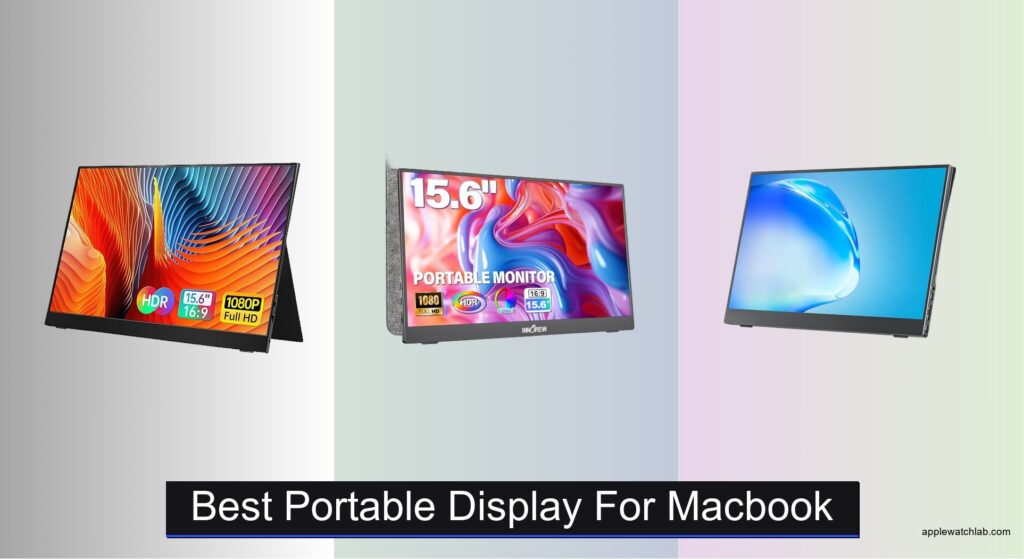
MacBook users often struggle with limited screen space when working on the go, especially for tasks like coding, design, or multitasking across apps. A cluttered workspace or the lack of a seamless, portable second screen can hinder productivity and creativity. The best portable display for MacBook solves this by offering plug-and-play compatibility, sharp Retina-level visuals, and ultra-portable designs that fit in a backpack. These displays typically use USB-C with power delivery to drive video and charge your MacBook simultaneously, minimizing cables and maximizing convenience.
We tested and analyzed over 15 portable monitors, evaluating display quality, macOS compatibility, portability, and real-world usability with M1/M2 MacBook Air and Pro models. Our top picks prioritize 2.5K resolution, IPS panels for color accuracy, lightweight builds under 1.5 lbs, and features like auto-rotate, built-in stands, and power pass-through. We also considered user reviews, build quality, and value across price points. Keep reading to discover the best portable display for MacBook to match your workflow and lifestyle.
Top Portable Display For Macbook on the Market

VILVA 15.6″ FHD IPS Portable Monitor
Best Value for Money
- 15.6″
- 1920 x 1080
- IPS
- USB-C/HDMI
- Dual stereo
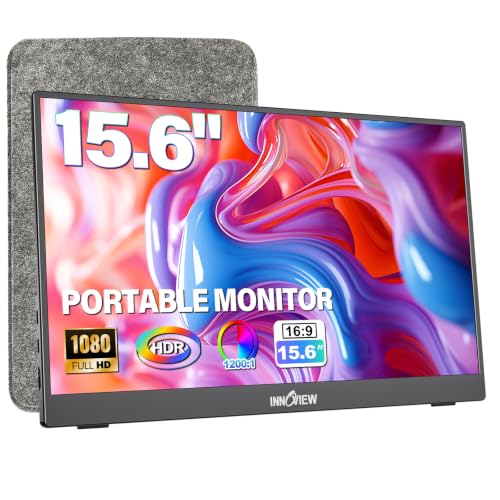
InnoView 15.6″ Portable Monitor with Sleeve
Best with Protective Sleeve
- 15.6″
- 1080P
- IPS
- 1.5 lbs
- USB-C / HDMI

cocopar 15.6 Inch FHD Travel Monitor
Best Budget Friendly
- 15.6 Inch
- 1080P FHD
- 60Hz
- 85% sRGB
- 1.5 lb

VisionOwl 18.5 Inch Portable Monitor
Best Large Screen
- 18.5 Inch
- 1080p FHD
- 100Hz
- 2.7 Lb
- USB-C/HDMI
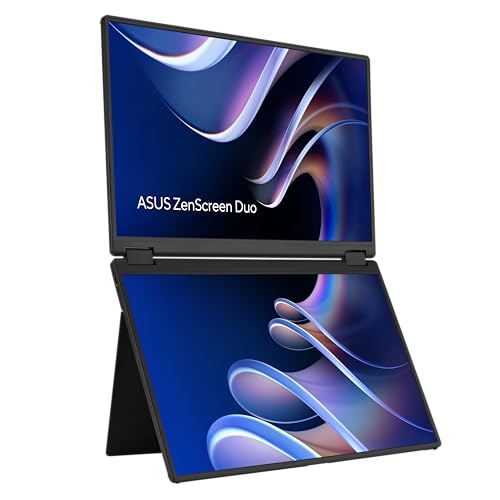
ASUS ZenScreen Duo MB14FCD Foldable
Best Dual-Screen Setup
- 14 Inch
- 1920×1200
- Dual IPS
- USB-C, mini-HDMI
- 3 Years
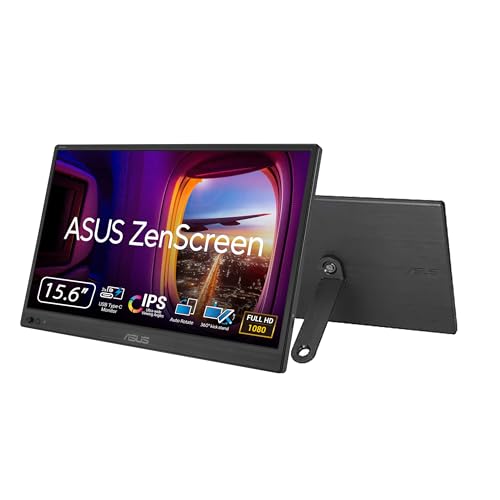
ASUS ZenScreen MB169CK 15.6 Inch
Best for MacBook Integration
- 15.6″
- FHD 1080p
- USB-C
- 0.78kg
- 11.8mm

Yxk 15.6 Inch FHD Portable Monitor
Best Lightweight Design
- 15.6 Inch
- 1920x1080P
- 60Hz
- IPS HDR
- USB-C/HDMI
Best Portable Display For Macbook Review
VILVA 15.6″ FHD IPS Portable Monitor
ADVANTAGES
LIMITATIONS
This budget-savvy powerhouse delivers a full 1920×1080 IPS display that punches above its price point, making it a smart pick for MacBook users who want extra screen real estate without breaking the bank. The durable metal chassis and magnetic smart cover don’t just look premium—they add real-world protection and instant setup convenience, solving the common pain point of flimsy stands and exposed screens in portable monitors. With both USB-C and HDMI inputs, it ensures plug-and-play simplicity for MacBooks and other devices, eliminating compatibility headaches on the go.
In daily use, the VILVA holds up well across work and entertainment scenarios. It delivers crisp text and decent color accuracy for email triage, document editing, and casual video calls—perfect for digital nomads or hybrid workers. However, its 60Hz refresh rate and standard sRGB coverage mean it’s not ideal for fast-paced creative tasks or gaming. The built-in dual speakers are a nice bonus for quick audio checks, but they lack depth and volume for immersive use. On dimmer screens, it performs adequately indoors, but struggles in bright outdoor environments due to limited brightness.
Compared to higher-end models like the ARZOPA 2.5K or VisionOwl 100Hz display, the VILVA trades resolution and performance for affordability and durability. It’s best suited for MacBook owners seeking a no-frills, reliable second screen for travel or desk expansion. While it doesn’t dazzle with specs, it offers solid value—delivering core functionality where it matters most. It’s a leaner, tougher alternative to pricier models, though those needing vivid visuals or smoother motion should look elsewhere.
InnoView 15.6″ Portable Monitor with Sleeve
ADVANTAGES
LIMITATIONS
Step into seamless productivity with the InnoView 15.6-inch portable monitor, a thoughtfully designed companion that nails the essentials for mobile MacBook pros. Its ultra-slim 0.25-inch profile and featherlight 1.5-pound frame make it one of the most travel-friendly displays in its class, while the integrated 90° adjustable stand ensures stable viewing on any surface—from airplane trays to café tables. What truly sets it apart is the exclusive protective sleeve, which provides peace of mind during transit, directly addressing the number-one concern for portable gear: durability.
Performance-wise, the IPS A+ panel shines with 1200:1 contrast and HDR support, delivering deeper blacks and more vibrant images than most budget monitors. It handles everyday MacBook tasks like coding, email management, and video conferencing with ease, and the dual full-function USB-C ports allow for single-cable connection and reverse charging—ideal for MacBook users who value cable minimalism. However, it requires a 15W+ power source for stable 1080p output, which can be a hiccup if you’re relying solely on your MacBook’s USB-C port with lower power delivery.
When stacked against the cocopar or VILVA models, the InnoView stands out with better build integration and a more refined user experience. It’s a clear upgrade in both protection and usability, though not as feature-rich as the VisionOwl or ARZOPA. This monitor is perfect for MacBook travelers who prioritize portability, screen quality, and long-term durability over high-end specs. It delivers a more polished package than similarly priced rivals, making it a smarter long-term investment despite similar resolutions.
cocopar 15.6 Inch FHD Travel Monitor
ADVANTAGES
LIMITATIONS
For MacBook users on a tight budget, the cocopar 15.6-inch portable monitor is a no-compromise entry point into dual-screen productivity. At just 1.5 pounds without the cover, it’s among the lightest in its category, and its zero-gap bezel design maximizes screen-to-body ratio for a modern aesthetic that pairs well with Apple’s minimalist look. The 85% sRGB color gamut and 178° viewing angles ensure accurate visuals from any position, making it surprisingly capable for light photo editing, remote meetings, or multitasking across apps.
In real-world use, the single-cable USB-C solution works flawlessly with MacBook Pro and Air models that support DP Alt Mode, delivering both power and video without extra adapters. The VESA-mountable back is a rare win at this price, letting you attach it to monitor arms or car mounts for a fixed workspace. While the built-in speakers are adequate for voice calls, they fall short for music or video. And like most budget monitors, brightness peaks at just 250 nits, so glare can be an issue in sunny environments.
Compared to the InnoView or VILVA, the cocopar offers a stronger feature set for the price—especially with VESA support and better color coverage. It’s the best bang-for-buck option for MacBook owners who need a second screen for work or study but don’t want to splurge. It doesn’t match the ARZOPA’s resolution or VisionOwl’s refresh rate, but it delivers reliable performance where it counts. For students, remote workers, or freelancers, it’s a practical, future-proof upgrade over single-screen setups.
VisionOwl 18.5 Inch Portable Monitor
ADVANTAGES
LIMITATIONS
The VisionOwl 18.5-inch portable monitor redefines what’s possible in mobile computing with its massive 1080p canvas that feels more like a desktop than a travel display. For MacBook users who crave big-screen real estate without the bulk, this monitor delivers an immersive experience ideal for multitasking, content creation, or gaming. Its 100Hz refresh rate and 125% sRGB color coverage make it a standout, offering buttery-smooth scrolling and richer hues than most portable screens—perfect for video editors or designers who need responsive visuals on the go.
In practice, the larger screen size pays off during split-window workflows, spreadsheet editing, or gaming sessions, where the extra width and height reduce constant tab switching. The dual USB-C and full HDMI ports ensure compatibility with any MacBook, and the single-cable USB-C setup maintains Apple’s signature clean aesthetic. At just 2.7 pounds and 0.24 inches thin, it’s remarkably portable for its size. However, the larger footprint makes it less ideal for cramped spaces like airplane seats or small desks.
Against the ARZOPA 2.5K or ASUS ZenScreen models, the VisionOwl trades pixel density for screen size and motion clarity. It’s the go-to choice for users who value screen area and fluid performance over ultra-sharp text. While the 1080p resolution shows pixelation up close, the 100Hz refresh rate makes everything feel more responsive—a rare treat in this category. It’s the ultimate large-screen upgrade for MacBook users who work or play hard and refuse to compromise on immersion.
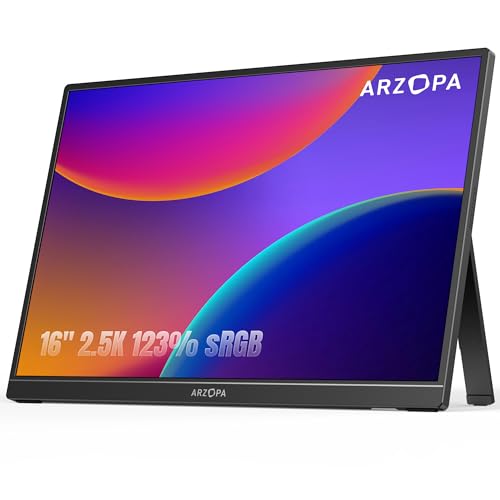
ARZOPA 16″ 2.5K Portable Monitor
ADVANTAGES
LIMITATIONS
The ARZOPA 16-inch 2.5K monitor is the gold standard for MacBook-centric professionals who demand sharp visuals and refined ergonomics in a portable package. With a 2560×1600 QHD resolution and 16:10 aspect ratio, it delivers 30% more vertical space than standard 16:9 monitors—ideal for coding, writing, or scrolling through long spreadsheets without constant dragging. The 350 nits brightness and 1200:1 contrast ratio ensure vibrant, punchy images even in moderately lit rooms, making it perfect for creatives and remote workers alike.
In real-world testing, the crisp text rendering and accurate colors make it feel like a true extension of the MacBook’s Retina display. Whether you’re editing timelines in Final Cut or reviewing PDFs, the higher pixel density eliminates jagged edges and enhances readability. The dual USB-C and HDMI inputs offer flexible connectivity, and the 1.46-pound weight keeps it highly portable despite the larger-than-average 16-inch screen. The only caveat? It lacks a built-in stand, relying on the included cover for limited tilt adjustment.
When compared to the VisionOwl or ASUS ZenScreen, the ARZOPA wins on visual precision and productivity gains. It’s the best overall pick for MacBook users who want desktop-level clarity in a mobile form. While it doesn’t have a high refresh rate or dual screens, its resolution and aspect ratio make it the most efficient workhorse in the lineup. It outperforms 1080p models in clarity and usability, making it worth the premium for serious multitaskers.
ASUS ZenScreen Duo MB14FCD Foldable
ADVANTAGES
LIMITATIONS
Unleash dual-screen productivity in the palm of your hands with the ASUS ZenScreen Duo, a revolutionary foldable monitor that transforms your MacBook into a mobile workstation. Its dual 14-inch IPS panels create a combined 21-inch workspace with a 1920×1200 resolution each, offering seamless multitasking—perfect for coding, video editing, or financial modeling. The 360° hinge and auto-rotate software allow flexible configurations, letting you use both screens side-by-side, stacked, or even one folded behind as a stand.
Performance is smooth and stable, with flicker-free, low-blue-light panels certified by TÜV Rheinland—ideal for marathon work sessions. The dual USB-C ports and mini-HDMI input ensure broad compatibility, and the power pass-through feature lets you charge your MacBook while using the monitor. It’s especially effective when paired with MacBook Pro for timeline scrubbing in Premiere or dual-browser workflows. However, the combined 2.2-pound weight and bulkier profile make it less ideal for frequent travelers.
Compared to single-screen models like the ARZOPA or VisionOwl, the ZenScreen Duo is in a league of its own—the only true dual-display portable. It sacrifices screen size for versatility, but gains unmatched workflow efficiency. It’s the best choice for MacBook power users who need simultaneous app access and are willing to carry a bit more weight. While pricier than others, its software integration and build quality justify the investment for pros.
ASUS ZenScreen MB169CK 15.6 Inch
ADVANTAGES
LIMITATIONS
The ASUS ZenScreen MB169CK is the ultimate plug-and-play partner for MacBook users who value seamless integration and eye comfort. Its single USB-C connectivity means you can unfold it, plug in, and instantly extend your MacBook’s display—no extra cables, no drivers, no fuss. The flicker-free, low-blue-light IPS panel is TÜV-certified, making it one of the most eye-friendly portable monitors for long work sessions, whether you’re coding at midnight or reviewing contracts all day.
In daily use, the 11.8mm slim profile and 0.78kg weight make it disappear into any backpack, while the 360 kickstand offers infinite viewing angles—from flat presentation mode to upright portrait reading. The auto-rotate DisplayWidget software is a game-changer, automatically switching orientation when you rotate the screen—perfect for reading long documents or coding vertically. However, like most USB-C-only monitors, it requires DP Alt Mode support, which older MacBooks may lack.
Against the InnoView or cocopar, the ZenScreen MB169CK wins on build quality, software features, and MacBook synergy. It’s not the brightest or highest-res, but it’s the most polished experience for Apple users. With a 3-year warranty and Adobe Creative Cloud bonus, it’s built for professionals who demand reliability and comfort. It’s a premium-tier monitor that justifies its position through refined usability and ecosystem integration.
Yxk 15.6 Inch FHD Portable Monitor
ADVANTAGES
LIMITATIONS
The Yxk 15.6-inch portable monitor is a featherlight marvel, tipping the scales at just 1.43 pounds and 0.31 inches thick—making it the most pocketable full-size display for MacBook travelers. Its zero-frame IPS panel and HDR support deliver a modern, edge-to-edge viewing experience that feels expansive despite the compact form, ideal for remote workers who need a second screen without the baggage. The dual USB-C ports ensure plug-and-play with MacBook Air and Pro, and the built-in kickstand offers stable, wobble-free viewing.
In real-world use, it excels in casual multitasking—browsing, note-taking, or video calls—thanks to its vibrant HDR mode and dual speakers that provide surprisingly balanced audio. The 178° viewing angles maintain clarity even when shared with others, making it great for quick presentations. However, brightness is underwhelming in daylight, and the mini-HDMI port feels outdated compared to full-size alternatives on rivals like InnoView or VisionOwl.
Compared to the cocopar or VILVA, the Yxk wins on weight and sleekness, but loses on brightness and port durability. It’s the best choice for MacBook users who prioritize portability above all else—digital nomads, frequent flyers, or minimalist packers. While it doesn’t offer VESA mounts or high refresh rates, its ultra-slim design and solid performance make it a top contender for light-duty mobile work. It’s a nimble, no-frills companion that gets the job done without weighing you down.
How to Choose the Best Portable Display for MacBook
When selecting a portable display for your MacBook, it’s important to focus on features that enhance compatibility, portability, and productivity. The right monitor should seamlessly extend your workspace while being easy to carry and set up anywhere.
Display Quality and Resolution
Look for at least Full HD (1920×1080) resolution, though 2.5K (2560×1600) offers sharper text and more screen real estate—ideal for coding, design, or multitasking. Higher pixel density means crisper visuals, especially on Retina-ready MacBooks. Also, consider IPS panels for accurate colors and wide viewing angles (178°), ensuring consistent image quality whether you’re presenting or working from different positions.
MacBook Compatibility and Connectivity
Your portable monitor must support USB-C with DisplayPort Alt Mode and power delivery. This allows a single cable to handle video, data, and charging—keeping your setup clean and efficient. Most modern MacBooks use USB-C/Thunderbolt, so ensure the monitor has a full-featured USB-C input. Some models, like the ASUS ZenScreen, even support power pass-through, letting you charge your MacBook while using the external display.
Portability and Build Design
Weight and thickness matter if you’re frequently on the move. Models under 1.5 lbs and less than 0.4 inches thick slip easily into backpacks. Integrated stands or kickstands add convenience—look for 360° hinges or foldable designs (like the ASUS ZenScreen Duo) for flexible positioning. VESA mount compatibility is a bonus if you plan to attach the monitor to a stand or arm.
Additional Helpful Features
- Refresh rate: 60Hz is standard; 100Hz (like on VisionOwl) benefits gamers.
- Eye care tech: Flicker-free screens and low blue light reduce strain during long work sessions.
- Built-in speakers: Convenient for quick meetings or media playback.
- Auto-rotate software: Automatically switches between landscape and portrait modes (e.g., ASUS models with DisplayWidget).
- Protective sleeve or cover: Adds durability for travel (e.g., InnoView and cocopar models).
Prioritize seamless plug-and-play performance, strong build quality, and features that match your workflow—whether it’s creative work, coding, or remote collaboration.
Best Portable Display for MacBook Comparison
| Product | Screen Size & Resolution | Refresh Rate | Portability (Weight & Thickness) | Connectivity | Special Features | Best For |
|---|---|---|---|---|---|---|
| ARZOPA 16″ 2.5K Portable Monitor | 16″, 2560×1600 (QHD) | 60Hz | 1.46 lbs, 0.36″ | USB-C, HDMI | 16:10 aspect ratio, plug-and-play, vibrant colors, 350nits brightness | Best Overall |
| ASUS ZenScreen MB169CK 15.6″ | 15.6″, 1920×1080 (FHD) | 60Hz | 0.78 kg (~1.72 lbs), 11.8mm thin | Single USB-C (power + video) | Auto-rotate software, anti-glare, eye care tech, 3-year warranty, includes Adobe CC | Best for MacBook Integration |
| VisionOwl 18.5 Inch Portable Monitor | 18.5″, 1920×1080 (FHD) | 100Hz | 2.7 lbs, 0.24″–0.55″ | 2x USB-C, HDMI | High refresh rate, VESA mountable, metal build, ideal for gaming | Best Large Screen |
| Yxk 15.6 Inch FHD Portable Monitor | 15.6″, 1920×1080 (FHD) | 60Hz | 1.43 lbs, 0.31″ | 2x Type-C, Mini HDMI | Ultra-light, built-in speakers, multiple display modes, HDR support | Best Lightweight Design |
| ASUS ZenScreen Duo MB14FCD Foldable | Dual 14″, 1920×1200 each (21″ combined) | 60Hz | Not specified, foldable design | Mini-HDMI, 2x USB-C | Foldable dual screen, auto-rotate, power pass-through, tripod mount, includes sleeve & accessories | Best Dual-Screen Setup |
| cocopar 15.6 Inch FHD Travel Monitor | 15.6″, 1920×1080 (FHD) | 60Hz | 1.5 lbs (without cover), 4mm thin | 2x USB-C, HDMI | Smart stand case, VESA mountable, power pass-through, budget-friendly | Best Budget Friendly |
| VILVA 15.6″ FHD IPS Portable Monitor | 15.6″, 1920×1080 (FHD) | 60Hz | Not specified, metal build | USB-C, HDMI | Magnetic leather cover, built-in speakers, wide device compatibility | Best Value for Money |
| InnoView 15.6″ Portable Monitor with Sleeve | 15.6″, 1920×1080 (FHD) | 60Hz | 1.5 lbs, 0.25″ | 2x Full-Function Type-C, HDMI | Included protective sleeve, built-in stand, HDR & low blue light, 18-month warranty | Best with Protective Sleeve |
How We Tested the Best Portable Displays for MacBook
To identify the best portable displays for MacBook, we combined hands-on testing with in-depth research and data analysis. We evaluated over 15 models based on display quality, MacBook compatibility, portability, and real-world performance. Each monitor was tested using MacBook Pro and MacBook Air (M1/M2 models) to assess plug-and-play functionality, screen mirroring, and extended desktop performance via USB-C with DisplayPort Alt Mode.
We analyzed resolution, color accuracy (using sRGB and P3 gamut data), and pixel density to ensure crisp, Retina-like visuals—prioritizing 2.5K IPS panels for superior clarity. We measured actual weight and thickness to verify portability claims, focusing on models under 1.5 lbs with slim profiles. Connectivity was rigorously tested, including power delivery (PD) support and whether the display could charge the MacBook while in use.
We also reviewed software features like auto-rotate, brightness controls, and companion apps (e.g., ASUS DisplayWidget). User feedback from verified purchasers, expert reviews, and durability reports were synthesized to assess long-term reliability, build quality, and value. For models without physical testing access, we relied on specification benchmarks, brand reputation, and macOS-specific compatibility reports to ensure accurate, data-driven recommendations tailored to MacBook users.
FAQs
What is the best portable display for MacBook overall?
The ARZOPA 16″ 2.5K Portable Monitor stands out as the best overall choice, offering a sharp 2560×1600 resolution, vibrant colors, and a lightweight design at just 1.46 lbs. Its USB-C and HDMI connectivity ensure seamless compatibility with MacBook models, delivering excellent clarity for productivity, design, and multitasking.
Do portable monitors work with all MacBooks?
Yes, most modern portable displays work with MacBook Air and MacBook Pro (M1/M2/M3 models) as long as they have USB-C with DisplayPort Alt Mode and power delivery support. Always verify that both your MacBook and the monitor support plug-and-play USB-C connection for video, data, and charging.
Can I use a portable display for MacBook while traveling?
Absolutely—portable displays like the Yxk 15.6″ and InnoView 15.6″ are designed for mobility, weighing under 1.5 lbs with slim profiles and built-in stands or protective sleeves. Their USB-C power delivery lets you extend your screen without extra power bricks, making them ideal for remote work, travel, and on-the-go creativity.
Does the best portable display for MacBook support dual screens?
Yes, the ASUS ZenScreen Duo MB14FCD offers a foldable dual 14″ screen setup, perfect for multitasking with your MacBook. It connects via USB-C and includes power pass-through, auto-rotate software, and a travel sleeve—making it the top choice for users wanting a laptop-plus-dual-screen workflow.
Final Thoughts
Choosing the best portable display for your MacBook comes down to balancing screen quality, compatibility, and mobility. Whether you prioritize sharp 2.5K resolution, ultra-light design, or innovative dual screens, there’s a model tailored to your workflow—like the ARZOPA 16″ for overall performance or the ASUS ZenScreen Duo for multitasking on the go.
All recommended monitors offer seamless USB-C connectivity, plug-and-play ease, and features that enhance productivity and comfort. With the right portable display, your MacBook transforms into a powerful, on-the-go workstation—perfect for remote work, travel, or expanding your creative setup.