
You’re about to head out the door, and your Apple Watch is down to 5%. You reach for your charger—only to realize it’s missing. Maybe it stayed at a friend’s house, got misplaced during travel, or simply stopped working. The panic sets in: Can I charge my Apple Watch without the original charger?
The good news is—yes, you can. While Apple Watches use a proprietary magnetic charging system and don’t support standard USB or universal Qi wireless charging, there are real, tested, and safe ways to power up your device even when the official charger isn’t available.
This guide reveals all viable methods to charge your Apple Watch without the standard wall charger, from using a laptop or power bank to reverse charging from your iPhone 15 or even exploiting a hidden port on older models. We’ll also debunk common myths, compare charging speeds, and help you choose the best solution based on your needs—whether you’re traveling, camping, or just caught off guard.
Use Any USB Port With Your Magnetic Charging Cable
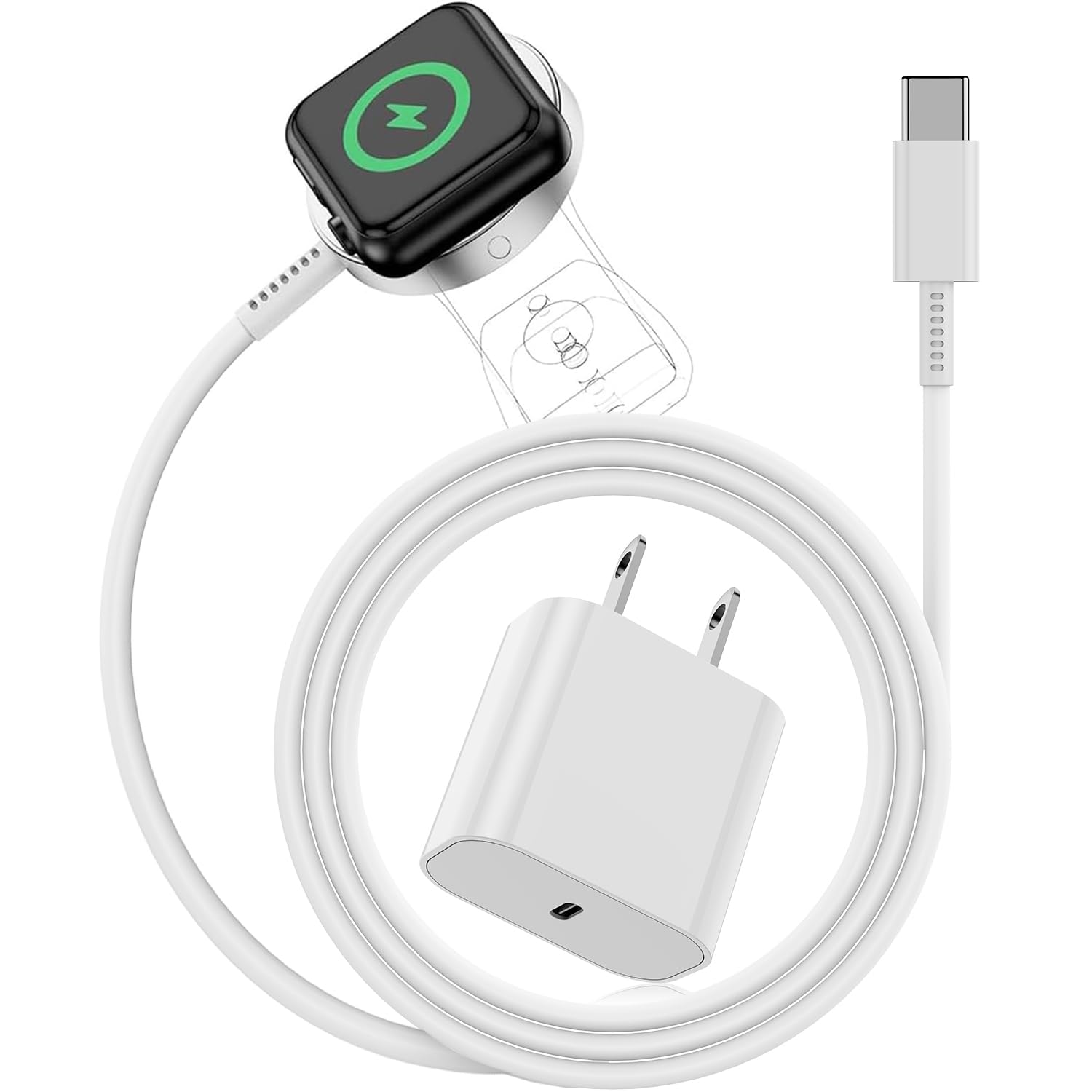
If you still have the magnetic charging cable, you don’t need the wall adapter. You can plug it directly into any powered USB port and still charge your Apple Watch.
How to Charge via Laptop, PC, or USB Device
- Connect the USB end of the magnetic charger to your laptop, desktop, gaming console, or car USB port
- Attach the magnetic end to the back of your Apple Watch
- Wait for the green lightning bolt to appear on the screen
Most modern computers provide enough power (0.5A–1A) to charge the watch, though it may be slower than using a wall outlet.
⚠️ Important: Ensure your computer is powered on and awake—many laptops disable USB power during sleep mode or when the lid is closed.
✅ Works with all Apple Watch models
✅ Free and accessible
❌ Slower than wall charging (3–4 hours vs. 2.5 hours)
Portable Keychain Chargers: No Cables, No Hassle
These compact, clip-on devices combine a built-in magnetic charging puck with a USB-C plug—so you don’t need a separate cable.
How They Work
- Plug the USB-C end into a power bank, laptop, or phone charger
- The magnetic side attaches directly to your Apple Watch
- Charging begins instantly with the familiar green lightning bolt
Top Picks
- Anker Key Chain Charger: MFi-certified, durable, folds flat
- Twelve South PlugBug Mini: Sleek aluminum design, perfect for travel
- Belkin Pocket Boost: Strong magnets, reliable connection
🔋 Real-world test: The Anker model charges an Apple Watch Series 10 from 0% to 100% in about 2 hours 15 minutes when connected to a laptop.
These are ideal for travelers, commuters, or anyone who frequently misplaces cables.
✅ Ultra-portable
✅ No extra cords to carry
✅ Safe if MFi-certified
❌ Requires external power source
❌ Slightly slower than wall charging
Magnetic Power Banks Designed for Apple Watch

Some portable batteries now come with built-in magnetic charging pads that let you charge your Apple Watch wirelessly—no cable, no puck needed.
Best Models
| Product | Apple Watch Charging | Capacity | Dual Charging |
|---|---|---|---|
| Anker MagGo 10K | Yes (30W) | 10,000mAh | iPhone + Watch |
| EcoFlow RAPID | Yes | 10,000mAh | MagSafe-compatible |
| BLUETTI AC180 | Yes (via wireless pad) | 1152Wh | Multiple devices |
How to Use
- Turn on the power bank
- Place your Apple Watch on the magnetic zone
- Wait for the green lightning bolt to appear
These are perfect for long trips, camping, or power outages.
✅ Fully wireless, no cables
✅ Charge multiple devices
✅ High-capacity options available
❌ Expensive
❌ Must be pre-charged
Reverse Charge From iPhone 15 or iPhone 16
If you own an iPhone 15 or iPhone 16, you can use it to charge your Apple Watch—but only with the magnetic charger.
Steps to Reverse Charge
- Plug the Apple Watch magnetic charger into your iPhone’s USB-C port
- Attach the magnetic end to the back of the iPhone (align with MagSafe coil)
- Snap your Apple Watch onto the charger
- Watch for the green lightning bolt to confirm charging
🔋 Example: An iPhone 16 Pro loses about 26% battery to fully charge a Series 9.
This method is a lifesaver during emergencies when outlets aren’t available.
✅ No wall power needed
✅ Great for travel or emergencies
❌ Drains iPhone quickly
❌ Only works on iPhone 15/16
❌ Still requires magnetic charger
3-in-1 Charging Stations for Home & Office
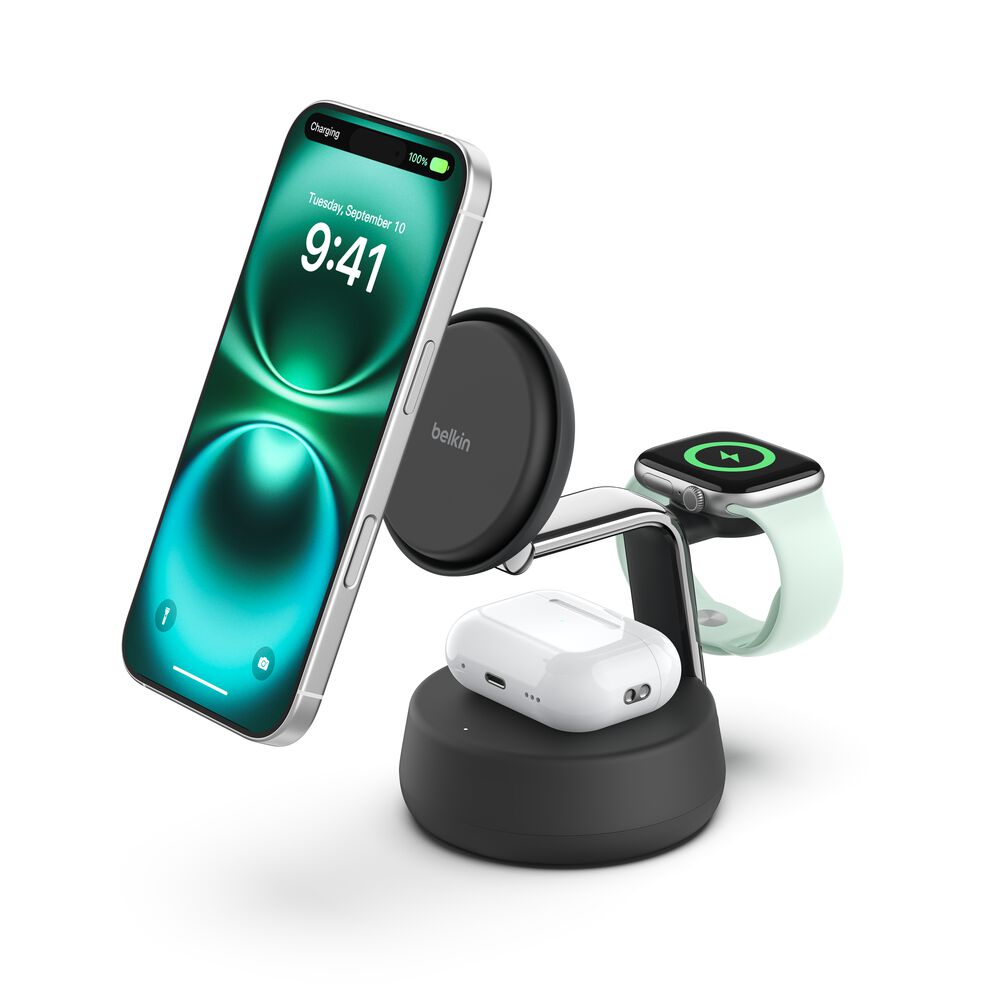
For a clean, clutter-free setup, 3-in-1 charging docks charge your Apple Watch, iPhone, and AirPods simultaneously.
Top Options
- Anker MagGo Foldable 3-in-1: MFi-certified, compact, folds into travel pouch
- Belkin 3-in-1 Boost Charge Pro: Premium build, stable charging
- Apple MagSafe Duo: Official Apple product, charges iPhone + Watch
These are ideal for nightstands, desks, or travel kits.
✅ Organized, multi-device charging
✅ Fast and reliable
✅ Great for Apple ecosystem users
❌ Not portable
❌ Higher price point ($99–$199)
Third-Party Magnetic Chargers (MFi-Certified)
You don’t need Apple-branded gear. Many MFi (Made for iPhone) or MFW (Made for Apple Watch) certified chargers offer the same performance at lower prices.
What to Look For
- MFi/MFW certification (check packaging)
- Overheat, overcharge, and short-circuit protection
- Strong magnetic alignment for secure connection
Trusted Brands
- Anker
- Belkin
- Native Union
- Spigen
❌ Warning: Avoid $5 no-name chargers—poor quality can damage your battery or cause overheating.
✅ Affordable and reliable
✅ Same speed as Apple’s charger
✅ Variety of designs (stand, pad, foldable)
❌ Risky if uncertified
Hidden Diagnostic Port (Series 6 and Earlier Only)
Older Apple Watch models (Series 6 and earlier) have a hidden diagnostic port under the band slot—originally for Apple repairs, but now used by third parties for charging.
How It Works
- Use a specialized charging cable (e.g., WatchDoctor, iFixit)
- Plug into a USB power source
- Bypasses magnetic charging entirely
⚠️ Warning: This method is not supported by Apple, may void warranty, and risks damaging internal sensors or water seals.
Also, this port was removed starting with Series 7, so it won’t work on newer models.
✅ Only way to charge without magnets
✅ Useful in emergencies
❌ Risk of hardware damage
❌ Poor cable quality common
❌ Not for Series 7 and later
Car Charging Solutions
You can charge your Apple Watch in the car using simple setups.
Options
- Car USB port + magnetic cable
- 12V socket adapter + USB charger + magnetic cable
- Car power station with built-in Apple Watch pad (e.g., BLUETTI, EcoFlow)
Pro Tip
Keep a portable magnetic power bank in your glovebox, or use a vent-mounted wireless charger that supports Apple Watch (rare, but available).
✅ Perfect for road trips
✅ No need for wall outlets
❌ Dependent on car battery
Off-Grid: Solar & Portable Power Stations
For camping, blackouts, or travel off the grid, solar-powered stations can charge your Apple Watch.
How It Works
- Solar panel charges a portable power station (e.g., BLUETTI AC180)
- Plug Apple Watch magnetic charger into the station’s USB port
- Or place compatible magnetic puck on its wireless pad
☀️ Tip: Use a 100W+ solar panel for faster recharge of the power station.
✅ Sustainable and reliable
✅ Powers multiple devices
❌ Weather-dependent
❌ Expensive setup
What Doesn’t Work (Myths Debunked)
Despite viral videos and forum claims, these do not charge Apple Watch:
| Method | Why It Fails |
|---|---|
| Standard Qi wireless charger | Apple Watch uses proprietary magnetic induction, not Qi (except limited Qi2 on newer models) |
| MagSafe iPhone charger alone | Watch won’t attach or draw power |
| Android phone reverse charging | No magnetic alignment or protocol support |
| Taping watch to charger | Unsafe, risk of short circuits |
| Using iPhone cable directly | No port on Apple Watch for connection |
❌ Never attempt to modify the watch or use DIY charging rigs—risk of fire, battery swelling, or permanent damage.
Charging Speed Comparison
| Method | Full Charge Time | Portability | Safety | Cost |
|---|---|---|---|---|
| Official Apple Charger | ~2.5h | Low | ★★★★★ | $$$ |
| Laptop USB Port | ~3–4h | Medium | ★★★★☆ | Free |
| Keychain Charger | ~2.5h | ★★★★★ | ★★★★☆ | $$ |
| iPhone Reverse Charge | ~3h | ★★★★★ | ★★★★☆ | Free |
| Magnetic Power Bank | ~2.5h | ★★★★☆ | ★★★★★ | $$$ |
| Hidden Port Cable | ~3h | ★★★☆☆ | ★★☆☆☆ | $ |
| Solar + Power Station | 3–6h | ★★★★☆ | ★★★☆☆ | $$$$ |
Safety & Maintenance Tips
✅ Do This
- Use MFi/MFW-certified chargers
- Clean charging surfaces with a dry microfiber cloth
- Charge to 80–90% for daily use to extend battery life
- Replace chargers with weak or loose magnets
❌ Avoid
- Uncertified $5 chargers
- Charging under pillows or blankets
- Leaving watch on charger overnight regularly
- Using damaged cables or pucks
FAQs
Can I charge Apple Watch with iPhone charger?
No. The iPhone cable or adapter cannot plug into the Apple Watch. But you can use the iPhone’s USB power adapter to power the Apple Watch magnetic charger.
Can I use a regular wireless charger?
No. Standard Qi pads don’t work. Only Qi2 or Apple-specific magnetic pads support Apple Watch charging.
How do I know it’s charging?
Look for:
– Green lightning bolt on screen
– Chime sound when connected
– Rising battery percentage
How long to charge from zero?
- 0% to 80%: ~1.5 hours
- 0% to 100%: ~2.5 hours (varies by model)
What if it won’t charge?
- Clean back of watch and charger
- Restart watch (hold Side Button + Digital Crown)
- Try a different power source
- Test with another charger
- Contact Apple Support
Is third-party charging safe?
Only if MFi/MFW-certified. Cheap, uncertified chargers risk overheating or battery damage.
Final Verdict: Best Alternatives by Use Case
| Scenario | Best Solution |
|---|---|
| Lost charger, need fast fix | Buy MFi-certified magnetic charger ($15–$30) |
| Traveling light | Keychain charger or magnetic power bank |
| Home/office use | 3-in-1 charging station (Anker, Belkin, Apple) |
| Emergency backup | Keep spare charger in bag or car |
| Off-grid/camping | BLUETTI AC180 + solar panel |
| iPhone 15/16 owner | Reverse charge using magnetic adapter |
💡 Pro Tip: If you’ve lost your charger once, you’ll lose it again. Keep two certified chargers—one at home, one on the go.
With the right tools, you’ll never be left with a dead Apple Watch. While you can’t charge it like a phone, smart alternatives exist—from portable magnetic pucks to hidden port hacks (for older models). Just remember: safety first. Stick to certified accessories, avoid sketchy knockoffs, and never force connections. Your Apple Watch will stay powered, protected, and ready—no matter where you are.





