You’ve invested in an Apple Watch to track your fitness, but when you go looking for your VO2 max, it’s nowhere to be found. That’s because Apple doesn’t display this metric directly on the watch. Instead, it calculates a cardio fitness score — Apple’s term for VO2 max — using heart rate, GPS, and personal data during outdoor workouts. The numbers are stored in the Health app on your iPhone, not on the wrist.
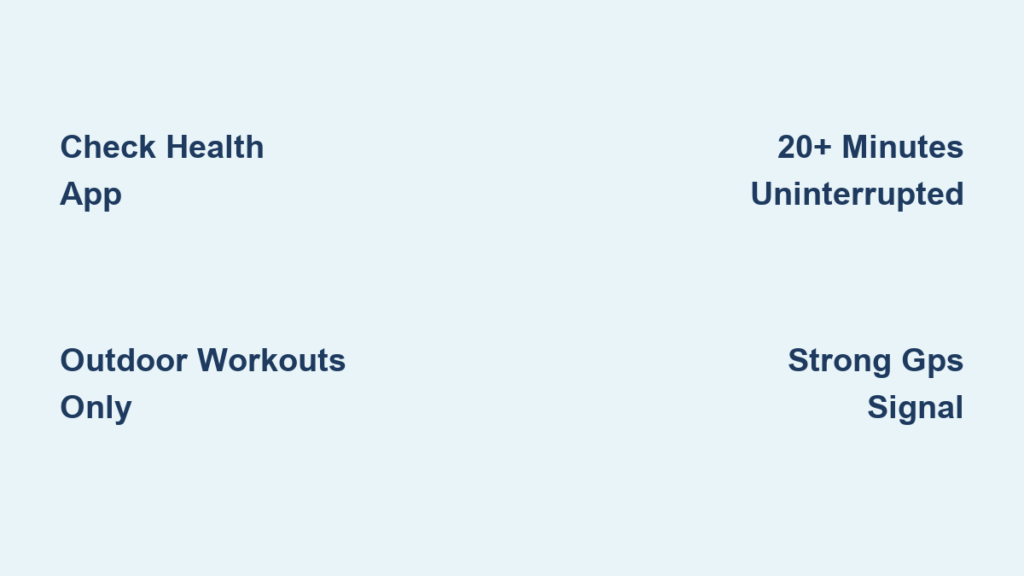
If you’re logging runs and walks but still see “No Recorded Data,” you’re likely missing one of several key conditions. Many users assume treadmill workouts count — they don’t. Only outdoor walks, runs, and hikes lasting at least 20 uninterrupted minutes with strong GPS and heart rate data trigger a reading. Even then, a loose watch, poor signal, or software glitch can block the estimate.
In this guide, you’ll learn exactly how to find, trigger, and interpret your Apple Watch VO2 max (cardio fitness) data. You’ll also discover why readings fail, how accurate they really are, and what you can do to improve your score over time. Whether you’re training for a race or just monitoring long-term heart health, understanding your cardio fitness unlocks powerful insights into your aerobic capacity.
View Your VO2 Max in the iPhone Health App
Apple Watch estimates cardio fitness but stores the data exclusively in the Health app on your iPhone. To access your VO2 max:
- Open the Health app on your iPhone.
- Tap the Search icon (magnifying glass) at the bottom.
- Type “Cardio Fitness”.
- Select Cardio Fitness from the results.
You’ll see:
– Your latest VO2 max value in mL/kg/min
– A trend graph (Day, Week, Month, 6M, Year)
– A color-coded health indicator (green = good for age/sex)
⚠️ If you see “No Recorded Data,” your watch hasn’t captured enough qualifying workouts yet.
Track Historical Cardio Fitness Trends
Tap D, W, M, 6M, or Y to change the time range. The graph shows your average cardio fitness level over time. Tap and hold on any point to view:
– Exact VO2 max value
– Date of measurement
– Workout type (e.g., Outdoor Run)
Trends matter more than single values — gradual improvements indicate better cardiovascular health, even if your number starts low.
Compare Your Score to Age and Sex Benchmarks
Tap Show All Cardio Fitness Levels to see population-based categories:
– Poor
– Fair/Average
– Good
– Excellent
Your score is compared to others in your age group and biological sex. For example, a 40-year-old woman with a VO2 max of 38 mL/kg/min may fall into the “Good” range.
Tap the (i) button in the top-right corner to view average cardio fitness levels across all ages for Male, Female, or All. This helps contextualize your progress beyond just personal tracking.
Apple Watch VO2 Max Requirements: What You Need

Not every workout generates a reading. Apple uses strict criteria to ensure reliable estimates.
Compatible Devices and Software
- Apple Watch Series 3 or later
- watchOS 7.2 or newer
- iPhone with iOS 14.3 or later
- Health app enabled and synced
Older models like Series 1, 2, or the original Apple Watch do not support cardio fitness estimates.
Supported Workout Types
Only these outdoor activities count:
– Outdoor Walk
– Outdoor Run
– Hiking
❌ Does not count:
– Treadmill runs
– Indoor cycling
– Elliptical
– Gym cardio
– Wheelchair workouts
Why? Indoor workouts lack GPS data, which Apple needs to correlate pace with heart rate. Without speed and distance, the algorithm can’t estimate oxygen consumption.
Minimum Workout Conditions for Accurate VO2 Max

Even with the right workout, your watch needs specific conditions to generate a valid reading.
20+ Minutes of Uninterrupted Activity
The workout must last at least 20 consecutive minutes without pausing.
– Pausing to tie your shoe? Data breaks → no VO2 max.
– Stopping at traffic lights? Use the “Pause” button → estimate blocked.
Some users report partial success after multiple short walks, but one continuous 20+ minute session is most reliable.
Strong GPS Signal Is Essential
GPS must be active and accurate:
– Avoid tunnels, dense forests, and urban canyons.
– Start your workout outside with clear sky view.
– Wait for GPS lock before beginning (check map in Workout app).
If GPS drifts or disconnects, Apple discards the data.
Moderate to High Exercise Intensity
The algorithm looks for elevated heart rate linked to movement:
– Brisk walking (3.5–4.5 mph) usually qualifies.
– Very slow strolling may not trigger a reading.
– Jogging or running increases chances.
You don’t need max effort, but casual pacing won’t cut it.
Stable Environmental and Physical Conditions
Best accuracy occurs in:
– Moderate temperatures
– Flat or gently sloped terrain (<5% incline)
– No heavy loads (backpacks, gear)
– Watch worn snugly, sensor clean
Altitude, wind, and uneven gait reduce reliability.
Why You’re Not Getting a VO2 Max Reading (And How to Fix It)
Many users, especially on Apple Watch SE, never see a reading — even after long workouts. Here’s why and how to fix it.
Indoor Workouts Don’t Count
Problem: You run on a treadmill daily but see no data.
Solution: Switch to outdoor runs or walks. GPS is mandatory.
Even if your treadmill has a heart rate monitor, Apple cannot estimate VO2 max without GPS-derived speed and distance.
Paused or Interrupted Workouts
Problem: You paused during a run to take a photo.
Result: No VO2 max recorded.
Fix: Restart the workout instead of pausing. Or extend your session beyond 20 minutes of uninterrupted motion.
Poor GPS Signal
Problem: GPS failed due to buildings, trees, or weather.
Fix:
– Start workout outside with clear sky view.
– Wait for GPS lock (watch for the map to load).
– Avoid starting indoors and moving outside later.
Low Workout Frequency
Problem: You exercise once a week.
Result: Infrequent or no readings.
Fix: Aim for 3–4 outdoor aerobic sessions per week. Apple prioritizes consistency for accuracy.
Reset Fitness Calibration for Better Results
If your data is missing or erratic, reset fitness calibration.
How to Reset:
- On iPhone, open the Watch app.
- Go to Privacy > Reset Fitness Calibration Data.
- Confirm reset (no popup appears).
- Complete a 20+ minute outdoor walk or run.
- Wait for sync — new reading should appear after the next qualifying workout.
🔄 Resetting erases past stride, pace, and heart rate calibration. Performance metrics may be less accurate temporarily.
Pro Tips to Trigger VO2 Max Readings
Users have found workarounds to force detection.
Use Airplane Mode During Workout
Some report success by enabling Airplane Mode on the watch before starting:
- Turn on Airplane Mode (keep GPS active).
- Start Outdoor Run or Walk.
- After workout, disable Airplane Mode and sync.
This prevents Bluetooth/Wi-Fi interference and forces reliance on internal sensors.
✅ One user got their first reading after a 25-minute walk in Airplane Mode — after months of failure.
Wear Watch Snugly
Loose fit = poor heart rate accuracy.
Wear the watch one finger’s width above the wrist bone, tight enough that it doesn’t spin.
During exercise, heart rate spikes can confuse the sensor if the watch bounces.
Clean Sensor Regularly
Sweat, dirt, or lotion on the back sensor blocks optical readings.
Wipe with a soft, dry cloth after each workout.
Dirty sensors cause erratic HR, invalidating VO2 max calculations.
Sync Immediately After Workout
Let the watch sync fully with your iPhone post-exercise.
Delayed syncing may prevent processing. Wait until the activity ring fills and data appears in the Health app.
How Accurate Is Apple Watch VO2 Max?

It’s not lab-perfect — but excellent for tracking trends.
Clinical Validation
Apple claims its estimate is within ±1.2 to 1.4 mL/kg/min (about 4%) of lab results, based on a study of 755 participants.
However, a 2025 PLOS One study found Apple Watch Series 9 and Ultra 2 underestimated VO2 max by 6.07 mL/kg/min (MAPE 13.31%) vs. CPET (gold-standard testing).
This means:
– Lab test: 50 mL/kg/min
– Apple Watch: Might show 44 mL/kg/min
But trend tracking remains reliable — if your number rises over weeks, your fitness is improving.
When Accuracy Drops
Apple Watch may misestimate if you have:
| Condition | Effect on VO2 Max Estimate |
|---|---|
| Beta-blockers | Underestimates (heart rate doesn’t rise with effort) |
| Pacemakers | Invalidates HR-pace correlation |
| COPD, MS, Cerebral Palsy | Overestimates due to gait inefficiency |
| Peripheral Artery Disease | Poor leg oxygen use skews results |
In these cases, focus on subjective effort and endurance, not the number.
Third-Party Apps for VO2 Insights
Apple locks VO2 max access, but some apps offer alternatives.
Athlytic
- Analyzes every outdoor workout for VO2 max.
- Uses HR and pace with proprietary algorithm.
- Often updates more frequently than Apple.
Data appears in Health app and can be viewed alongside Apple’s estimate.
Nike Run Club
- Records detailed run metrics.
- No native VO2 max, but syncs to Strava, Garmin, or Athlytic for analysis.
Use as a data source for cross-platform tracking.
Strava
- Doesn’t calculate VO2 max.
- Integrates with Garmin, Coros, or Polar devices that do.
Best for comparing Apple Watch with other fitness tech.
🔒 Note: These apps cannot read Apple’s internal VO2 model but may predict using similar math.
Improve Your VO2 Max Over Time
VO2 max isn’t fixed. You can raise it with training.
Best Training Methods
-
HIIT (High-Intensity Interval Training)
Example: 4×4 protocol—4 minutes hard (85–95% max HR), 3 minutes easy, repeat 4 times. -
Steady-State Cardio
30–60 minute runs or brisk walks at moderate intensity (70–80% max HR). -
Hill Repeats or Stair Climbing
Builds aerobic power and leg strength.
Do 3–5 sessions per week for best results.
Lifestyle Boosters
- Lose excess weight: Lower body mass improves mL/kg/min ratio.
- Quit smoking: Improves oxygen delivery.
- Sleep 7–9 hours: Recovery fuels adaptation.
- Stay hydrated: Blood volume affects oxygen transport.
Improvements take 4–12 weeks of consistency.
Manually Add Clinical VO2 Max Results
Had a lab test? Add it to your Health app.
Steps:
- In Health app > Cardio Fitness, tap Add Data.
- Enter:
– Value (e.g., 52 mL/kg/min)
– Date and time
– Optional notes - Tap Add.
Your clinical result will appear on the trend graph, letting you compare lab vs. watch estimates.
Useful for validating Apple’s accuracy or tracking elite performance.
Final Summary: Key Takeaways
✅ How to Check VO2 Max on Apple Watch
– Open Health app on iPhone
– Search “Cardio Fitness”
– View latest value and trend graph
✅ Requirements
– Outdoor Walk, Run, or Hike
– 20+ minutes uninterrupted
– GPS and heart rate data
– Apple Watch Series 3+ with watchOS 7.2+
❌ Won’t Work If
– Workout was indoors
– Paused or under 20 minutes
– Poor GPS signal
– Watch loose or dirty
📊 Accuracy Notes
– Apple underestimates by ~6 mL/kg/min vs. lab tests
– Best for tracking trends, not absolute values
– Less reliable for medical conditions or medications
🔧 Quick Fixes
– Reset Fitness Calibration Data
– Try Airplane Mode during workout
– Wear watch snug and clean
– Exercise 3–4x/week outdoors
💡 Bottom Line
Your Apple Watch gives a non-invasive, trend-focused snapshot of cardiovascular fitness. While not a medical device, it helps you see progress, stay motivated, and catch declines early. Focus on consistency and improvement, not perfection. Over time, your VO2 max becomes one of the most powerful tools in your long-term health toolkit.