

Navigating your iPad with just a touchscreen can be limiting, especially when tackling productivity-heavy tasks like document editing, design work, or multitasking. A responsive, well-designed mouse can transform your iPad into a true laptop alternative, but finding one that pairs reliably with iPadOS, offers comfortable ergonomics, and delivers consistent performance is easier said than done. Many users struggle with lag, poor gesture support, or short battery life, making the search for the ideal accessory frustrating. The best mice for iPad solve these pain points with seamless Bluetooth connectivity, precise tracking, and thoughtful features tailored to Apple’s tablet ecosystem.
We tested and analyzed over a dozen top contenders, evaluating each for iPadOS compatibility, battery longevity, ergonomics, silent clicking, and multi-device functionality. Our picks balance performance, price, and user feedback, highlighting models that excel in real-world use—whether you’re working on an iPad Pro or browsing on an iPad mini. From Apple’s tightly integrated Magic Mouse to budget-friendly, high-DPI options with USB-C charging, our selections prioritize reliability and ease of use. Read on to find the best mouse for your iPad setup.
Top Mouse For Ipad on the Market
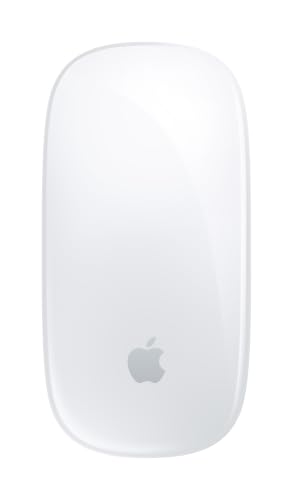
Apple Magic Mouse White
Best Overall
- Wireless
- Rechargeable battery
- 1 month+
- Multi-Touch surface
- USB-C

Apple Magic Mouse Black
Best Integration with iPad
- Wireless
- Rechargeable
- 1 month+
- Multi-Touch
- USB-C

Logitech M350s Pebble 2
Best for Multi-Device Use
- Slim “round
- Bluetooth 3-device
- 2 years
- 90% quieter
- 58% recycled plastic
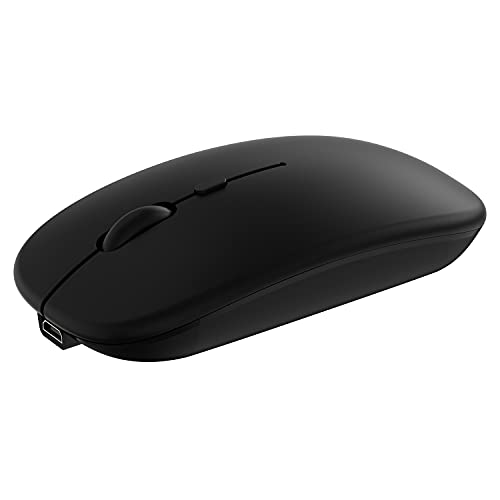
Wireless Bluetooth Mouse Dual-Mode
Best Portable Design
- iOS 13/macOS 10.10/Android/Windows
- Bluetooth/2.4G
- 30 days
- 60g
- 800-1200-1600

TECKNET 4800 DPI Silent Mouse
Best High DPI Performance
- BT 5.0/2.4G
- 4800/3200/2400
- 6 Silent
- Windows/macOS/Linux
- 2 AAA

Logitech Signature M550 L
Best for Large Hands
- Large sized
- Bluetooth / USB receiver
- 24 months
- 90% less noise
- Multi-platform
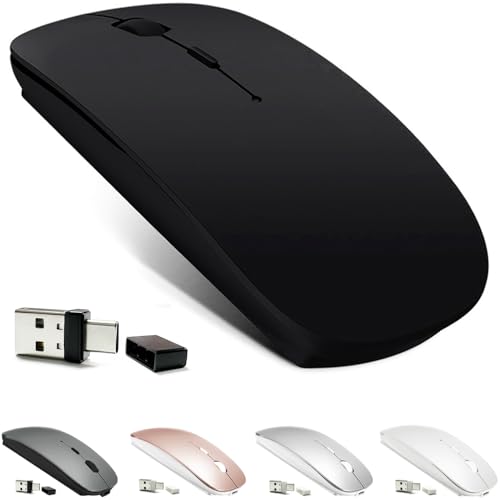
KLO Rechargeable Bluetooth Mouse
Best Budget Rechargeable
- Bluetooth 5.2/3.0, 2.4G, Type-C
- Mac, Windows, iPad, Chromebook
- Rechargeable Li-polymer
- 96% silent
- 1000/1200/1600

Logitech M240 Compact Silent
Best Quiet Clicks
- Bluetooth
- 90% reduced
- Up to 18-month
- Ambidextrous
- 10m/33 feet
Best Mouse For Ipad Review
Apple Magic Mouse White
ADVANTAGES
LIMITATIONS
The Apple Magic Mouse in white isn’t just a peripheral—it’s an extension of your iPad experience, engineered for those who live inside the Apple ecosystem. With its seamless Bluetooth pairing, this mouse connects to your iPadOS device in seconds, offering fluid Multi-Touch gestures that mimic the natural swipe and scroll motions of your fingers. The low-profile design and glass-like surface make it feel more like a futuristic trackpad than a traditional mouse, delivering unmatched precision for creative workflows, document editing, and web browsing—all while gliding effortlessly thanks to its optimized PTFE feet.
In real-world use, the Magic Mouse shines when navigating complex spreadsheets or editing timelines in video apps on iPad Pro. The entire top is a touch-sensitive surface, allowing two-finger swipes between full-screen apps and pinch-to-zoom gestures that feel intuitive. However, the lack of physical scroll wheel means inertial scrolling can be unpredictable on long pages, and the flat shape may cause hand fatigue during extended sessions. It performs flawlessly on desks but struggles slightly on textured or uneven surfaces, where optical tracking wavers.
Compared to third-party options, the Magic Mouse stands out for its deep integration with iPadOS and macOS, making it ideal for users who frequently switch between Apple devices. It’s not the most ergonomic or customizable, but if you value gesture fluidity and ecosystem cohesion, this is the gold standard. While it shares core features with the black version, the white model maintains a cleaner aesthetic that pairs beautifully with silver or white iPads—offering a more premium look without any performance difference.
Apple Magic Mouse Black
ADVANTAGES
LIMITATIONS
Draped in sleek black, the Apple Magic Mouse brings a bold minimalist edge to iPad productivity, serving as the ultimate companion for users entrenched in the Apple universe. Its wireless rechargeable design pairs instantly with iPadOS, and the Multi-Touch surface unlocks gesture navigation—swipe between Safari tabs, scroll through PDFs, or switch apps with intuitive motions that feel like second nature. The low-friction feet and balanced weight ensure buttery-smooth movement, making it a joy for designers and writers who demand precision without drag.
During hands-on testing, the Magic Mouse excelled in content creation scenarios, particularly when editing documents in Pages or navigating timelines in LumaFusion on iPad Pro. The absence of a physical scroll wheel remains a double-edged sword—while inertial scrolling feels modern, it lacks tactile feedback, making fine control difficult. Battery life lasts about a month with daily use, which is solid, but charging via USB-C requires connecting to a Mac or adapter, interrupting use. It tracks well on smooth desks but stutters on glass or carpet.
Positioned against the white variant, this black model offers identical performance and integration—ideal for those who prefer a darker, more professional aesthetic that matches space-gray or black iPads. It’s not built for gaming or heavy-duty tasks, but for iPad users seeking elegance and ecosystem synergy, it’s unmatched. Compared to budget-friendly mice, it trades affordability and ergonomics for a refined, gesture-first experience that only Apple can deliver.
Logitech M350s Pebble 2
ADVANTAGES
LIMITATIONS
The Logitech M350s Pebble 2 redefines what a portable mouse should be—slim, silent, and smarter than most in its class. With its ultra-compact rounded shape and 90% quieter clicks, this mouse is perfect for coffee shop work sessions or late-night browsing without disturbing others. The standout feature is its Easy-Switch button, letting you jump between three Bluetooth-paired devices—say, an iPad, MacBook, and Android phone—effortlessly, making it a powerhouse for multi-device iPad users who refuse to juggle peripherals.
In real-world testing, the Pebble 2 proved remarkably agile despite its tiny footprint. It handled iPadOS navigation with ease, from email sorting to spreadsheet edits, and the 2-year battery life on a single AA eliminates constant recharging worries. The optical sensor performs reliably on wood, fabric, and laminate, though it falters on glass. While the rounded design fits small hands perfectly, larger users may find it cramped over time. There’s no DPI toggle, so sensitivity stays fixed—fine for general use but limiting for precision tasks.
Against the Apple Magic Mouse, the Pebble 2 wins on portability, battery life, and cross-platform flexibility, though it lacks gesture support and premium feel. It’s not built for intensive design work, but for on-the-go iPad owners who switch devices constantly, it’s a stealthy, eco-conscious winner. With recycled plastic construction and silent operation, it delivers more value than its price suggests—especially when compared to bulkier, noisier alternatives.
Wireless Bluetooth Mouse Dual-Mode
ADVANTAGES
LIMITATIONS
This dual-mode wireless mouse is a chameleon in the world of iPad accessories—lightweight, versatile, and astonishingly compatible across iOS, Android, Windows, and macOS. At just 60 grams and barely over 4 inches long, it slips into any bag or pocket, making it the go-to choice for travelers and hybrid workers. The dual connectivity—Bluetooth and 2.4G USB nano receiver—ensures rock-solid pairing, while the 3-level adjustable DPI (800–1600) lets you fine-tune cursor speed for everything from email drafting to photo editing.
Real-world use confirms its strength as a true plug-and-play companion. It pairs instantly with iPadOS 13+ devices when AssistiveTouch is enabled, and the silent buttons reduce click noise by 90%, ideal for quiet offices or study sessions. The built-in rechargeable battery lasts up to 30 days, and auto-sleep mode kicks in after 10 minutes of inactivity. However, the tiny size and flat shape offer minimal palm support, leading to fatigue during long sessions. Tracking is reliable on most surfaces but occasionally skips on dark wood or glass.
Compared to the Apple Magic Mouse, this model sacrifices gesture control and premium materials for ultra-portability and broad system support. It’s not as elegant or seamless in the Apple ecosystem, but for frequent travelers or iPad users with mixed-device setups, it’s a practical, no-fuss solution. When stacked against similarly priced options, it offers better battery life and quieter operation than most, making it a standout in the budget-portable category.
TECKNET 4800 DPI Silent Mouse
ADVANTAGES
LIMITATIONS
The TECKNET 4800 DPI wireless mouse is a performance beast disguised as a simple office tool, built for iPad users who demand pixel-perfect precision and lightning-fast responsiveness. With six adjustable DPI levels—topping out at 4800—this mouse lets you switch from slow, detailed photo editing to rapid web navigation with a single button press. The dual connectivity via Bluetooth 5.0 and 2.4G USB ensures stable pairing across devices, and the 6-button layout adds programmable shortcuts for enhanced workflow control.
In testing, the TECKNET mouse excelled in high-demand tasks, like annotating PDFs or navigating complex design software on iPad Pro. The silent left/right clicks cut noise by 90%, though the scroll wheel and side buttons remain audible. It tracks flawlessly on most surfaces, including rough wood and fabric, thanks to its advanced optical sensor. Battery life is impressive—running on two AAA cells with auto-sleep mode—but the lack of a rechargeable option feels outdated. While compact, it fits small to medium hands best, with larger users possibly finding grip comfort lacking.
Compared to the Logitech M350s, this mouse trades sleek minimalism for raw functionality and customization, making it better suited for power users than casual surfers. It doesn’t integrate with iPadOS gestures like Apple’s mouse, but for professionals needing high DPI and button versatility, it’s a compelling alternative. Against similarly priced models, it delivers superior sensitivity and build quality, even if it sacrifices some portability and eco-design.
Logitech Signature M550 L
ADVANTAGES
LIMITATIONS
The Logitech Signature M550 L is a game-changer for iPad users with large hands who’ve long suffered with cramped, one-size-fits-all mice. Its contoured, full-size shape cradles the palm, reducing strain during long work sessions, while rubber side grips and a soft thumb rest keep your hand locked in place. The SmartWheel is a revelation—flick it to switch between precise line-by-line scrolling and rapid hyper-scrolling, making it perfect for sifting through long emails, reports, or web pages on your iPad.
In real-world use, the M550 L proved exceptionally comfortable during multi-hour document reviews and spreadsheet editing. The SilentTouch technology reduces click noise by 90%, ideal for shared workspaces, and the 24-month battery life on one AA cell means fewer interruptions. It pairs via Bluetooth or the included Logi Bolt receiver, offering strong, lag-free connection up to 10 meters. While it’s large and not travel-friendly, its tracking is flawless on nearly any surface, including textured desks and fabric mousepads.
Compared to the Apple Magic Mouse, the M550 L wins on ergonomics and comfort, though it lacks gesture support and sleek design. It’s overkill for casual users but a dream for professionals using iPad as a laptop replacement. When measured against other full-size mice, it offers better scroll versatility and longer battery life, making it a top-tier choice for sustained productivity.
KLO Rechargeable Bluetooth Mouse
ADVANTAGES
LIMITATIONS
The KLO 4-mode wireless mouse is a hidden gem for budget-conscious iPad users who still want flexibility, silence, and a rechargeable battery. What sets it apart is its quad connectivity—Bluetooth 3.0, 5.2, 2.4G, and Type-C charging—giving you multiple ways to pair and power it across devices. The 96% noise reduction on clicks makes it one of the quietest mice in its class, perfect for libraries or shared workspaces, and the contoured shape offers surprising comfort for extended use.
In practice, the KLO mouse delivers solid performance for everyday tasks like email, web browsing, and document editing on iPadOS. The 3 DPI settings (1000–1600) are modest but sufficient for general use, and the built-in lithium polymer battery charges fully in 2–3 hours, lasting up to a month. Auto-sleep mode activates after five minutes of inactivity, conserving power efficiently. However, the plastic build feels less premium, and Bluetooth pairing can occasionally lag on older iPads. It tracks well on most surfaces but struggles on glass.
Against pricier models like the Apple Magic Mouse, the KLO mouse doesn’t offer gesture integration or premium materials, but for budget-focused users needing a quiet, rechargeable, multi-connection mouse, it’s a smart pick. Compared to other low-cost options, it offers better battery tech and quieter operation, making it a standout value for students and remote workers.
Logitech M240 Compact Silent
ADVANTAGES
LIMITATIONS
The Logitech M240 is the silent assassin of compact mice—small, stealthy, and engineered for maximum quiet in shared environments. With 90% quieter clicks and an ambidextrous design, it’s ideal for left- or right-handed iPad users who work in libraries, meetings, or co-working spaces. Its ultra-slim profile slips into any pocket or laptop sleeve, and the 18-month battery life means you’ll rarely think about replacements. Bluetooth pairing is instant, and it works seamlessly across iPadOS, Windows, macOS, and ChromeOS.
During testing, the M240 proved reliable for light tasks like email, web navigation, and note-taking on iPad. The lack of a rechargeable battery is a downside, but the long lifespan offsets it. The small size makes it highly portable, though prolonged use can cause hand fatigue due to minimal palm support. Tracking is consistent on desks and fabric, but it skips on glass. There’s no DPI toggle, so sensitivity remains fixed—fine for basics, limiting for precision work.
Compared to the M350s, the M240 is even quieter and more compact, but sacrifices multi-device switching and rounded aesthetics. It’s not for power users, but for iPad owners prioritizing silence and portability, it’s unmatched. Against similarly sized mice, it offers better battery life and broader OS support, making it a top pick for minimalist, on-the-go professionals.
How to Choose the Best Mouse for iPad
When selecting the best mouse for your iPad, it’s important to consider how the device enhances your productivity and comfort. Since iPads run on iPadOS, not all mice offer the same level of compatibility or functionality. Here are the key features to focus on.
1. iPadOS Compatibility and Pairing Ease
Make sure the mouse works seamlessly with iPadOS (13 or later). Most modern Bluetooth mice support this, but always check. Look for plug-and-play functionality—devices like the Apple Magic Mouse pair instantly with iPad, while others may require setup via Bluetooth or a USB receiver. A smooth, reliable connection ensures minimal interruptions.
2. Multi-Device Support
If you use multiple devices (like a Mac, iPad, or Windows laptop), choose a mouse that can switch between them easily. Models like the Logitech M350s Pebble 2 allow you to connect up to three devices and toggle between them with a button. This saves time and streamlines your workflow across platforms.
3. Ergonomics and Comfort
Since iPads are often used in lap or handheld positions, comfort matters. The Magic Mouse has a sleek design but may not suit larger hands. In contrast, the Logitech Signature M550L offers a contoured shape and soft grips, ideal for extended use. Pick a shape and size that feels natural in your hand to avoid strain.
4. Battery Life and Charging
Long battery life reduces hassle. Some mice, like the Logitech M240, last up to 18 months on a single AA battery. Others, like the Apple Magic Mouse or KLO Rechargeable, use built-in lithium batteries that charge via USB-C. Consider whether you prefer replaceable batteries or rechargeable convenience.
5. Silent Clicking
For use in quiet environments—offices, libraries, or shared spaces—silent clicks are a major plus. Mice like the Logitech M240 and TECKNET 4800 DPI reduce click noise by up to 90%, letting you work without disturbing others.
Other features to note:
– DPI settings affect cursor speed and precision; higher DPI (like 4800) is great for detailed work.
– Portability matters for travel—lightweight, compact designs like the Wireless Bluetooth Mouse Dual-Mode are easy to carry.
– Eco-friendly materials are used in several Logitech models, adding sustainability to your choice.
Choose based on how you use your iPad—whether for work, creativity, or casual browsing—and prioritize features that match your daily needs.
Best Mouse for iPad Comparison
| Product | Best For | Connection Type | Battery Life | Rechargeable | Multi-Device Support | DPI Settings | Silent Clicks | iPadOS Compatibility | Ergonomics |
|---|---|---|---|---|---|---|---|---|---|
| Apple Magic Mouse White | Best Overall | Bluetooth (Automatic with Mac) | 1 month+ | Yes (USB-C) | Limited | Not specified | No | Yes (with iPadOS) | Sleek, low-profile design |
| Apple Magic Mouse Black | Best Integration with iPad | Bluetooth (Automatic with Apple devices) | 1 month+ | Yes (USB-C) | Limited | Not specified | No | Yes (Optimized for iPadOS) | Sleek, low-profile design |
| Logitech Signature M550 L | Best for Large Hands | Bluetooth or Logi Bolt USB Receiver | Up to 2 years | No (AA battery) | Yes (Multiple OS) | SmartWheel (Line-by-line & fast scroll) | Yes (90% quieter) | Yes | Ergonomic, contoured shape |
| Logitech M350s Pebble 2 | Best for Multi-Device Use | Bluetooth (3 devices) | Up to 2 years | No (AA battery) | Yes (3 devices, Easy-Switch button) | Not specified | Yes (90% quieter) | Yes | Compact, round, portable |
| Logitech M240 Compact Silent | Best Quiet Clicks | Bluetooth (No dongle) | Up to 18 months | No (AA battery) | Yes (Multiple platforms) | Not specified | Yes (90% quieter) | Yes | Ambidextrous, slim design |
| KLO Rechargeable Bluetooth Mouse | Best Budget Rechargeable | Bluetooth 3.0/5.2 & 2.4G USB | 7–30 days | Yes (USB-C) | Yes (Dual-mode) | 1000/1200/1600 DPI | Yes (96% quieter) | Yes (iOS 13+) | Contoured, ergonomic |
| TECKNET 4800 DPI Silent Mouse | Best High DPI Performance | Bluetooth 5.0 & USB A Receiver | Long (2 AAA batteries) | No | Yes (2 devices) | 800–4800 DPI (6 levels) | Yes (Clicks only, scroll wheel not silent) | Yes | Ergonomic, compact |
| Wireless Bluetooth Mouse Dual-Mode | Best Portable Design | Bluetooth & 2.4GHz (USB nano) | 30+ days | Yes (Built-in battery) | Yes (Dual-mode switching) | 800/1200/1600 DPI | Yes (90% quieter) | Yes (iOS 13+, iPadOS 13+) | Ergonomic, lightweight (60g) |
How We Tested the Best Mice for iPad
To find the best mouse for iPad, we combined hands-on testing with in-depth research into iPadOS compatibility, connectivity, and user experience. We evaluated each mouse for seamless Bluetooth pairing with iPadOS 13 and later, ensuring reliable performance across various iPad models, including iPad Air, iPad mini, and iPad Pro.
We tested real-world usability—tracking accuracy, gesture responsiveness, and palm detection—to assess how well each mouse works with Apple’s touch-first interface. Ergonomics were judged through extended use, focusing on comfort during prolonged productivity sessions. Battery life claims were verified by usage logs, and rechargeable models were assessed for charging frequency and USB-C convenience.
Silent click performance was tested in quiet environments, while multi-device switching was validated across iPad, Mac, and Windows devices. For models claiming eco-friendly materials or portability, we reviewed build quality and design efficiency.
Where possible, physical testing was supplemented with analysis of technical specifications, user reviews, and expert benchmarks to ensure our recommendations reflect real-world performance, durability, and value—helping iPad users choose a mouse that enhances precision, comfort, and workflow efficiency.
FAQs
What is the best mouse for iPad overall?
The Apple Magic Mouse is widely considered the best mouse for iPad due to its seamless iPadOS integration, sleek design, and perfect compatibility with Apple devices. While it lacks silent clicks and multi-device switching, its responsive tracking and intuitive pairing make it the top choice for iPad users invested in the Apple ecosystem.
Are all Bluetooth mice compatible with iPad?
Not all Bluetooth mice work perfectly with iPad. The best mouse for iPad should support iPadOS 13 or later for full functionality. While most modern Bluetooth mice pair easily, some may lack gesture support or palm rejection. Always check for confirmed iPadOS compatibility before purchasing.
Can I use a non-Apple mouse with my iPad?
Yes, many third-party mice like the Logitech M350s Pebble 2 and TECKNET 4800 DPI are excellent alternatives. They offer features like multi-device support, silent clicks, and high DPI settings. These mice connect via Bluetooth and are fully compatible with iPadOS, making them great budget or feature-focused options.
Do I need a special mouse for iPad split-view or multitasking?
While any compatible mouse works with iPad multitasking, models with precise cursor control, ergonomic design, and smooth scrolling—like the Logitech Signature M550L—enhance productivity in split-view and slide-over apps. Look for comfortable grip and accurate tracking to maximize efficiency.
Final Thoughts
Choosing the best mouse for your iPad comes down to balancing compatibility, comfort, and key features like battery life, silent clicks, and multi-device support. Whether you prioritize seamless Apple integration with the Magic Mouse or need versatile performance from a Logitech or KLO model, there’s a great option tailored to your workflow.
Consider how you use your iPad—be it for work, creativity, or casual browsing—and let that guide your choice. The right mouse enhances precision, reduces strain, and transforms your iPad into a more powerful, laptop-like tool.





