Have you ever felt a flutter in your chest and wondered if something was off with your heart? With the ECG app on Apple Watch, you can now take a medical-grade heart rhythm reading in just 30 seconds—right from your wrist. Designed for Apple Watch Series 4 and later, including all SE and Ultra models, the ECG feature helps detect irregular heart rhythms like atrial fibrillation (AFib), giving you valuable insights between doctor visits. This guide shows you exactly how to use ECG on Apple Watch, interpret results, avoid common mistakes, and share reports with your healthcare provider—all with simple, actionable steps.
Confirm Your Apple Watch Supports ECG
Before taking an ECG reading, verify that your device meets all technical and regional requirements. Not every Apple Watch has ECG functionality, and even compatible models may not support it depending on software or location.
Check Model and Software Compatibility
The ECG app is available only on Apple Watch Series 4 and newer, including:
– Apple Watch SE (1st and 2nd generation)
– Apple Watch Ultra and Ultra 2
– All Series 5 through Series 9 models
Your watch must be running watchOS 6 or later, and your paired iPhone must have iOS 13 or newer installed. If either device is outdated, update immediately via Settings > General > Software Update.
Verify Regional Availability
ECG functionality requires regulatory approval, so it’s not available worldwide. It’s FDA-cleared in the U.S., CE-marked in Europe, and approved in select countries including Canada, Australia, Japan, and parts of South America and Asia. If you’re traveling or recently moved, check Apple’s official support page to confirm availability in your region.
Complete Age and Health Setup
The ECG app is intended for adults aged 22 and over. During setup, you’ll be asked to confirm your age and disclose any prior heart conditions. Apple also warns that people with pacemakers or implantable cardioverter defibrillators (ICDs) should not use the ECG app, as it may interfere with these devices.
Set Up the ECG App Correctly
Even if your watch supports ECG, the app won’t work until you complete the initial configuration on your iPhone.
Enable ECG Through the Watch App
- Open the Watch app on your iPhone
- Tap the My Watch tab
- Scroll down and select ECG
- Tap Get Started and follow the prompts
- Review and agree to the health disclaimer
- Confirm your age and answer questions about heart symptoms
Once setup is complete, the ECG app will appear on your Apple Watch home screen as a heart icon with a waveform.
⚠️ Warning: Skipping setup steps will prevent the app from launching. You must complete this process even if you’ve used the watch before.
Take an Accurate ECG Reading in 30 Seconds

Proper technique is essential for reliable results. A shaky hand or loose fit can lead to an “Inconclusive” reading—even if your heart rhythm is normal.
Prepare Your Body and Watch
- Sit comfortably with your arm resting on a table or in your lap
- Wait at least 5 minutes after exercise, caffeine, or stress
- Clean and dry your wrist and the back of the watch
- Ensure the watch sits snugly—about one finger-width above the wrist bone
- Use a breathable band like the Sport Band or Solo Loop for consistent skin contact
Avoid using ECG during chest pain, dizziness, or shortness of breath—seek emergency care instead.
Start and Complete the Recording
- Press the Digital Crown to open the app screen
- Tap the ECG app (heart-shaped icon with a line graph)
- Place the index finger of your opposite hand flat on top of the Digital Crown
– Do not press down—just rest your fingertip gently - Stay completely still and silent for 30 seconds
- Watch the real-time ECG line build across the screen
The app stops automatically when the test ends. Tap Save, then optionally add notes about symptoms like palpitations or fatigue.
Interpret Your Apple Watch ECG Results

After each reading, your watch displays one of five possible outcomes. Understanding what each means helps you decide whether to monitor, retake, or consult a doctor.
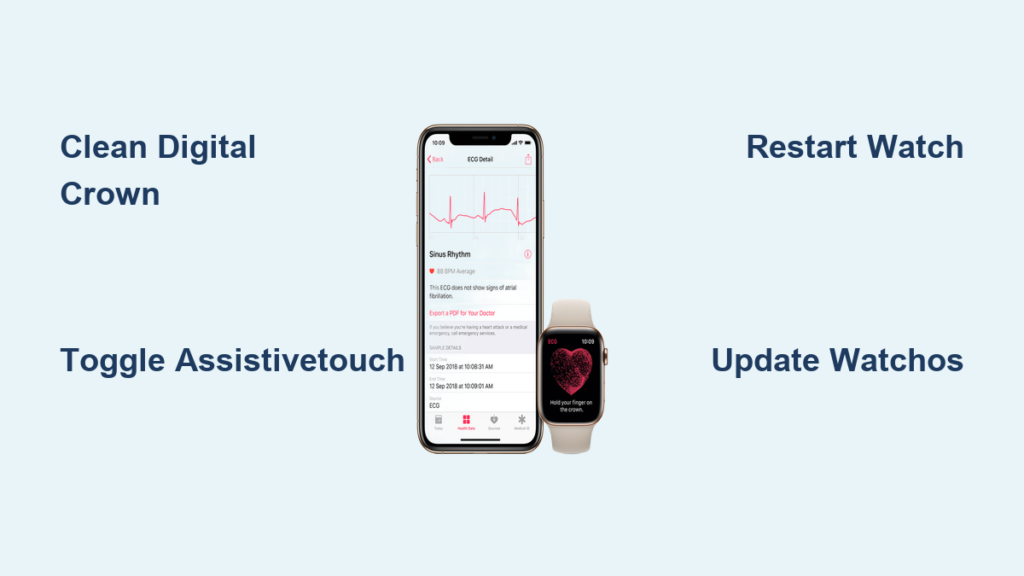
Normal: Sinus Rhythm Detected
This result means your heart’s rhythm is regular and originating from the sinus node—the heart’s natural pacemaker. A normal heart rate typically falls between 50–120 BPM, depending on your watch’s software version. No further action is needed unless symptoms persist.
Atrial Fibrillation (AFib) Detected
AFib indicates irregular electrical activity in the upper chambers of your heart. Even if you feel fine, AFib increases stroke risk and requires medical evaluation. Save the report and contact your healthcare provider promptly.
Low Heart Rate (Below 50 BPM)
Also known as bradycardia, this isn’t always concerning—athletes and those on beta-blockers often have low resting heart rates. However, if you experience dizziness, fatigue, or fainting, recheck at rest and discuss with your doctor.
High Heart Rate (Over 120 or 150 BPM)
Thresholds vary:
– Older watchOS versions flag rates above 120 BPM
– Newer versions use 150 BPM as the threshold
Common causes include anxiety, dehydration, fever, or arrhythmia. If your heart rate remains high while resting, consider retaking the test and consulting a physician.
Inconclusive Reading
This result means the signal was too weak or noisy to classify. Common causes:
– Movement during recording
– Dry skin or poor finger contact
– Loose watch band
– Sweaty or hairy wrist
Retake the test after adjusting your position and cleaning the sensors.
🔍 Fact: Clinical studies show the Apple Watch ECG has 98.3% sensitivity and 99.6% specificity for detecting AFib when used correctly.
Access, Save, and Share ECG Reports
All your ECG readings are securely stored in the Health app and can be shared with doctors in PDF format.
Find Past ECGs on iPhone
- Open the Health app
- Tap Browse > Heart > Electrocardiograms
- Select any entry to view:
– Full waveform
– Heart rate
– Timestamp
– Notes and symptoms
Data syncs across your Apple devices via iCloud, so you can access it from iPad or Mac.
Share ECG PDF with Your Doctor
- Open an ECG in the Health app
- Tap Share PDF
- Send via:
– Mail or Messages
– AirDrop to another device
– Save to Files or print
The PDF includes the ECG graph, heart rate, classification, and an FDA-mandated disclaimer stating it’s not a diagnosis. This makes it ideal for telehealth visits or second opinions.
Maximize Accuracy with Best Practices
Small details make a big difference. Follow these expert tips to get clear, reliable readings every time.
Wear the Watch Properly
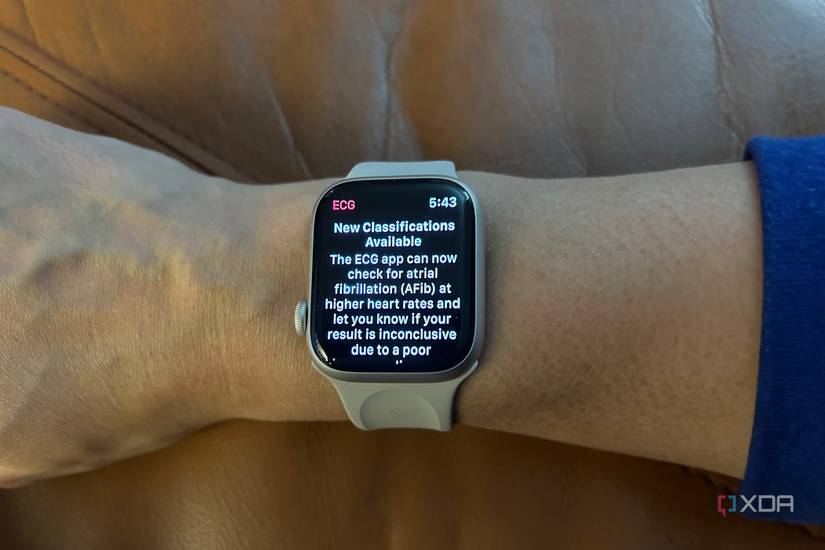
- Position snugly, 1 cm above the wrist bone
- Avoid metal or leather bands that slip
- Use Sport Band, Nike Sport Band, or Solo Loop for stability
Maintain Sensor Contact
- Wipe the back crystal and Digital Crown weekly
- Rinse under water if dirty, then dry thoroughly
- Avoid lotions, sweat, or hair blocking contact
Perfect Your Finger Placement
- Use the index finger of the opposite hand
- Rest it flat—no pressure or rotation
- Keep still—don’t talk or type during recording
Pro Tip: Take 2–3 readings over a few days to identify patterns rather than relying on a single snapshot.
Understand What ECG Can’t Do
The Apple Watch ECG is powerful but limited. Knowing its boundaries prevents false reassurance or unnecessary worry.
Conditions It Cannot Detect
- Ventricular tachycardia (dangerous rhythms from lower chambers)
- Heart blocks or conduction delays
- Structural issues like valve disease or heart failure
- Silent or intermittent AFib that isn’t active during the 30-second test
Risk of False Readings
- False positives: May show AFib due to motion or poor contact
- False negatives: Could miss AFib if not occurring at test time
- Not for pacemaker users: May interfere with implanted devices
Apple states: “The ECG app is not intended for use by people diagnosed with arrhythmias except under a physician’s direction.”
Use Cases Where ECG Adds Real Value
When used strategically, the ECG app becomes a powerful tool for proactive heart health.
Capture Symptoms Instantly
Take a reading the moment you feel:
– Palpitations
– Skipped beats
– Lightheadedness
– Chest tightness
This gives your doctor objective data instead of a memory-based description.
Monitor Known AFib
If diagnosed with AFib:
– Take weekly readings
– Track rhythm trends
– Combine with Irregular Rhythm Notifications
Helps assess treatment effectiveness between appointments.
Screen for Hidden Heart Issues
Even without symptoms:
– Test monthly after age 50
– Catch silent AFib early
– Pair with Heart Rate Variability (HRV) and sleep tracking
Ideal for preventive care and family history of heart disease.
Support Telehealth Visits
During virtual appointments:
– Share ECG PDFs instantly
– Show real-time data
– Reduce need for in-office tests
Many clinics now accept Apple Watch ECGs as preliminary evidence.
Maintain Your Watch for Long-Term ECG Accuracy
Keep your sensors responsive and readings reliable with simple maintenance.
Clean Sensors Weekly
- Wipe back crystal and Digital Crown with a soft, dry cloth
- Rinse under tap water if needed, then dry completely
- Avoid alcohol, soap, or abrasive cleaners
Update watchOS Regularly
Enable automatic updates in Settings > General > Software Update. New versions improve ECG algorithms and fix bugs.
Protect Against Damage
- A cracked back crystal may impair ECG function
- Consider a case or screen protector if active
- Covered under AppleCare+ for accidental damage
Battery impact is minimal—each ECG uses negligible power.
Final Tips for Safe and Smart ECG Use
The Apple Watch ECG empowers you—but only when used wisely.
✅ Do:
– Take readings at rest
– Save and share abnormal results
– Use consistently for trend tracking
– Pair with professional medical advice
❌ Don’t:
– Rely on it during chest pain (call 911)
– Use if under 22 or with a pacemaker
– Treat it as a full cardiac workup
– Ignore symptoms because an ECG was “normal”
Remember: A single ECG can’t rule out heart problems. But combined with your doctor’s expertise, it’s a powerful tool for early detection and peace of mind.
The ECG app on Apple Watch puts meaningful heart data in your hands. By learning how to use ECG on Apple Watch correctly, you gain fast access to insights that can guide medical decisions. Always consult a healthcare professional for diagnosis and treatment—your watch is a helper, not a replacement.