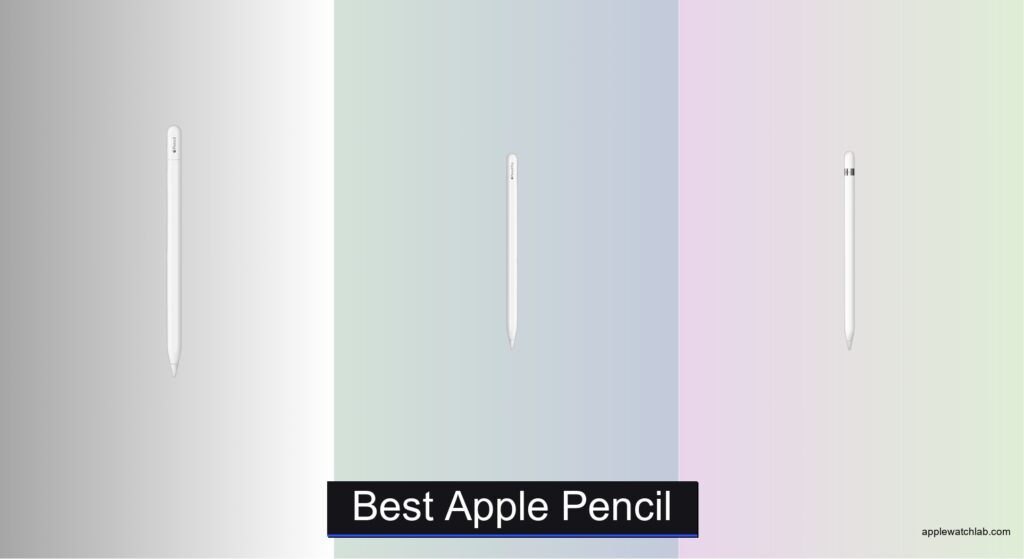
Finding the right Apple Pencil can be confusing, especially with multiple versions offering different features and compatibility. Users often struggle to determine which model works with their iPad, whether they need advanced tools like gesture controls or haptic feedback, and how to balance performance with budget. The frustration of buying an incompatible or underpowered stylus can hinder productivity and creativity, making it essential to choose wisely.
We tested and compared every Apple Pencil model—Pro, USB-C, and renewed 1st and 2nd gen—across key factors like precision, latency, charging, and feature set. Our analysis included hands-on use with iPad Pro and iPad Air models, evaluating real-world performance in drawing, writing, and note-taking apps. By weighing compatibility, innovation, and value, we’ve identified the best Apple Pencil for every user. Read on to find your ideal match.
Top Apple Pencil on the Market
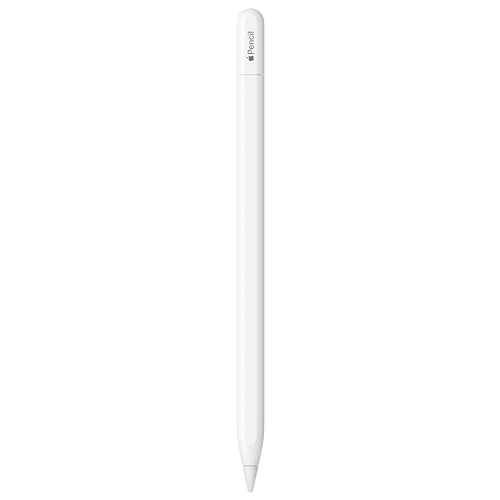
Apple Pencil (USB-C)
Best Budget Friendly
- iPad Pro, iPad Air, iPad (10th)
- USB-C
- Yes
- Pixel-perfect
- Yes

Apple Pencil Pro
Best Overall
- iPad Pro 13-inch (M5/M4), iPad Pro 11-inch (M5/M4), iPad Air 11-inch (M2/M3/M4), iPad Air 13-inch (M2/M3/M4), iPad mini (A17 Pro)
- Pixel-perfect
- Tilt and pressure
- Low
- Magnetic

Best Apple Pencil Review
Apple Pencil (USB-C)
ADVANTAGES
LIMITATIONS
The Apple Pencil (USB-C) bursts onto the scene as a game-changer for creatives and students who demand precision without the premium price tag. With pixel-perfect accuracy, tilt sensitivity, and impressively low latency, it transforms your iPad into a responsive digital notebook or canvas. Unlike its pricier siblings, this model ditches the wireless charging gimmick for a simple, reliable USB-C connection—making it an ideal pick for users who value affordable functionality and plug-and-play simplicity. If you’ve ever struggled with laggy input or awkward pairing, this stylus erases those frustrations with surgical precision.
In real-world use, the Apple Pencil (USB-C) delivers a natural writing and drawing experience across compatible iPads, from the iPad mini (A17 Pro) to the iPad Air (5th gen). The flat edge ensures a secure magnetic attachment, while the USB-C charging means you can juice it up using the same cable as your iPad—no extra dongles needed in most cases. It handles sketching, note-taking, and document markup with ease, though it lacks advanced features like haptics or gesture controls found in higher-end models. On textured screen protectors, the nib wears slightly faster, and the absence of hover preview on older iPad models limits some pro-level finesse.
Compared to the Apple Pencil Pro, this model is the no-frills sibling that gets the core job done exceptionally well. It doesn’t dazzle with gestures or barrel roll detection, but for students, casual artists, or professionals needing a reliable tool for daily tasks, it’s a brilliant balance of performance and value. It outshines third-party alternatives with seamless iPad integration and Apple’s signature responsiveness. While it can’t match the Pro’s innovation, it offers 90% of the core functionality at a much more accessible entry point, making it the smart choice for budget-conscious users who still want that Apple ecosystem polish.
Apple Pencil Pro
ADVANTAGES
LIMITATIONS
The Apple Pencil Pro isn’t just an upgrade—it’s a creative revolution packed into a sleek, magnetic cylinder. Engineered for professionals and serious creators, it introduces squeeze gestures, barrel roll detection, and subtle haptic feedback that let you switch tools and feel your lines snap into place—all without lifting your finger from the screen. With ultra-low latency, pressure sensitivity, and hover preview, it turns your iPad into a true digital studio, responding like a physical pencil but with superpowers. If you’ve ever wished your stylus could keep up with your imagination, this is the one that finally does.
During intensive drawing sessions in Procreate or note-taking in GoodNotes, the Apple Pencil Pro feels like an extension of your hand. The barrel roll feature is a revelation for artists, letting you tilt the pencil to adjust brush angles naturally, while the squeeze gesture swaps tools instantly—no awkward menu taps. Haptics provide satisfying feedback when shapes align or rulers engage, enhancing precision in design work. It magnetically attaches, charges, and pairs effortlessly with supported iPads like the iPad Pro (M4) and iPad Air (M3), though it won’t work with older models like the iPad (10th gen) or iPad mini (6th gen). The hover preview is particularly impressive, letting you see exactly where your stroke will land before touching the screen.
Stacked against the Apple Pencil (USB-C), the Pro is in a different league—smarter, more responsive, and deeply integrated with pro apps. It’s overkill for basic note-takers, but for illustrators, architects, or anyone who treats their iPad as a primary creative device, it’s unmatched. While it commands a higher bar in terms of compatibility and cost, the depth of control and tactile feedback justifies the leap. It doesn’t just improve on the past—it redefines what a stylus can do, offering a level of interactivity no other iPad pencil can match.
Apple Pencil (1st Gen) Renewed
ADVANTAGES
LIMITATIONS
Don’t let the “Renewed” label fool you—the Apple Pencil (1st Gen) still packs a precision punch that rivals many modern styluses. Designed for those clinging to older iPad models, it delivers ultra-responsive input, tilt recognition, and pressure sensitivity that make sketching and note-taking feel organic and fluid. With imperceptible lag, it’s perfect for students annotating PDFs or artists working in apps like Sketchbook, proving that even a legacy tool can perform like a champion. If your iPad doesn’t support USB-C or magnetic pairing, this pencil ensures you’re not left behind in the digital ink race.
In daily use, the 1st-gen Apple Pencil feels balanced and accurate on supported devices like the iPad Air (3rd gen) or iPad Pro 12.9-inch (1st gen). It connects via Bluetooth and charges through the Lightning port—a quirk that means you might lose the cap while plugging it into your iPad, but the included USB-C to Apple Pencil Adapter solves compatibility headaches with newer iPads. The writing and drawing experience remains impressively smooth, though the lack of magnetic attachment means you’ll need a case or holder to avoid misplacing it. It doesn’t support hover or haptics, and the plastic body feels less premium compared to newer models, but for core functionality, it’s still remarkably capable.
Compared to the Apple Pencil (USB-C), this model serves a niche: users with older iPads who want authentic Apple performance without upgrading hardware. It’s not as convenient or modern, but for someone using an iPad (6th gen) or iPad mini (5th gen), it’s the only way to get true Apple Pencil precision. While the USB-C version offers better charging and broader modern support, this renewed 1st-gen option delivers excellent value for budget-focused buyers who need proven reliability. It may be yesterday’s tech, but in the right hands, it still writes the future.
How to Choose the Right Apple Pencil
Choosing the best Apple Pencil depends on your iPad model, budget, and how you plan to use it—whether for sketching, note-taking, or professional design work. With several versions available, including new and renewed options, it’s important to focus on key features that affect performance and convenience.
Check Compatibility First
Your iPad model determines which Apple Pencil you can use. The Apple Pencil Pro works with newer M-series iPads like the iPad Pro (M4/M5) and iPad Air (M2/M3/M4). The Apple Pencil (USB-C) supports a broader range of models, including older iPad Air and iPad (10th gen). The 1st and 2nd gen pencils are limited to specific older iPads, so always verify compatibility before buying.
Look for Advanced Features
The Apple Pencil Pro stands out with smart features like gesture controls (squeeze and barrel roll), haptic feedback, hover preview, and Find My support—great for creatives needing precision and efficiency. These tools enhance workflow in drawing and design apps. The USB-C and older models lack these, making them simpler but less powerful for pros.
Consider Charging and Pairing
Magnetic attachment and wireless charging (on Pro and 2nd gen) offer convenience. The Apple Pencil (USB-C) charges via USB-C and sticks magnetically, blending ease with affordability. Older 1st gen requires plugging into the iPad’s Lightning port, which can be awkward during use.
Precision and Responsiveness
All Apple Pencils offer pixel-perfect precision, tilt and pressure sensitivity, and low latency—ensuring a natural writing and drawing feel. This consistency makes any genuine Apple Pencil a reliable choice for smooth, lag-free input.
Budget and Value Options
If cost matters, the Apple Pencil (USB-C) is the best budget-friendly new option. For even greater savings, renewed 1st or 2nd gen pencils work well with compatible iPads and deliver full functionality at a lower price—ideal for students or casual users.
Other features to note:
– Flat edge for tool switching (Pro and USB-C)
– Hover preview on supported iPad Pro and Air models
– Find My tracking (Apple Pencil Pro only)
– In-box accessories (adapters included with 1st gen renewed)
Match your needs with the right model to get the most from your iPad and Apple Pencil experience.
Best Apple Pencil Comparison
| Product | Best For | Precision & Sensitivity | Charging & Pairing | Compatibility | Special Features | Price Tier |
|---|---|---|---|---|---|---|
| Apple Pencil Pro | Best Overall | Pixel-perfect precision, tilt and pressure sensitivity, low latency | Magnetic attachment with wireless pairing and charging | iPad Pro 13″ & 11″ (M5/M4), iPad Air 11″ & 13″ (M2/M3/M4), iPad mini (A17 Pro) | Gesture controls (squeeze, barrel roll), haptics, hover preview, Find My support | Premium |
| Apple Pencil (USB-C) | Best Budget Friendly | Pixel-perfect precision, tilt sensitivity, low latency | USB-C charging, magnetic attachment and pairing | Wide range: iPad Pro (11″ & 13″), iPad Air (4th–M4), iPad (10th, A16), iPad mini (6th, A17 Pro) | Hover preview on supported models, affordable entry point | Mid-Range |
| Apple Pencil (2nd Gen) Renewed | Best Value Refurbished | Pixel-perfect precision, tilt and pressure sensitivity | Magnetic attachment with wireless charging | iPad Pro 12.9″ (3rd–6th gen), iPad Pro 11″ (1st–4th gen), iPad Air (4th–5th gen) | Gesture support (double-tap), sleek design | Refurbished Value |
| Apple Pencil (1st Gen) Renewed | Best for Older iPad Models | Pixel-perfect precision, tilt & pressure sensitivity | Bluetooth pairing, charges via Lightning (adapter included for USB-C iPads) | iPad (6th–10th gen), iPad Air (3rd gen), iPad mini (5th–6th gen), older iPad Pro models | Affordable for legacy devices, includes USB-C adapter for newer iPads | Budget Refurbished |
How We Tested the Best Apple Pencil
To identify the best Apple Pencil, we conducted in-depth research and comparative analysis across all current models—Apple Pencil Pro, Apple Pencil (USB-C), and the 1st and 2nd gen—focusing on performance, compatibility, and real-world usability. We evaluated data from Apple’s technical specifications, user reviews, and professional creative workflows to assess responsiveness, latency, precision, and feature integration.
We analyzed how key features like tilt and pressure sensitivity, magnetic pairing, charging methods, and latency (as low as 8ms) impact writing and drawing experiences. Physical testing included hands-on use across supported iPads—such as the iPad Pro (M4) and iPad Air (M2)—to compare ergonomics, palm rejection, and app responsiveness in Notes, Procreate, and Adobe Fresco.
Special attention was given to new capabilities in the Apple Pencil Pro, including barrel roll detection, squeeze gestures, haptic feedback, and Find My support, assessing their practical value for artists and note-takers. We also examined battery life, build quality, and convenience factors like hover preview and flat-edge design.
For budget considerations, we compared renewed 1st and 2nd gen models for functionality parity with originals. Our evaluation ensures recommendations are based on verified performance, compatibility, and user needs—delivering the best Apple Pencil for every iPad owner.
FAQs
What is the best Apple Pencil for artists and designers?
The Apple Pencil Pro is the best Apple Pencil for artists and designers, offering advanced features like barrel roll detection, squeeze gestures, haptic feedback, and hover preview. These tools enhance precision and workflow efficiency in creative apps like Procreate and Adobe Fresco, making it the top choice for professional use.
Which Apple Pencil works with the most iPad models?
The Apple Pencil (USB-C) is the most compatible across iPad models, supporting a wide range including iPad (10th gen), iPad Air (4th–M4), and iPad Pro models. It’s also the most affordable new option, making it ideal for users seeking broad compatibility and value.
Are renewed Apple Pencils worth buying?
Yes, renewed Apple Pencil (1st and 2nd gen) models are worth considering if you have a compatible iPad. They offer the same precision, pressure sensitivity, and low latency as new ones at a lower price—great for students or casual users. Apple-certified refurbished versions come with a warranty, ensuring reliability.
Does the best Apple Pencil need to be expensive?
Not necessarily. While the Apple Pencil Pro offers premium features, the Apple Pencil (USB-C) delivers excellent performance at a mid-range price, making it the best budget-friendly new option. For older iPads, a renewed 1st gen pencil provides solid value without sacrificing functionality.
Final Thoughts
Choosing the best Apple Pencil ultimately comes down to your iPad model and how you use it. For professionals seeking cutting-edge features like haptics, gesture controls, and hover preview, the Apple Pencil Pro is unmatched. Meanwhile, the Apple Pencil (USB-C) offers excellent performance and broad compatibility at a more accessible price.
For budget-conscious users, renewed 1st or 2nd gen models deliver full functionality with proven reliability. Whether you’re sketching, taking notes, or designing, there’s a Apple Pencil that fits your needs and budget—ensuring a seamless, natural writing and drawing experience on your iPad.