Apple Watch water resistance is one of the most valuable features for active users—but it’s also one of the most misunderstood. While Apple markets its newer models as capable of withstanding water exposure, no Apple Watch is waterproof. Every model is water-resistant to a specific degree, and that resistance is not permanent. Over time, seals degrade, impacts weaken protection, and real-world conditions like chlorine, salt, and soaps can compromise your device. Thousands of watches fail each year due to misuse or neglect, often resulting in costly out-of-pocket repairs. Whether you’re a daily swimmer, a fitness enthusiast, or just want peace of mind during a rainstorm, understanding your Apple Watch’s true water capabilities is essential. This guide breaks down water resistance by model, explains how Water Lock works, reveals which bands are safe, and delivers proven maintenance tips to extend your watch’s lifespan.
Water Resistance by Model: Know Your Limits
Apple Watch (1st Gen) and Series 1: Splash-Only Protection
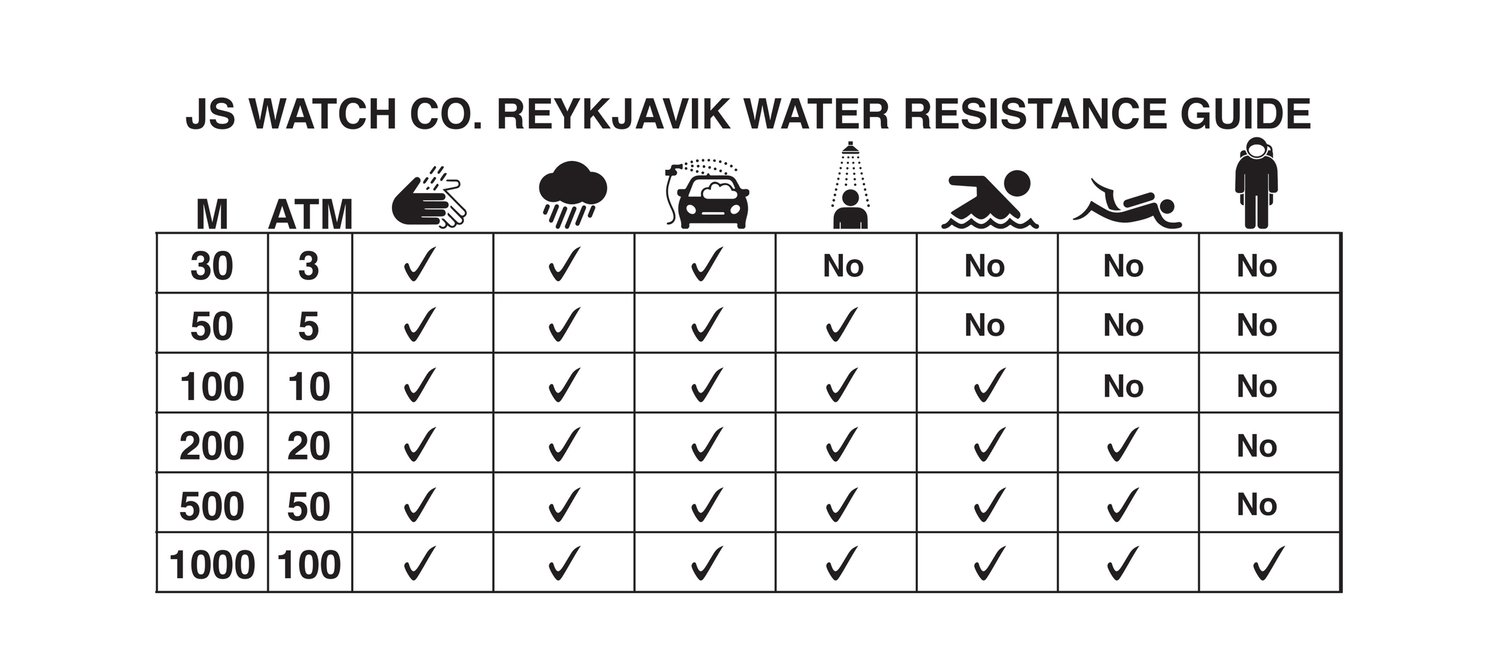
The original Apple Watch and Series 1 are rated IPX7, meaning they can survive brief immersion in up to 1 meter of water for 30 seconds—typically during lab testing. This makes them safe for handwashing, rain, or sweaty workouts, but not for swimming, showering, or any intentional submersion. These models lack the reinforced seals and internal protection found in later versions. Even a quick dip in the pool can risk water ingress. If you own one of these early models, treat water like a threat: avoid pools, beaches, and showers entirely.
Series 2 Through Series 11: Built for Swimming
Starting with Series 2, Apple introduced 50-meter water resistance (5 ATM) under ISO 22810 standards. This rating allows use in shallow-water activities like pool swimming, open-water swimming, and water aerobics. Series 2 through 10 meet ISO 22810:2010, while Series 11 follows the updated ISO 22810:2022 standard. However, Apple emphasizes that this is a laboratory rating—real-world pressure from swimming strokes, waves, or diving can exceed test conditions.
Apple recommends:
– Limiting depth to 6 meters (20 feet)
– Keeping swim sessions under 30 minutes
– Avoiding high-velocity water activities
You can safely:
– Swim in pools and oceans
– Wear it in the rain
– Exercise with heavy sweat
– Rinse under a tap
But avoid:
– Scuba diving
– Water skiing
– Hot tubs and saunas
– Prolonged submersion
Even though the lab rating is 50 meters, dynamic pressure from vigorous swimming can simulate deeper depths. The Series 11 includes a depth gauge that maxes out at 6 meters, reinforcing Apple’s safety guidance.
Apple Watch Ultra and Ultra 2: Dive-Ready Performance
The Apple Watch Ultra series is engineered for extreme environments. With 100-meter water resistance and EN13319 certification—the same standard used for dive computers—it’s the only Apple Watch approved for recreational scuba diving up to 40 meters (130 feet). When submerged beyond 10 cm, it automatically activates Water Lock and launches the Depth app, displaying real-time depth, session time, and water temperature.
Key advantages:
– Titanium casing with enhanced sealing
– Dedicated dive bezel interface
– Acoustic port protection
– Automatic depth tracking (up to 40m)
Ultra owners can confidently use their watch for snorkeling, diving, and high-speed water sports—capabilities no other Apple Watch supports. Still, Apple advises caution: always follow dive safety protocols and avoid thermal extremes.
How Water Lock Prevents Damage and Clears Water
Automatic and Manual Activation
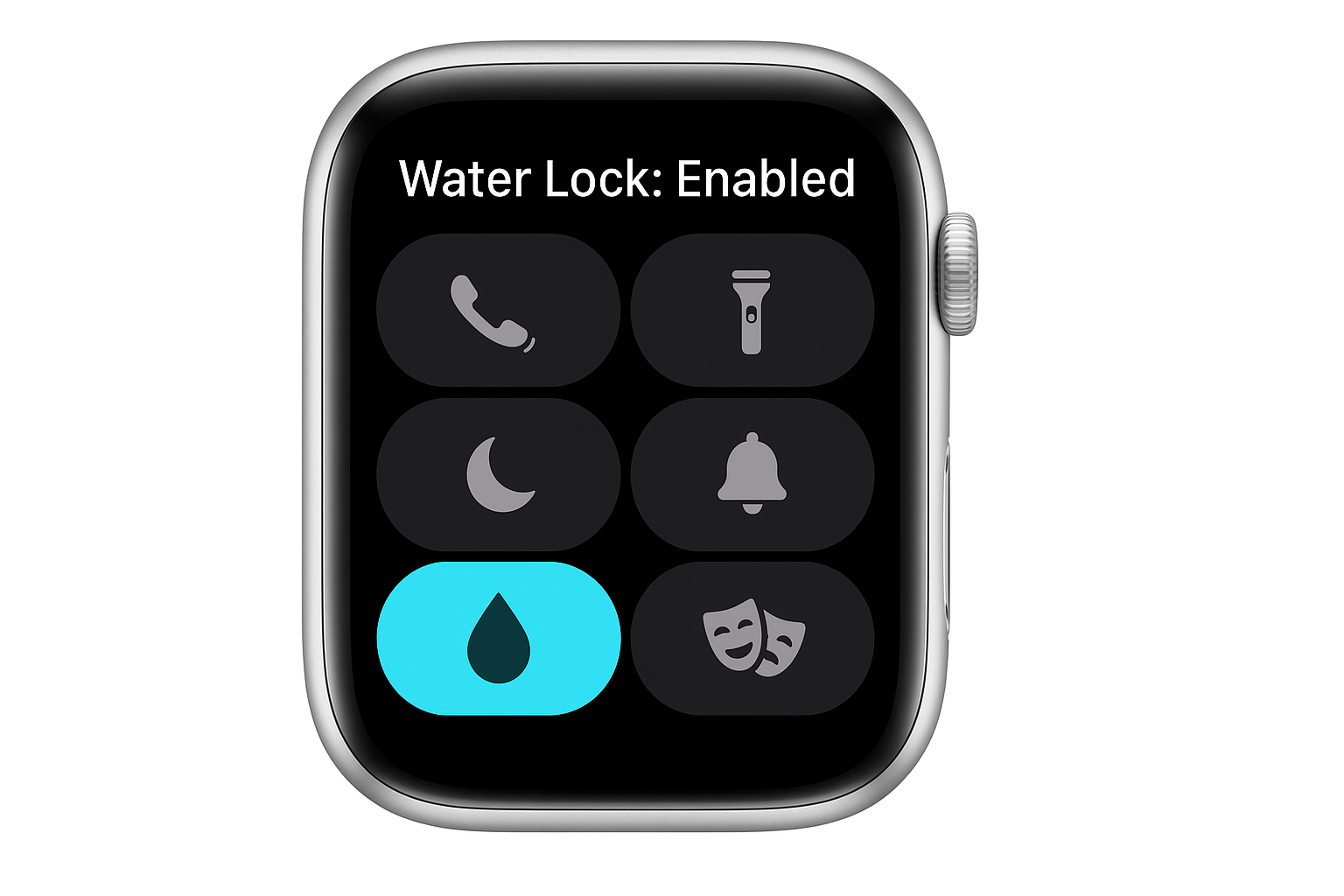
Water Lock is a critical feature that prevents accidental screen touches when your Apple Watch is wet. On the Ultra, it activates automatically when submerged to 10 cm or deeper. On other models, it turns on when you start a Swim or Surf workout in the Workout app. You can also enable it manually:
1. Press the side button to open Control Center
2. Tap the water droplet icon
3. Confirm activation
Once enabled, the screen locks to touch—only the Digital Crown remains responsive, letting you pause or end a swim workout without unintended taps.
Unlocking and Ejecting Water: The Right Way
To turn off Water Lock:
1. Press and hold the Digital Crown
2. Wait for the “Unlocked” message and a series of chirping tones
3. These tones vibrate water out of the speaker and microphone ports
On older models (watchOS 8 or earlier), rotate the Digital Crown instead. The chirping sound is intentional—it’s designed to clear moisture and restore audio clarity. Never insert tools, use compressed air, or apply heat. If sound remains muffled, charge the watch overnight; the slight warmth helps evaporate trapped moisture.
Post-Swim Care That Protects Your Watch

Rinse After Salt or Chlorine Exposure
After swimming in saltwater or chlorinated pools, rinse your Apple Watch under lightly running warm tap water. Salt and chlorine are corrosive and can degrade seals over time. Gently rotate the Digital Crown while rinsing to flush out debris from the housing.
Dry Thoroughly to Prevent Corrosion
Wipe the watch and band with a nonabrasive, lint-free cloth. Focus on speaker grilles, band connectors, and crevices where moisture can hide. Let it air dry if needed. Avoid hairdryers, ovens, or direct sunlight—excessive heat can warp seals and damage internal components.
Keep Skin and Band Clean
Sweat and salt trapped under the band can cause skin irritation or bacterial growth. After workouts, remove the watch, clean your wrist, and dry both skin and band. For frequent swimmers, choose quick-drying options like the Sport Loop or Ocean Band.
Why Water Resistance Degrades—And Can’t Be Restored
Seals Break Down Naturally Over Time
Apple Watch water resistance relies on rubber gaskets and adhesive seals that degrade with age, even with perfect care. Real-world reports show most models begin failing between 2–4 years of regular water use. A Series 5 might survive three years of daily swims—then fail during a routine shower. Apple does not offer resealing or retesting services.
Drops and Impacts Weaken Protection
Even a minor drop can misalign internal components and compromise seals. After impact, your watch may look fine but have reduced water resistance. Apple does not inspect or restore water resistance after damage.
Heat and Chemicals Are Silent Killers
Avoid exposing your Apple Watch to:
– Saunas and steam rooms (heat expands seals)
– Hot tubs (bubbles increase dynamic pressure)
– Soaps, shampoos, lotions, perfumes, sunscreen
These substances break down seal materials. If your watch contacts any, rinse immediately with fresh water and dry thoroughly.
Choose the Right Band for Water Safety
Water-Safe Band Options
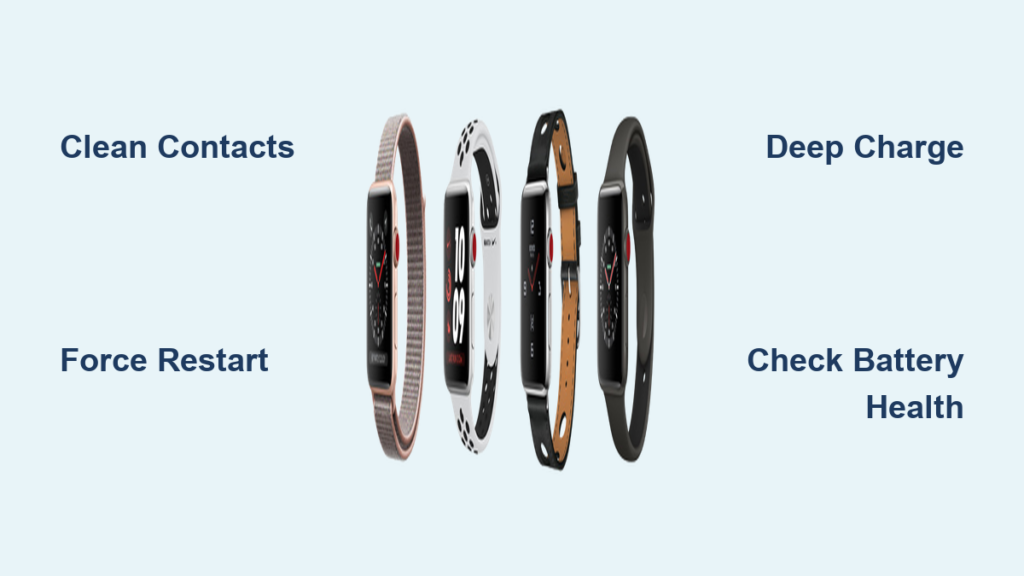
Only certain bands are designed for water exposure:
– Sport Band (silicone)
– Sport Loop (fluoroelastomer)
– Nike Sport Band
– Ocean Band (Ultra-specific, works over wetsuits)
– Hybri Strap or Crong Liquid (third-party waterproof)
The Mona Strap has a leather exterior but a silicone inner liner, making it resistant to sweat and splashes—but not full submersion.
Bands to Remove Before Swimming
Never wear these in water:
– Stainless steel bands
– Leather bands (including Hermes)
– Milanese Loop
– Knit or Modern Buckle bands
– Magnetic Link bands
These materials absorb water, corrode, or weaken. Leather may crack; metal links can tarnish. Always check third-party band specs—only silicone or fluoroelastomer is reliably safe.
Warranty and AppleCare+: Your Financial Safety Net
Standard Warranty Excludes Water Damage
Apple’s one-year warranty does not cover liquid damage. If water gets inside—even during approved use—you’re responsible for repair costs, which can reach $329 for out-of-warranty replacements.
AppleCare+ Saves Thousands
With AppleCare+, you get:
– Two incidents of accidental damage coverage per year
– Low service fee ($99 for Apple Watch)
– Coverage for water exposure, drops, and cracks
For swimmers, surfers, or daily shower wearers, AppleCare+ is essential. Without it, a single failure could cost more than half the price of a new watch.
Repair Limitations: No Fixes, Only Replacements
If your Apple Watch fails due to water ingress, Apple replaces it—not repairs it. There are no service parts for water-damaged internals. Even if the device seems functional, corrosion can spread silently. Apple does not offer resealing or water resistance testing, so once the factory seal degrades, it cannot be restored.
Best Practices for Long-Term Durability
Do This
✅ Swim with Series 2 and later – Safe in pools and oceans
✅ Use Water Lock – Prevents input errors and clears water
✅ Rinse after salt or chlorine – Protects seals and finish
✅ Dry thoroughly – Prevents corrosion and skin irritation
✅ Wear water-safe bands – Silicone, fluoroelastomer, Ocean Band
✅ Get AppleCare+ – Covers accidental water damage
Avoid These
❌ Scuba dive with non-Ultra models – Risk of implosion beyond 6 meters
❌ Use in saunas, steam rooms, hot tubs – Heat and bubbles exceed test conditions
❌ Expose to soaps, lotions, perfumes – Chemicals break down seals
❌ Shake or blow into ports – Can force water deeper
❌ Assume permanent resistance – Degrades over time with no warning
Final Note: Apple Watch water resistance is a powerful feature—but it’s not permanent or invincible. Use it wisely, maintain it diligently, and protect your investment with AppleCare+. Whether you’re a daily swimmer or just want peace of mind in the rain, knowing your limits ensures your Apple Watch lasts as long as possible.