You’re out for a morning run, your phone safely locked at home, when your wrist buzzes. It’s an urgent call—your partner needs to confirm pickup plans for the kids. With a quick tap on your Apple Watch, you answer the call clearly, hands-free, without missing a beat. No phone, no hassle. This is the reality of Apple Watch cellular: a fully independent communication device strapped to your wrist.
But how does Apple Watch cellular actually work? At its core, cellular-enabled Apple Watches use an eSIM (embedded SIM) to connect directly to LTE or 5G networks—no iPhone required. This means you can make calls, send messages, stream music, and even contact emergency services, all while your phone stays behind. Whether you’re biking, traveling, or just phone-free for a few hours, your Apple Watch keeps you connected.
In this guide, you’ll learn how Apple Watch cellular functions from setup to real-world use. We’ll cover eSIM technology, number sharing, compatible models, carrier support, battery impact, and whether it’s worth the added cost. Let’s break down how your wrist becomes a standalone communication hub.
eSIM Technology: The Backbone of Cellular Connectivity

Unlike traditional phones that use removable plastic SIM cards, Apple Watch cellular models rely on an eSIM—a digital SIM built directly into the device. This tiny, non-removable chip is programmed during setup to authenticate your watch on your carrier’s network.
How the eSIM Connects to Your Carrier
Setting up cellular starts on your iPhone. Using the Apple Watch app, you go to My Watch > Cellular > Set Up Cellular. The app detects your carrier and guides you through activation. Your carrier then assigns a unique identifier to the eSIM, linking it to your existing mobile plan.
Once activated, your Apple Watch functions as a secondary device on your line. It shares your iPhone’s phone number for calls and texts, so contacts won’t know you’re replying from your wrist. Incoming calls ring on both devices simultaneously, giving you the freedom to answer from whichever is most convenient.
Why eSIM Beats Physical SIMs
- Space-saving design: No need for a SIM tray in the compact watch body.
- Instant activation: No waiting for a physical card—setup takes just minutes.
- Easy transfers: Switch plans or devices digitally via the Apple Watch app.
- Enhanced security: eSIM data is encrypted and tamper-resistant.
Pro Tip: When upgrading to a new Apple Watch, simply remove the plan from the old device and reactivate it on the new one—no carrier visit needed.
Number Sharing and Call Routing Explained
One of the most seamless aspects of Apple Watch cellular is how it handles your phone number. Your watch doesn’t get a new public number—it uses your iPhone’s number for all outgoing communication.
How Calls Are Routed Between Devices
When someone dials your number:
– The call is sent to both your iPhone and Apple Watch.
– If your iPhone is within Bluetooth range (about 30 feet), the watch connects through it.
– If your phone is off or out of range, the watch automatically switches to cellular mode and picks up the call directly.
This dual-ring system ensures you never miss a call, whether your phone is in your pocket or across town.
What About the Watch’s Internal Number?
Behind the scenes, carriers assign your Apple Watch a dedicated internal number for network routing and billing. But this number is invisible to the outside world.
If someone tries to call this internal number:
– The call routes to your paired iPhone.
– It only reaches the watch if the iPhone is unreachable and cellular is active.
This design keeps your identity unified while allowing the network to manage two connected devices under one plan.
Which Apple Watch Models Support Cellular?

Not all Apple Watches have cellular capabilities. Only GPS + Cellular models include the necessary hardware. These include:
- Apple Watch Series 11 (GPS + Cellular)
- Apple Watch Series 10 (GPS + Cellular)
- Apple Watch Series 9 (GPS + Cellular)
- Apple Watch Series 8 (GPS + Cellular)
- Apple Watch SE (2nd gen and later, GPS + Cellular)
- Apple Watch Ultra, Ultra 2, Ultra 3 (all GPS + Cellular)
Each model has region-specific variants due to differences in supported LTE and 5G bands.
Regional Model Differences Matter
Apple does not sell a universal cellular model. You must buy the correct version for your country.
United States Models
- Series 11: A3335 (42mm), A3337 (46mm)
- Series 10: A3001 (42mm), A3003 (46mm)
- Supported carriers: Wireless, Visible, Xfinity Mobile
Canada
- Same model numbers as U.S.
- Carriers: Bell, Rogers, Telus
China Mainland
- Special models due to regulatory rules
- Examples: Series 9 A2983 (41mm), Ultra 2 A2986/A2987
- Carriers: China Telecom, China Unicom
Hong Kong
- Optimized for local networks
- Will not work properly in mainland China
- Carriers: CSL, SmarTone, China Mobile HK
Warning: Buying the wrong model means losing cellular service. Always verify regional compatibility before purchasing.
How to Set Up Apple Watch Cellular
Activating cellular is simple—but it starts with your iPhone.
Step-by-Step Activation
- Open the Apple Watch app on your iPhone.
- Tap My Watch, then go to Cellular.
- Tap Set Up Cellular.
- Choose your carrier from the list.
- Confirm eligibility and follow prompts to activate.
The process takes 2–5 minutes and requires Wi-Fi or cellular data on your iPhone.
What If Your Carrier Isn’t Listed?
If your carrier doesn’t appear:
– Contact them to confirm Apple Watch support.
– Ask to enable eSIM activation on your account.
– Return to the Cellular menu and retry.
Once complete, a green LTE or 5G icon appears at the top of your watch face when cellular is active.
Transferring to a New Watch
To move your plan:
- Open Apple Watch app on iPhone.
- Go to My Watch > Cellular.
- Tap your plan > Remove [Carrier] Plan.
- Set up the new watch and reactivate cellular.
Note: Some carriers require a support call to fully deactivate the old eSIM.
Carrier Support and Monthly Costs
Cellular service isn’t free—you’ll need a compatible plan and usually pay extra.
Supported Carriers Worldwide
Apple Watch cellular works with major providers across:
- U.S.: Wireless, Xfinity Mobile, Visible
- Canada: Bell, Rogers, Telus
- UK: EE, O2, Vodafone, Three
- Germany: Telekom, Vodafone, O2
- Japan: Docomo, SoftBank, AU by KDDI
- India: Airtel, Jio, Vi
- Australia: Telstra, Optus, Vodafone
- France: Orange, SFR, Bouygues
- Brazil: Claro, TIM, Vivo
Check Apple’s official list to confirm support in your region.
Monthly Pricing Overview
Most carriers charge an additional fee:
| Region | Typical Monthly Cost |
|---|---|
| U.S. | $10–$20 |
| UK | £7–£10 |
| Canada | CAD $10–$15 |
| Germany | €10–€15 |
Some exceptions:
– Vodafone Spain: Free eSIM with select unlimited plans
– BetterRoaming partners (e.g., Poland, France): Discounted or bundled service
Your Apple Watch appears as a separate line item on your bill, even though it shares your number.
Tip: Family plans often offer lower rates per device—ideal for Apple Watch For Your Kids.
What You Can Do With Cellular Enabled
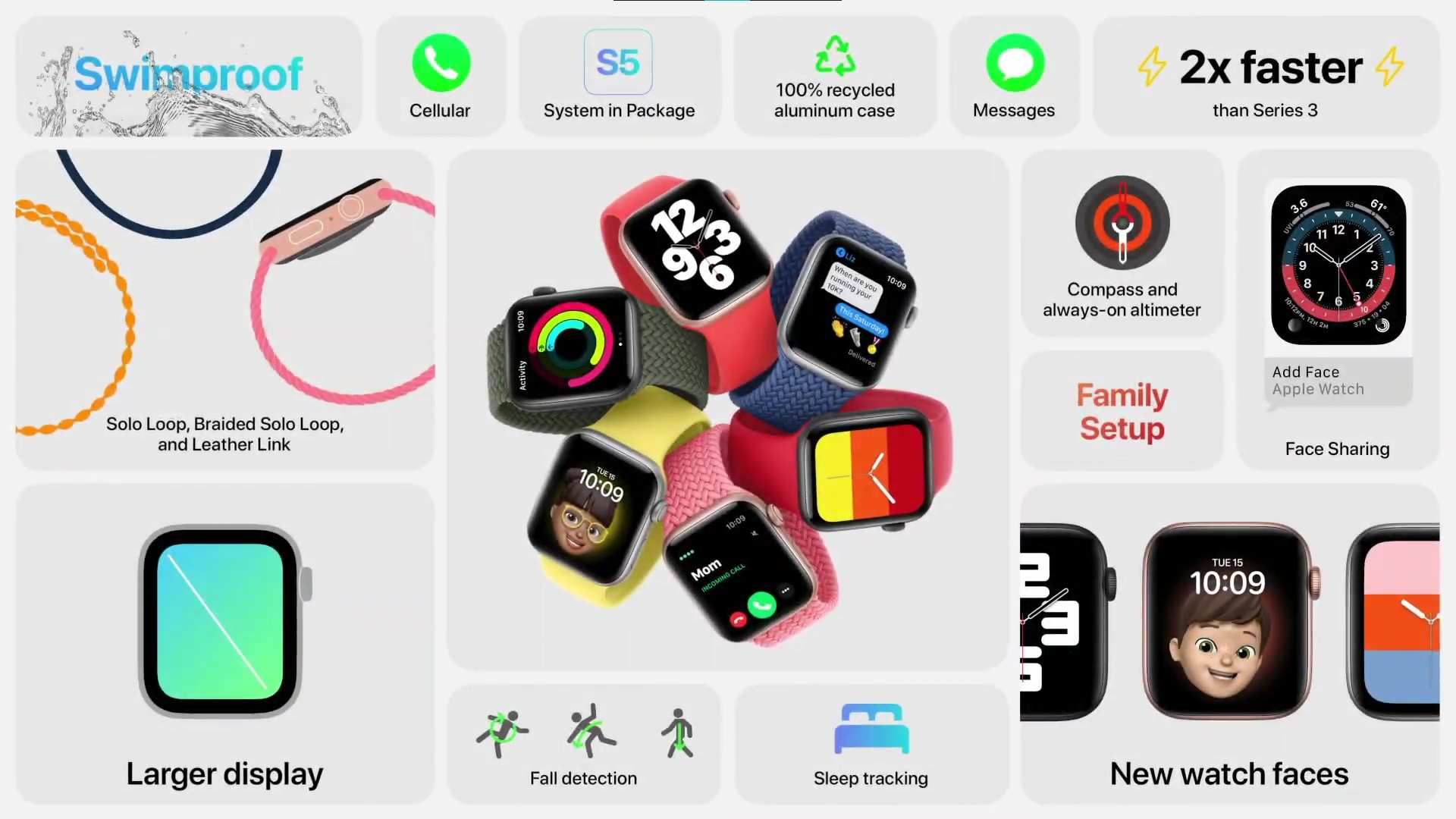
With cellular, your Apple Watch becomes self-reliant.
Make Calls Anywhere
- Answer incoming calls when your phone is off or out of range.
- Initiate outgoing calls using Siri, Contacts, or Recents.
- Use noise-canceling mics and speaker for clear audio.
- Switch mid-call to iPhone if it comes back in range.
Send Messages Without a Phone
- Send and receive SMS, iMessage, and MMS.
- Dictate, type, or use emojis and stickers.
- Reply to group chats even if your phone is disconnected.
Stream Music and Podcasts
- Download or stream Apple Music, Podcasts, and audiobooks.
- Connect Bluetooth headphones directly to the watch.
- No need to carry your phone for workout playlists.
Use Internet-Based Apps
- Browse Safari (on watchOS 10+).
- Check weather, stocks, and news.
- Use Maps for turn-by-turn directions.
- Access third-party apps like WhatsApp (notifications) or Strava (live tracking).
Stay Safe With Emergency Features
- Emergency SOS: Hold side button to call emergency services.
- Fall Detection: Automatically alerts contacts and emergency services.
- International Emergency Calling: Works in over 170 countries on Series 5+.
- Satellite SOS (Ultra 3, Series 11, SE 3):
- Free for two years
- Send emergency messages when out of cellular range
- Works with Find My and Messages apps
Final Note: Apple Watch cellular delivers real freedom—answering calls, streaming music, and staying safe—all from your wrist. While it comes with trade-offs in cost and battery, for the right user, it’s a game-changer. Before buying, confirm your carrier supports it and choose the correct regional model. Once set up, you’ll wonder how you lived without it.