If your Apple Watch Series 6 won’t charge, the screen is cracked, or battery life lasts only a few hours, you’re not alone. Thousands of users face these issues every year—especially as the device ages past its 2020 release. The good news? Apple Watch Series 6 repair is possible, whether through Apple, an authorized provider like Best Buy, or a careful DIY approach. But with official screen repairs costing up to $299 out of warranty, many wonder: Is it worth fixing, or should I just upgrade? This guide breaks down every repair option, cost, and risk. You’ll learn how to replace a screen or battery yourself, understand AppleCare+ benefits, compare repair vs. replacement costs, and avoid disabling Apple Pay during repairs. Whether you’re troubleshooting a cracked display or considering a battery swap, this is everything you need to make a smart, cost-effective decision.
Official Apple Repair: Guaranteed Results with Genuine Parts

Apple offers reliable, warranty-backed service for the Series 6 using genuine components and maintaining water resistance when properly sealed.
In-Person, Mail-In, and Express Repair Options
You can repair your Apple Watch Series 6 at an Apple Store, Apple Authorized Service Provider (AASP), or via mail-in service. In-person repairs at the Genius Bar require a reservation. Mail-in service includes a prepaid shipping box—you send the device on your schedule. If you have AppleCare+, you may qualify for Express Replacement, where Apple ships a replacement watch before you return the damaged one, minimizing downtime.
Start Your Repair Through Apple Support
Begin at support.apple.com. Select “Apple Watch,” describe your issue (e.g., cracked screen, won’t turn on), and Apple will identify your model and recommend a repair path. The system may guide you through basic troubleshooting—like force-restarting the device—before approving service. If the issue isn’t covered by warranty, you’ll see an estimated repair cost.
Out-of-Warranty Screen and Damage Costs
For Apple Watch Series 6 aluminum models:
– Screen repair: $299
– Other damage (e.g., cracked case, water damage): $499–$799
Final price depends on inspection and includes sales tax and potential shipping charges.
Note: Apple’s online price estimator requires JavaScript enabled and may not load on some browsers.
What the Apple Limited Warranty Covers
The one-year limited warranty covers:
– Manufacturing defects
– Included accessories (band, charger)
Not covered:
– Cracked screens
– Water damage from swimming or showering
– Battery degradation from normal use
If damage isn’t covered, Apple may charge full replacement value instead of offering a repair.
AppleCare+ Benefits for Series 6 Owners
With AppleCare+ ($79 or $4.25/month), you get:
– Unlimited accidental damage protection (service fee: $69 for screen, $299 for other damage)
– Theft and loss coverage (with Find My tracking)
– Free battery service if capacity drops below 80%
– 90-day service guarantee on repairs
Repairs use new or refurbished genuine Apple parts and can be done at Apple or any AASP—the fee is the same.
Track Your Repair Status Online
After submitting your device:
– Sign in to My Support or the Apple Support app
– View repair status, estimated completion, and return tracking
– You’ll need your Apple ID and password
Third-Party Apple Authorized Repairs: Best Buy & Geek Squad
If you don’t live near an Apple Store, Apple Authorized Service Providers like Best Buy offer certified repairs with genuine parts.
Best Buy (Geek Squad) Repair Service
Best Buy’s Geek Squad is an official Apple repair partner. They offer:
– Same-day repairs (if parts are in stock and damage is minor)
– 5-business-day turnaround for most repairs
– Pricing that matches Apple’s service fees
Appointments are required and can be booked online.
Why Choose Best Buy for Apple Watch Repair?
- Apple-trained technicians
- Genuine Apple parts
- Apple-certified repairs
- Transparent pricing
Repairs are backed by Apple’s 90-day service guarantee. You also get the convenience of in-store pickup and support.
Prepare Your Watch Before Repair
Before visiting Best Buy:
– Charge your watch fully
– Unpair it from your iPhone (Settings > Apple Watch > Unpair)
– Remove the band and store it with your charger
– Have your Apple ID and password ready for verification
This ensures a smooth process and protects your data.
Add AppleCare+ During Your Repair Visit
You can add AppleCare+ at Best Buy if:
– Your watch was purchased within the last 24 months
– You haven’t exceeded the coverage window
AppleCare+ added during repair only covers future incidents, not the current damage. It’s a smart move if you plan to keep the device.
DIY Screen Replacement: Save $140 With Caution
Replacing the Apple Watch Series 6 screen is challenging but doable. A DIY job can save over $140 compared to Apple’s $299 fee—but one mistake can disable Apple Pay.
Tools You’ll Need for Screen Replacement
- iOpener or heat mat
- Plastic opening picks or spudger
- iFlex tool or thin metal pry tool
- Tweezers
- Tri-point screwdriver (Y000)
- 90%+ isopropyl alcohol
- UV LOCA adhesive
- UV light (to cure adhesive)
- Clamp or rubber bands
Pro Tip: iFixit sells Fix Kits with all tools and adhesives included.
Aluminum vs. Stainless Steel Display Compatibility
- Aluminum models: Use Ion-X glass (less scratch-resistant)
- Stainless steel and ceramic models: Use sapphire crystal (more durable)
Displays are cross-compatible, but mixing materials may affect durability. Always match your original model if possible.
Step-by-Step Screen Replacement
- Power off the watch.
- Apply heat to the edges for 3–5 minutes.
- Drip isopropyl alcohol along the bezel to break the adhesive bond.
- Insert a plastic pick at the bottom corner; gently lift.
- Open like a book, keeping flex cables intact.
- Disconnect display cables using a spudger.
- Transfer the NFC antenna (critical for Apple Pay).
- Install the new screen, reconnect cables, and reseal.
Warning: The NFC antenna runs through the display. Damaging it disables Apple Pay. Some users report it stops working after third-party screen replacements.
Re-Sealing and Curing the Display
- Apply UV LOCA adhesive around the bezel.
- Align the screen and press gently.
- Use a UV light to cure the adhesive (5–10 minutes).
- Clamp for 24 hours to ensure a strong bond.
- Wipe away excess adhesive with alcohol.
Proper sealing maintains the WR50 water resistance rating.
DIY Battery Replacement: Restore Full Day Life

Battery health below 80% leads to short life and unexpected shutdowns. Replacing it yourself is cheaper—but only if done correctly.
Check Battery Health First
Go to:
– Settings > Battery > Battery Health
If Maximum Capacity is below 80%, replacement is recommended. Example: A Series 6 at 74% needs a new battery.
Tools and Parts for Battery Swap
- Genuine Apple battery (recommended)
- Tweezers, spudger, pry tools
- Isopropyl alcohol, cotton swabs
- Black silicone adhesive
- Clamp or rubber bands
Warning: Aftermarket batteries may not report health correctly or could pose safety risks.
Remove the Display (Same as Screen Repair)
- Heat edges
- Apply alcohol
- Lift screen with plastic picks
- Open like a book, keep cables safe
Remove the Old Battery
- Lift display flex cables (they block access)
- Apply alcohol to battery edges
- Use a thick pry tool to gently lift the battery
- Do not pull on the flex cable—it can tear
Install the New Battery
- Let the area dry completely.
- Press the flex cable into the socket until it clicks.
- Position the battery flat.
- Tuck the cable neatly.
Reassemble and Seal
- Apply a thin bead of silicone adhesive around the case edge.
- Lower the screen carefully.
- Clamp for 24 hours to cure.
- Wipe excess adhesive.
Test After Repair
- Charge for 5–10 minutes before turning on.
- Go to Battery Health—it should read 100%.
- Test Apple Pay, heart rate, and charging.
Expert Note: Use only genuine Apple batteries to ensure safety and accurate health reporting.
Repair vs. Replace: Is It Worth It in 2025?
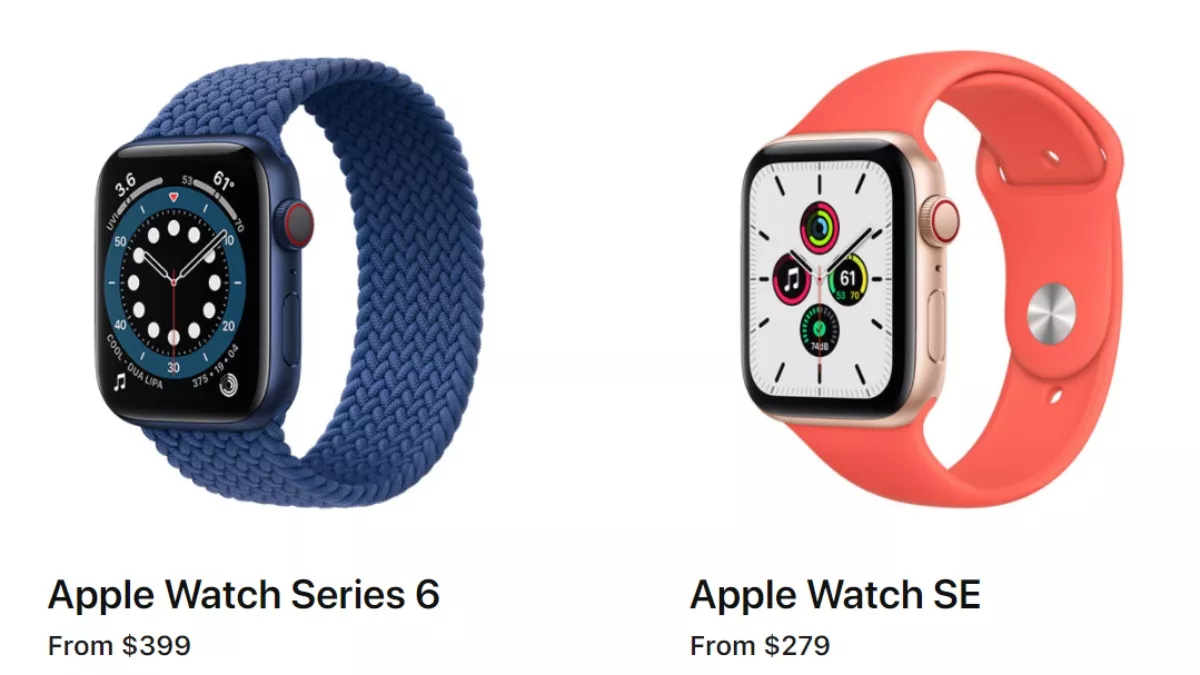
By 2025, the Apple Watch Series 6 is 5 years old. With newer models offering faster processors and longer software support, the value of repair depends on your situation.
Cost Comparison
| Option | Cost |
|---|---|
| Apple Screen Repair | $299 |
| DIY Screen + Tools | $157 |
| New Apple Watch SE (2nd gen) | $279 |
| New Apple Watch Series 9 | $399 |
A $299 repair is nearly the price of a new SE. Unless under AppleCare+, upgrading may make more sense.
When to Repair
- Under AppleCare+: $69 screen repair is a no-brainer.
- Battery below 80% and screen cracked: DIY both at once.
- You love your current watch: Repair extends life.
When to Upgrade
- No AppleCare+ and high repair cost
- Want newer features (ECG, blood oxygen, faster performance)
- Worried about future watchOS support
The Series 6 may not support future watchOS updates beyond 2026.
Environmental Impact
Repairing reduces e-waste. A single DIY fix saves ~20 kg of CO2 compared to buying new. If you have the skills, repairing is the sustainable choice.
Critical Repair Risks and Tips
Even small mistakes can disable key features. Avoid these common pitfalls.
Don’t Break the NFC Antenna
The NFC loop for Apple Pay runs through the display. If damaged or improperly transferred, Apple Pay stops working. Some users report it returns after a reset—but not always.
Pro Tip: Use genuine Apple screens or ensure the antenna is intact during transfer.
Avoid Overheating
Too much heat can:
– Damage OLED pixels
– Melt internal adhesives
– Warp components
Use controlled heat (iOpener or heat mat), not a hairdryer.
Seal Properly for Water Resistance
Improper resealing breaks the WR50 rating. Use:
– Enough adhesive
– Even pressure during cure
– Clamp or rubber bands
Test by wearing in shallow water—do not swim or shower until confident.
Use Genuine Parts When Possible
Aftermarket screens and batteries:
– May not support Always-On Display
– Can report incorrect battery health
– Risk poor touch response
For reliability, stick with genuine Apple parts.
Final Note: Repairing your Apple Watch Series 6 can save money and reduce waste—but only if it makes sense for your device’s age and your needs. With AppleCare+, repairs are affordable and safe. Without it, weigh the $299 cost against a $279 Apple Watch SE. For skilled users, DIY is viable for screens and batteries, but protect the NFC antenna and reseal properly. Whether you fix it or upgrade, now you have the facts to decide with confidence.