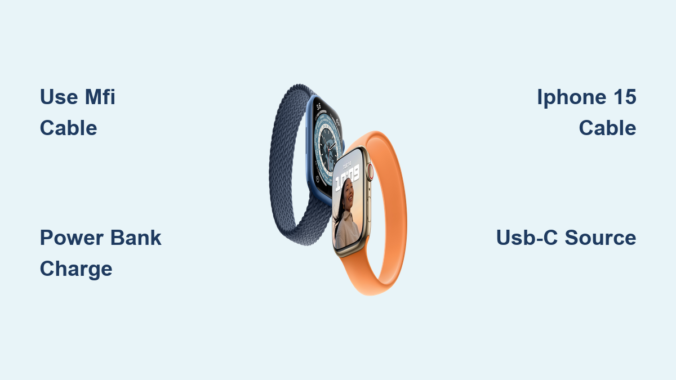
You’re out the door, halfway through your commute, or deep into a weekend hike when your Apple Watch 7 battery drops to 10%—and then it hits you: the charger is still on your nightstand. Before you panic, here’s the truth: you can charge your Apple Watch 7 without the original Apple charger. While the magnetic puck is non-negotiable, the power source doesn’t have to be Apple’s. With the right tools, you can keep your watch alive using third-party cables, power banks, laptops, solar generators, and even your iPhone 15.
Despite viral videos claiming you can charge your watch by placing it on your phone or using random wireless pads, the reality is more precise. The Apple Watch 7 uses a proprietary magnetic induction system that requires direct contact with a compatible magnetic puck. No puck, no charge. But that puck doesn’t need to come from Apple. This guide breaks down every tested, safe, and effective method to power up your Apple Watch 7 when the official charger isn’t an option—plus what doesn’t work, so you don’t waste time on internet myths.
Use a Third-Party Magnetic Charging Cable
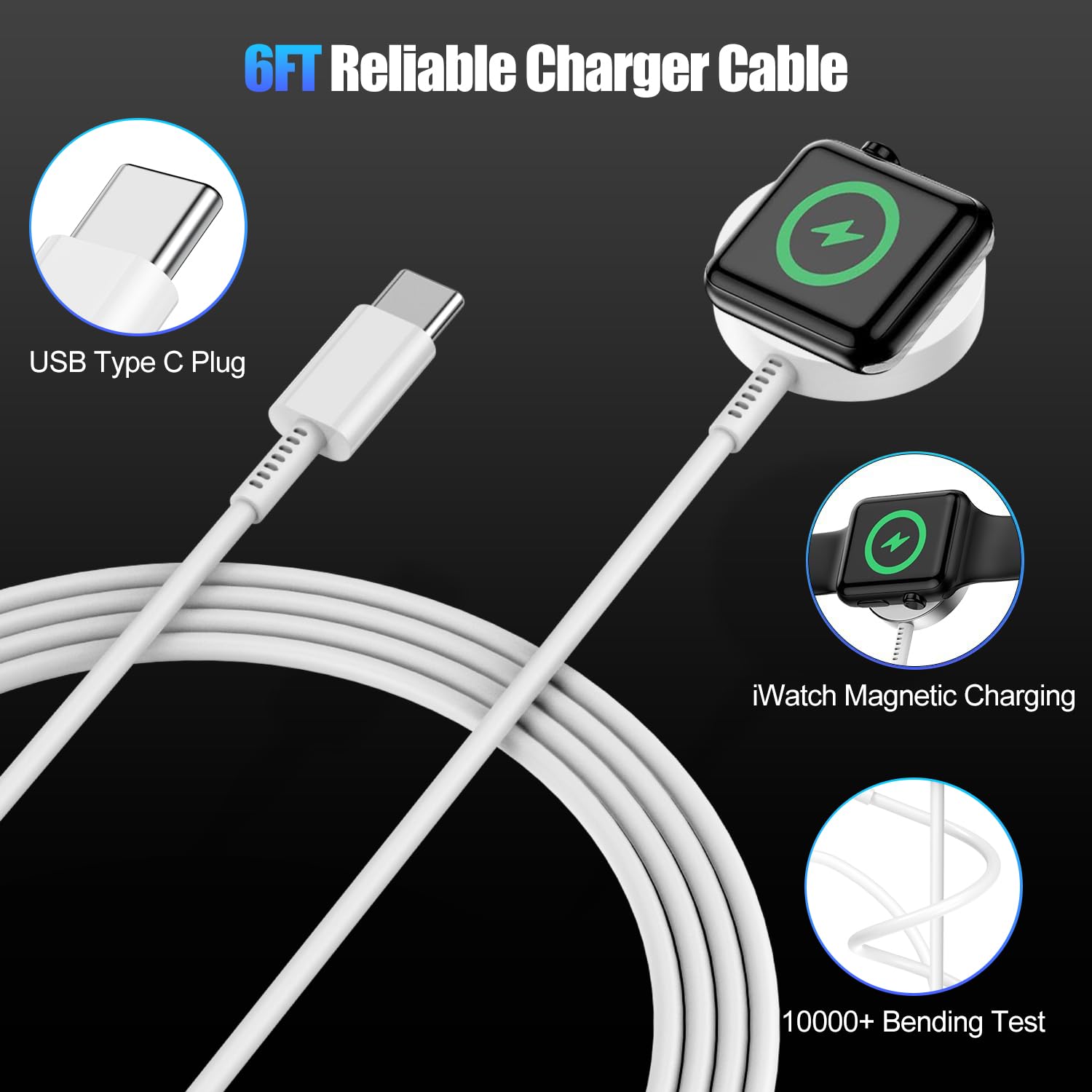
When your Apple charger is missing, a certified third-party magnetic cable is your best replacement. These cables replicate the original puck and deliver identical performance—provided they’re Made for Apple Watch (MFW) certified.
Choose MFi-Certified Brands for Safety and Speed
Not all third-party cables are created equal. Cheap, uncertified ones may charge slowly, overheat, or damage your battery over time. Stick to trusted brands that meet Apple’s strict power delivery and safety standards:
– Anker
– Belkin (MFM certified)
– Native Union
– Twelve South
These brands ensure stable 5W+ charging, consistent performance, and full fast-charging support when paired with a USB-C power source.
Fast Charging Is Possible—If Conditions Are Met
Apple Watch 7 supports fast charging up to 80% in about 45 minutes, but only under specific conditions:
– You must use a USB-C magnetic charging cable
– It must be connected to a USB-C Power Delivery (PD) adapter (like an iPad or MacBook charger)
Many third-party cables support this, but always check product specs before buying. Non-certified cables often lack the firmware needed to activate fast charging, leaving you stuck with standard-speed top-ups.
Plug Into Any USB-C Device
Lost your wall adapter? No problem. If you have your magnetic charging cable, you can plug the USB-C end into any powered USB-C port and start charging.
Compatible Power Sources You Already Own
- Laptops (MacBook, Windows, Chromebook)
- Power banks with USB-C output
- Car USB-C ports
- Monitors with USB-C power delivery
- Solar generators
Just connect the cable and snap the puck onto your watch. The green lightning bolt means it’s working.
Charging Speed: What to Expect
While convenient, most USB-C ports deliver less power than a wall adapter:
– Wall adapter: ~90 minutes for a full charge
– Laptop or power bank: ~2 hours
Some laptops stop charging connected devices when the lid is closed or in sleep mode. To avoid interruptions, keep your laptop awake and plugged in during charging.
Use a Portable Magnetic Power Bank

For true on-the-go power, a magnetic power bank is the ultimate emergency solution. These compact devices have a built-in puck—no cables needed.
Top-Rated Magnetic Power Banks
- EcoFlow RAPID Magnetic Power Bank (10,000mAh)
- Anker MagGo Watch Charger
- Belkin BOOST↑CHARGE™ Magnetic Power Bank
These pocket-sized chargers can fully charge your Apple Watch 7 3 to 5 times on a single charge.
How to Use It
- Ensure the power bank is charged.
- Snap your Apple Watch 7 onto the magnetic surface.
- Look for the green lightning bolt.
Charging takes about 1.5 to 2 hours, and the power bank recharges via USB-C in 2–3 hours.
Pro Tip: Dual-Function Models
Some models, like the EcoFlow RAPID, also support MagSafe iPhone charging. Carry one device, power two—perfect for travel, flights, or long events.
Try a 3-in-1 Wireless Charging Dock
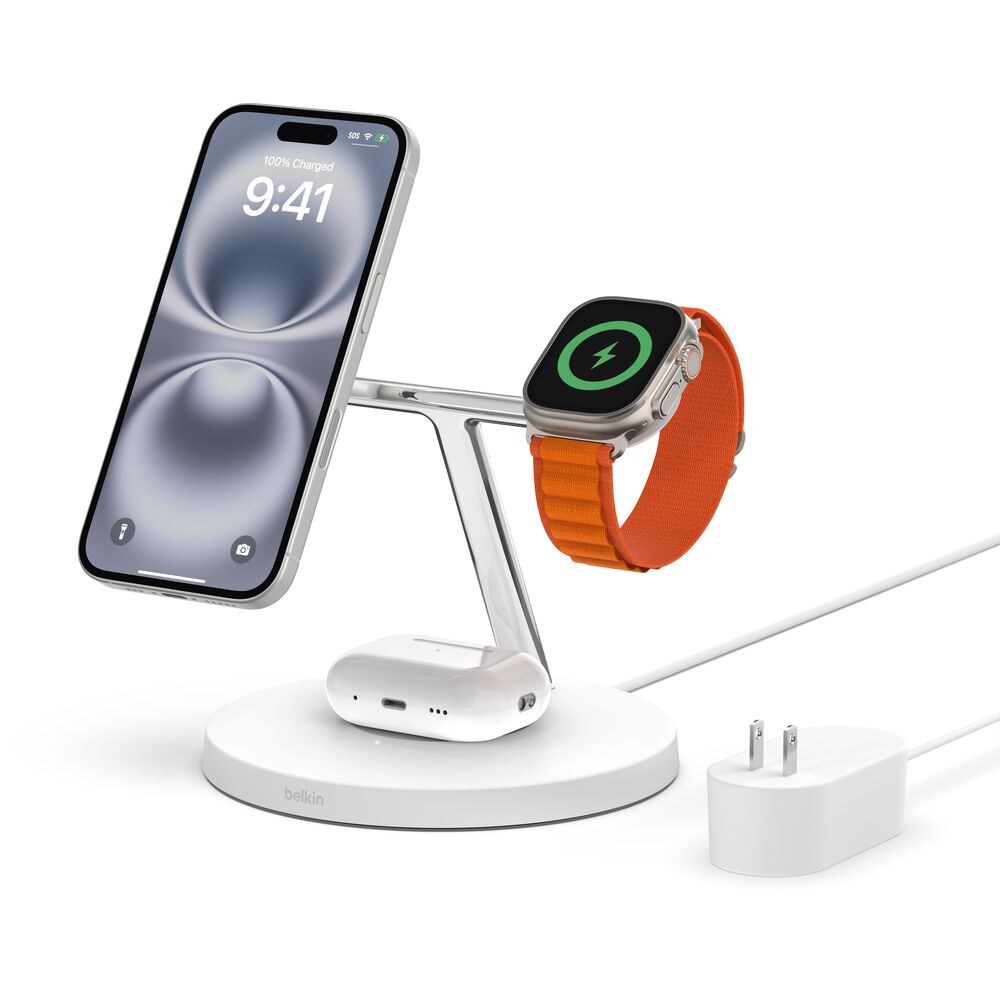
Keep your desk or nightstand clutter-free with a multi-device charging station that powers your iPhone, AirPods, and Apple Watch simultaneously.
Best Charging Docks
- Belkin 3-in-1 Boost Charge Pro
- Anker 3-in-1 Wireless Charging Station
- Native Union Satechi Trio Pad
Each has a dedicated magnetic puck zone for the Apple Watch, Qi2 or MagSafe for iPhone, and a spot for AirPods.
Why It Works
- Powered by a single USB-C cable
- Charges Apple Watch at full speed
- Ideal for home or office use
Watch Out for Non-Certified Models
Cheap, uncertified docks may charge slowly or overheat. Always choose a dock with “Made for Apple Watch” certification to ensure safety and performance.
Charge Using iPhone 15 (Reverse Power via Cable)
If you own an iPhone 15 or later, you can use it as a power source for your Apple Watch 7—no MagSafe trick required.
How to Do It
- Plug the USB-C end of your Apple Watch magnetic cable into your iPhone.
- Attach the puck to the back of your watch.
- Charging begins automatically.
The iPhone’s battery will decrease as the watch charges.
Key Facts
- Battery cost: ~26% of iPhone 15 battery to fully charge the watch
- Charging time: ~2.5 hours (slower due to limited power draw)
- Heat: Minimal—both devices may warm slightly
Limitations
- Only works with iPhone 15 and newer (USB-C models)
- Does not work with iPhone 14 or earlier (Lightning port)
- No iPhone supports wireless back-to-back charging for Apple Watch
Despite rumors, you cannot charge your Apple Watch by placing it on the back of your iPhone.
Use a USB-C to Magnetic Adapter
Want a cable-free experience? A USB-C magnetic adapter turns any USB-C device into a wireless-style charger.
How It Works
- Plug a small puck-shaped adapter (like Satechi USB-C Magnetic Charger or Baseus Watch Charging Adapter) into a USB-C power source.
- Place your Apple Watch on the magnetic surface.
- Charging starts instantly.
Benefits
- Fits on a keychain
- No tangled cables
- Ultra-portable
One Catch
It’s not standalone—it still needs a powered USB-C source. But if you carry a power bank or use your laptop, it’s a sleek, minimalist option.
Charge in the Car
Modern car chargers now come with built-in magnetic pucks for Apple Watch.
Recommended Models
- Belkin Car Charger with Apple Watch Support
- Anker PowerDrive III
These plug into your 12V/24V port and offer:
– Dual USB-C and magnetic watch charging
– Compact, dash-friendly design
Perfect for daily commutes or road trips—start with a low battery, arrive with a full one.
Use Public Charging Stations
Airports, hotels, and coffee shops increasingly offer multi-device wireless pads with Apple Watch support.
What to Look For
- Apple Watch logo on the pad
- Magnetic alignment indicator
- “Made for Apple Watch” certification
Stay Safe: Avoid Juice Jacking
Never plug your cable into a public USB-A or USB-C port—some can steal data or install malware. Stick to wireless charging pads only and use trusted locations like Apple Stores or major airports.
Solar Generators for Off-Grid Charging
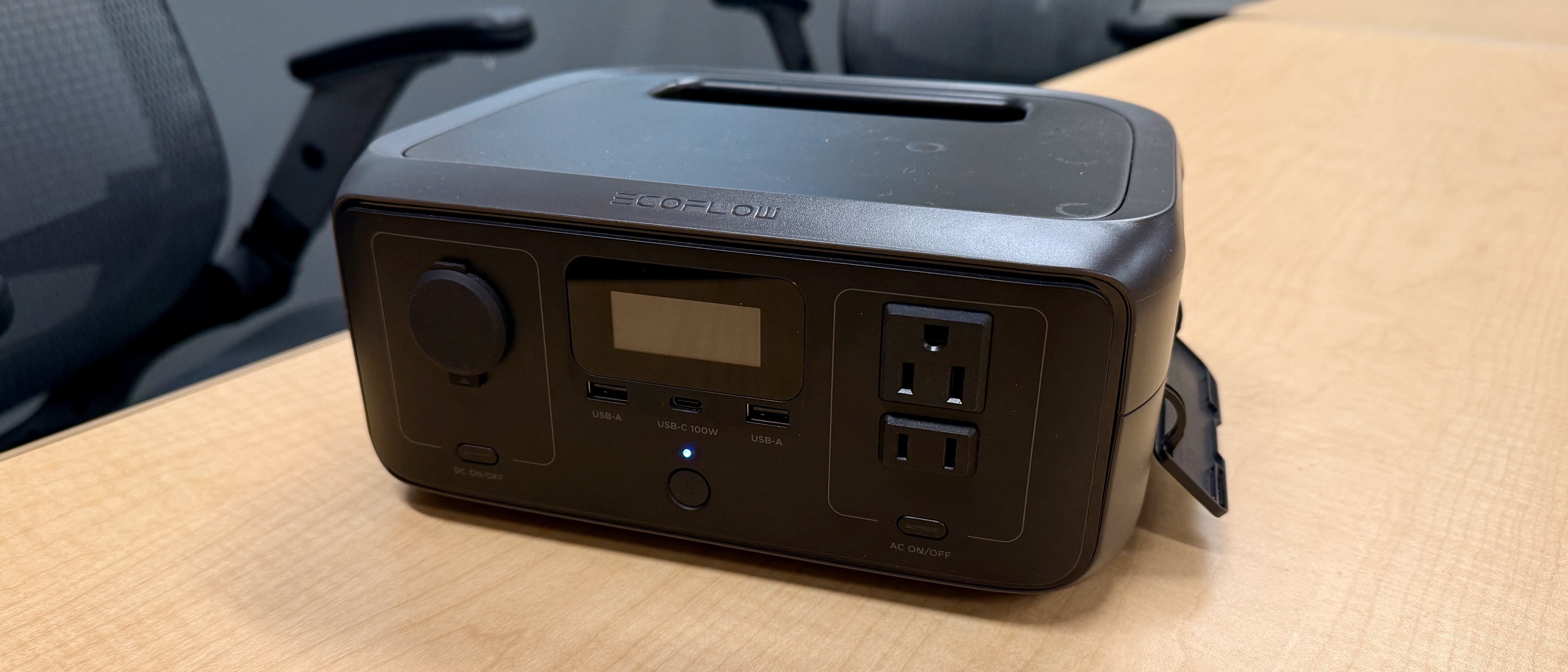
For camping, hiking, or emergency prep, a solar-powered generator with USB-C output can keep your Apple Watch alive.
Top Options
- EcoFlow RIVER 3 Plus (600W)
- Jackery Explorer 300
How to Charge
- Set up solar panel in sunlight.
- Connect to power station.
- Plug your Apple Watch cable into the USB-C port.
- Attach the puck.
Charges in 1.5 to 3 hours, depending on sun and battery level. Can power multiple devices—ideal for emergencies.
Keychain Chargers: Mini Power Banks
For always-ready backup, a keychain magnetic charger delivers one full charge in a tiny package.
Examples
- Mophie Watch Charging Case + Powerstation
- Zendure SuperMini
These mini power banks:
– Fit on your keyring
– Deliver 1 full charge
– Recharge via USB-C
Perfect for long flights, concerts, or peace of mind—just make sure it’s pre-charged.
Debunked: What Doesn’t Work
Despite online claims, these methods do not charge Apple Watch 7:
❌ Standard Qi Wireless Chargers
Apple Watch uses proprietary magnetic induction, not standard Qi. Most won’t work.
Exception: A few Qi2-certified pads (e.g., Belkin, Anker) now support Apple Watch charging, but performance is slower and inconsistent.
❌ Placing Watch on iPhone Back
No iPhone supports reverse wireless charging for Apple Watch.
❌ Lightning Cable on Watch
The watch has no charging port—the puck is mandatory.
❌ Hidden Diagnostic Port
Never existed in consumer models.
❌ Android Phone Reverse Charging
Android phones cannot power Apple Watch.
Charging Speed Comparison
| Method | Time to Full | Power Source | Portability |
|---|---|---|---|
| Official Apple Charger | ~90 min | Wall adapter | Low |
| Third-Party MFi Cable | ~90 min | Any USB-C | Medium |
| Laptop USB-C | ~2 hours | Powered laptop | Medium |
| iPhone 15 (via cable) | ~2.5 hours | iPhone 15+ | High |
| Magnetic Power Bank | ~1.5–2 hours | Pre-charged | High |
| Solar Generator | 1.5–3 hours | Sunlight | High |
Best for speed: MFi cable + USB-C wall adapter
Best for portability: Magnetic power bank or keychain charger
Battery Health Tips
To extend your Apple Watch 7 battery life:
– Use certified chargers only
– Enable Optimized Battery Charging (Settings > Battery > Battery Health)
– Avoid draining below 20%
– Charge in cool environments (0°C–35°C)
– Keep watchOS updated
Fix: Watch Won’t Charge?
If charging fails:
1. Clean the contacts with a dry cloth
2. Check for lint or debris
3. Restart the watch
4. Test different cables and power sources
5. Update watchOS
6. Contact Apple Support if all else fails
Final Note: You can charge your Apple Watch 7 without the original charger—but not without a magnetic puck. With third-party cables, power banks, laptops, solar generators, or even your iPhone 15, you’re never truly stranded. Focus on certified gear, avoid myths, and stay powered anywhere. With the right tools, a dead Apple Watch is never the end of the story.
Leave a Reply