
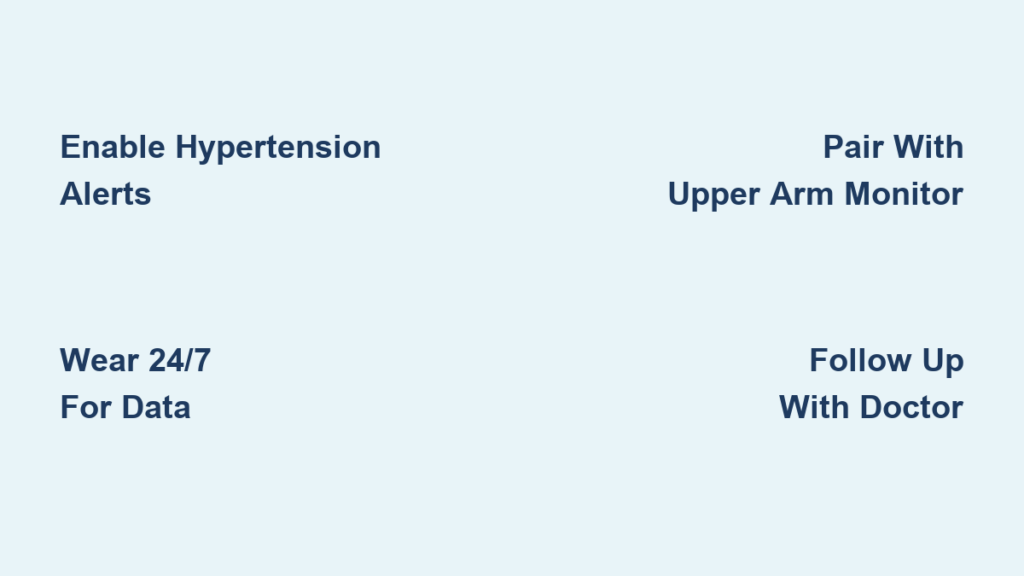
You can’t take a direct blood pressure reading like with a traditional cuff on the Apple Watch Series 11—but you can detect early signs of undiagnosed hypertension using its advanced health monitoring system. Unlike devices that give you numbers like 120/80 mmHg, the Apple Watch Series 11 uses passive, long-term data analysis to identify patterns linked to high blood pressure. This makes it one of the most innovative preventive health tools in wearable tech today.
The key lies in Hypertension Notifications, a feature powered by machine learning and the watch’s optical heart sensor. It doesn’t provide real-time readings but instead works silently in the background, analyzing your heart rate, blood flow changes, and sleep patterns over time. After about 30 days of consistent wear, it may alert you if it detects signs of chronic high blood pressure you weren’t aware of.
In this guide, you’ll learn how to enable and use this life-saving feature, what to do when you get an alert, how to pair with external monitors for actual readings, and best practices for accurate tracking. Whether you’re proactively managing heart health or simply want early warnings, here’s everything you need to know about checking blood pressure on the Apple Watch Series 11.
Enable Hypertension Notifications
To start using your Apple Watch 11 for blood pressure insights, you must first activate Hypertension Notifications—the core feature for detecting possible high blood pressure without manual input.
Turn On in Health App
- Open the Health app on your iPhone.
- Tap Browse, then go to Heart > Hypertension Notifications.
- Follow the setup prompts to enroll in the program.
- Confirm eligibility: You must be over 22 years old, not pregnant, and not previously diagnosed with hypertension.
Once enabled, your Apple Watch begins collecting data immediately through its optical sensor. No action is required during daily use—data accumulates passively as long as you wear the watch consistently.
Important: The system needs at least 14 days of background data before analysis begins and won’t issue alerts until after a full 30-day evaluation cycle.
Why It’s Not Enabled by Default
Apple restricts this feature to users without a prior diagnosis to avoid confusion or misinterpretation of alerts. If you’re already managing high blood pressure with medication or lifestyle changes, the algorithm excludes you because it’s designed only for early detection in undiagnosed individuals.
For best results, wear your watch snugly and charge it nightly—especially during sleep, which provides critical data for vascular pattern recognition.
Understand How Detection Works
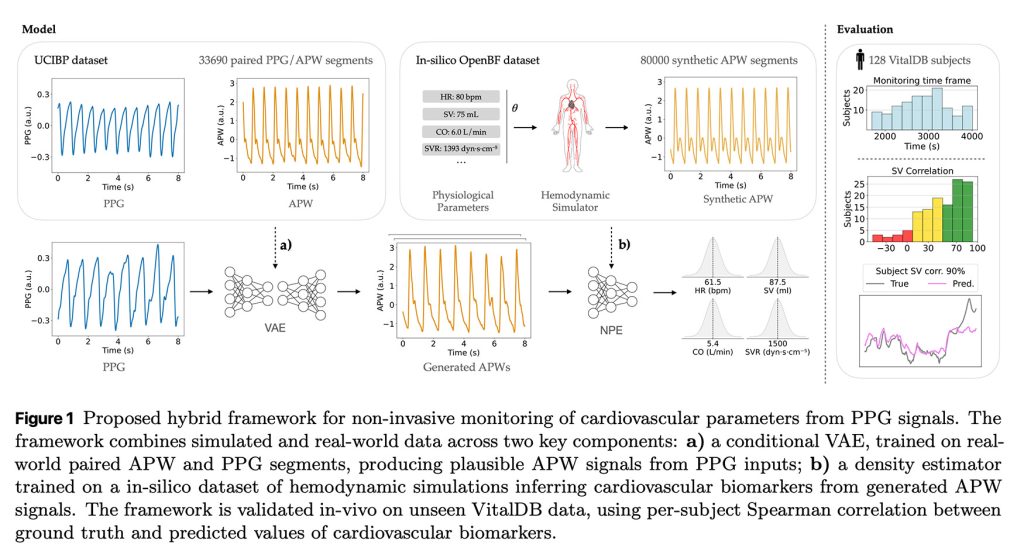
The Apple Watch Series 11 doesn’t measure blood pressure numerically. Instead, it identifies long-term trends associated with hypertension using advanced sensor technology and artificial intelligence.
Uses Optical Heart Sensor and PPG
The watch relies on photoplethysmography (PPG)—the same method used for heart rate tracking. Green, red, and infrared LEDs shine light into your wrist, measuring how blood absorbs and reflects light with each heartbeat.
Over time, subtle shifts in pulse waveforms can indicate arterial stiffness or increased vascular resistance, both linked to high blood pressure. These patterns are analyzed using machine learning models trained on data from over 100,000 participants and validated in clinical studies involving more than 2,000 people.
Passive, Long-Term Analysis Only
There’s no button to “take” a reading. The system runs continuously in the background:
- Monitors blood flow changes 24/7
- Requires no user interaction
- Needs 30 days of consistent wear to generate insights
- Sends a “Possible Hypertension Detected” alert if risk patterns emerge
After an alert, the cycle resets, and another 30-day monitoring period begins before a new notification can appear.
“You won’t see any numbers. Just a warning if your data hints at possible hypertension.” – Apple Watch Review
This hands-free approach enables early detection without disrupting your routine—ideal for catching silent conditions before serious complications arise.
Pair With External Blood Pressure Monitors

Since the Apple Watch can’t give actual systolic and diastolic values, pairing with a validated upper arm cuff is essential for real measurements and confirmation.
Choose a Compatible Device
These FDA-cleared monitors sync seamlessly with the Apple Health app:
| Device | Key Features | Sync Method |
|---|---|---|
| Omron Evolv | Portable, Bluetooth, built-in display | Omron Connect app |
| Withings BPM Connect | Color-coded results, automatic logging | Direct Health app sync |
| iHealth Feel | Stores 200+ readings, easy setup | iHealth app to HealthKit |
All use upper arm cuffs, which are more accurate than wrist models due to consistent positioning at heart level.
“Wrist monitors are prone to errors from hand position, movement, and anatomy.” – Medical Guidelines
Set Up Automatic Syncing
- Download the manufacturer’s app (e.g., Omron Connect).
- Pair the device via Bluetooth.
- Enable HealthKit access in the app settings.
- Take a reading—the data will appear automatically in Health app > Blood Pressure.
Your Apple Watch displays these entries in the Blood Pressure complication on supported watch faces.
Log Manual Blood Pressure Readings
If you don’t own a syncing cuff, you can still track blood pressure manually in the Health app for trend analysis.
Add Data Points Manually
- Open the Health app on iPhone.
- Tap Browse > Vitals > Blood Pressure.
- Tap Add Data Point.
- Enter:
– Systolic (top number)
– Diastolic (bottom number)
– Time and date
– Optional notes (e.g., “morning rest” or “after workout”)
Repeat this daily or weekly to build a history your doctor can review.
Tip: The Health app may show a warning if a value is significantly out of range—prompting timely medical follow-up.
Best Practices for Logging
- Measure at the same time each day, ideally in the morning.
- Sit quietly for 5 minutes before taking a reading.
- Rest your arm at heart level on a table.
- Avoid caffeine, smoking, or exercise 30 minutes prior.
- Take two or three readings and average them (per AHA guidelines).
Consistent logging helps identify trends and supports diagnosis if you receive a hypertension alert.
Recognize and Respond to Alerts
When the Apple Watch detects potential hypertension, it sends a clear notification. Knowing how to respond is crucial for effective health management.
What the Alert Says
You’ll see a message titled:
“Possible Hypertension Detected”
This does not mean you have high blood pressure. It means your long-term vascular data shows patterns consistent with undiagnosed hypertension.
Important: A lack of alert does not guarantee healthy blood pressure—only that no strong signals were found.
Immediate Next Steps
- Stay calm. This is a screening tool, not a diagnosis.
- Log blood pressure readings for 7 consecutive days, especially in the morning.
- Use a validated upper arm cuff for accuracy.
- Share the data with your doctor. Export your Health app history for a full timeline.
Your physician will confirm results with a clinical-grade device and decide whether treatment is needed.
“Over one million undiagnosed cases could be caught early thanks to this feature.” – Cardiology Research Group
Early detection reduces the risk of stroke, heart attack, and kidney damage—making timely follow-up vital.
Track Sleep Score for Context

Poor sleep is strongly linked to high blood pressure. The Apple Watch Series 11’s Sleep Score provides valuable context for cardiovascular risk.
How Sleep Affects Blood Pressure
During deep sleep, your blood pressure naturally drops. Chronic sleep disruption prevents this dip, leading to sustained higher nighttime pressures—a known risk factor for hypertension.
The Sleep Score (0–100) considers:
– Total sleep duration
– Bedtime consistency
– Nighttime awakenings
– Heart rate, temperature, breathing rate, and blood oxygen
A low score over time may support findings from your hypertension alert.
Access Your Sleep Score
- Wear your Apple Watch to bed.
- In the morning, open the Sleep app on your watch.
- Wait up to 15 minutes—the score appears once processing completes.
Use the Sleep tab in the Health app to review trends and share them with your healthcare provider.
Pro Tip: Combine sleep improvements (e.g., fixed bedtime, reduced screen time) with blood pressure tracking for better overall heart health.
Check Device Compatibility
Not all Apple Watches support hypertension detection—even with the latest software.
Supported Devices
- Apple Watch Series 9 and later
- Apple Watch Ultra 2 and later
- Apple Watch Series 11 (all models)
Not Supported
- Apple Watch Series 8 and earlier
- Apple Watch SE (1st or 2nd gen)
Despite hardware similarities, Apple limited the feature to newer models due to algorithmic requirements and sensor calibration standards.
Software Requirements
- watchOS 26 or later
- iPhone 11 or newer
- iOS 18 (or iOS 26, depending on final naming)
The feature received FDA clearance post-launch and is available in over 150 countries, including the U.S. and EU.
Note: Some users expressed frustration that Series 8 devices were excluded, even though they support other advanced health features.
Know the Limitations
While powerful, the Apple Watch Series 11 has clear boundaries in what it can do for blood pressure monitoring.
What It Cannot Do
- ❌ Provide real-time systolic/diastolic numbers
- ❌ Diagnose hypertension
- ❌ Monitor treated high blood pressure
- ❌ Detect hypotension (low BP) or hypertensive crises
- ❌ Replace clinical evaluation
Accuracy Considerations
- Detects about 4 in 10 people with undiagnosed hypertension
- Improves to over 50% for Stage 2 (severe) cases
- False positives may lead to unnecessary doctor visits
- Performance may vary with skin tone, tattoos, motion, or loose fit
Apple emphasizes this is a screening tool, not a diagnostic device.
“Traditional cuffs and medical expertise remain the gold standard.” – American Heart Association
Use the watch as a safety net—not a replacement—for regular checkups.
Final Tips and Best Practices
Maximize your Apple Watch 11’s potential with these actionable strategies.
7-Step Plan for Blood Pressure Awareness
- ✅ Enable Hypertension Notifications in the Health app
- ✅ Wear your watch 24/7, especially during sleep
- ✅ Pair with an upper arm monitor (Omron, Withings, or iHealth)
- ✅ Log readings daily after an alert or for routine checks
- ✅ Follow up with your doctor if you get a “Possible Hypertension” alert
- ✅ Track Sleep Score to understand contributing lifestyle factors
- ✅ Export Health data before medical appointments
When to See a Doctor
Seek medical advice if:
– You receive a hypertension alert
– Your manual readings are consistently ≥130/80 mmHg
– You experience symptoms like headaches, vision changes, or chest pain
Remember: The Apple Watch saves lives by catching silent conditions early—but only if you act on the alerts.
“This isn’t a gadget. It’s a gateway to prevention.” – Digital Health Expert
By combining passive detection, manual tracking, and professional care, you create a powerful system for lifelong heart health.





