You’ve upgraded your iPhone or decided it’s time to let go of your old Apple Watch—but now you’re stuck. The screen is frozen, you can’t remember the passcode, or worse, you’re trying to sell it and realize it’s locked to an old Apple ID. If you’re dealing with an older model like the Apple Watch Series 1, resetting it isn’t as simple as holding a few buttons. Without the right steps, your device could become a $200 paperweight.
The good news? You can reset an old Apple Watch—but only if you have the correct access. Whether you’re troubleshooting, selling, or giving it away, this guide walks you through every method, limitation, and workaround. We’ll cover how to fully erase your device using your iPhone, what to do if you’ve lost access, and why Activation Lock is the biggest barrier to reuse. Most importantly, you’ll learn how to avoid irreversible mistakes that could permanently brick your watch.
Unpair Using Paired iPhone (Best Method)
This is the only way to completely reset and unlock an old Apple Watch for resale or gifting. It’s also the safest method because it automatically disables Activation Lock and backs up your data.
Why This Method Works Best
When you unpair through the Apple Watch app on your iPhone, Apple verifies your identity with your Apple ID. This allows the system to disable Activation Lock permanently, making the watch usable by someone else. No other method offers this level of access.
Steps to Unpair Your Old Apple Watch
- Keep your Apple Watch and iPhone close together—they need Bluetooth connectivity.
- Open the Apple Watch app on your iPhone.
- Tap the “My Watch” tab, then select “All Watches” in the top-left corner.
- Choose your old Apple Watch from the list.
- Tap the (i) information icon next to the watch name.
- Select “Unpair Apple Watch”.
- Confirm by tapping “Unpair”, then enter your Apple ID password.
- For GPS + Cellular models, choose “Remove Cellular Plan” if transferring ownership.
- Wait several minutes while the watch erases remotely and the process completes.
✅ Outcome:
– Full factory reset
– Activation Lock disabled
– Backup saved to iPhone
– Watch restarts with “Hello” screen, ready for new setup
💡 Pro Tip: You don’t need to unlock the Apple Watch itself. Even if you’ve forgotten the passcode, this method works as long as the watch is charged and within range.
Reset Directly on the Apple Watch (No iPhone Needed)
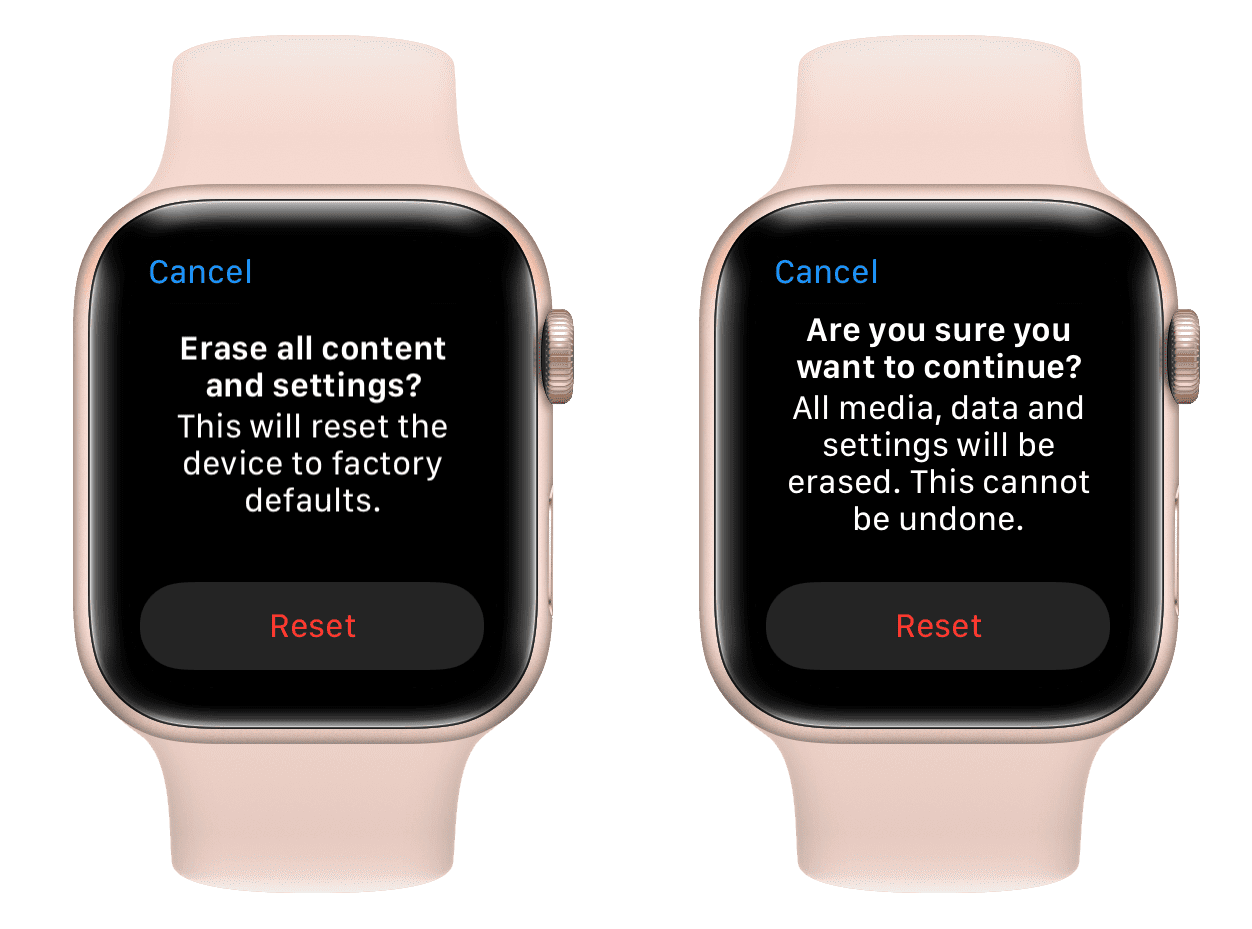
Use this method when you’ve lost or replaced your iPhone, but you still know your Apple Watch passcode and plan to reuse the device yourself.
When to Use This Method
- You no longer have the paired iPhone
- The watch still turns on and accepts input
- You’re not selling or giving it away
How to Factory Reset Without an iPhone
- On the Apple Watch, open Settings.
- Go to General > Reset.
- Tap “Erase All Content and Settings”.
- Enter your passcode when prompted.
- For cellular models, choose whether to keep or remove your plan.
- Tap “Erase All” to confirm.
⚠️ Important: This wipes all personal data—but Activation Lock remains active.
What Happens After the Reset
- The watch restarts and shows the Apple logo.
- During setup, it will ask for the original Apple ID and password.
- You cannot pair it with a different Apple ID, even after erasing.
🚫 Not suitable for resale—unless the buyer has the original credentials, they won’t be able to use the watch.
Fix: Forgotten Passcode on Apple Watch Series 1
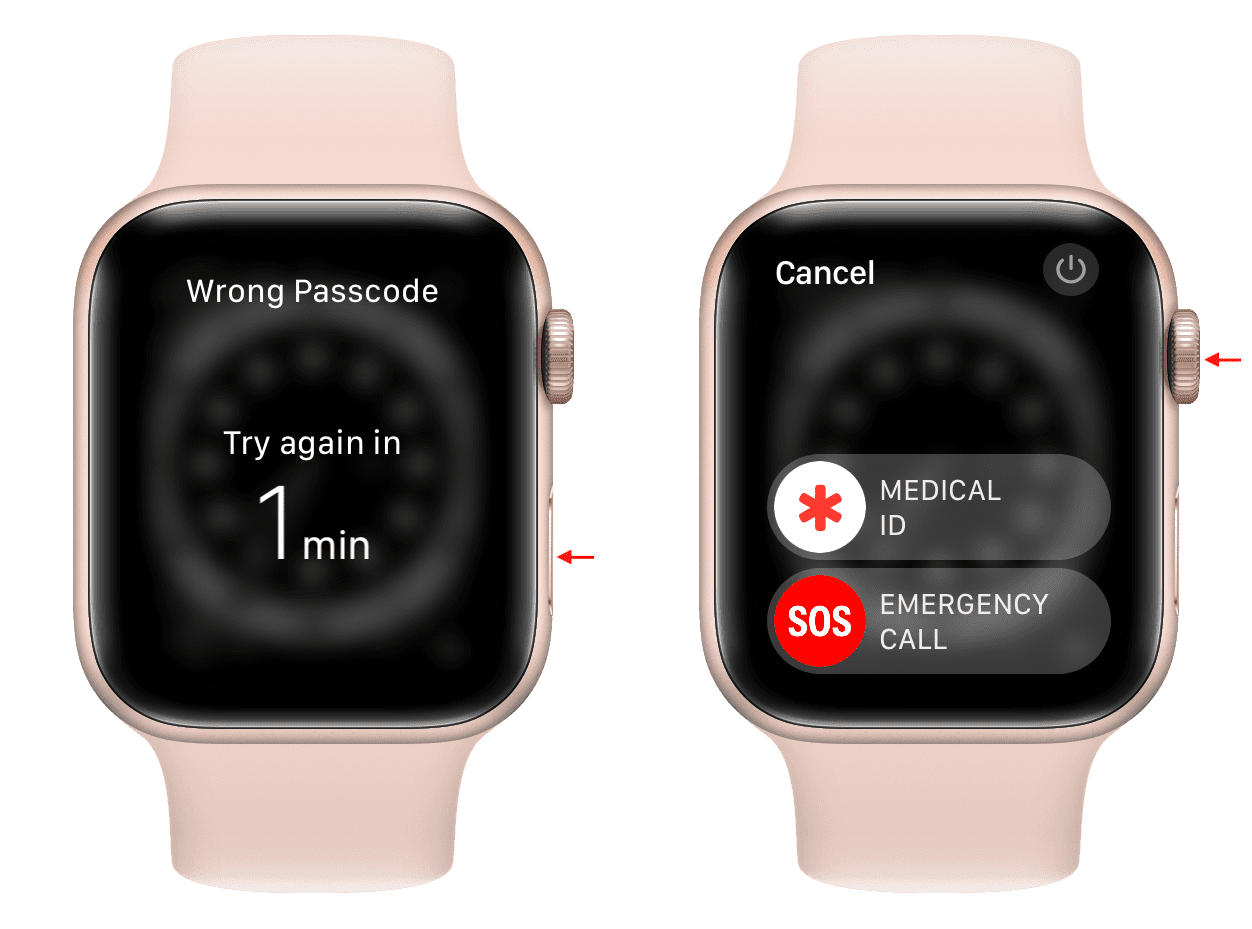
If you own an Apple Watch Series 1 and have forgotten the passcode, your options are extremely limited. Unlike newer models, the Series 1 has no recovery mode and no way to bypass the lock screen without credentials.
Button Reset Doesn’t Work
Many online guides suggest:
– Pressing the side button until the power menu appears
– Holding the Digital Crown to reveal “Erase All”
– Tapping Reset
❌ Reality: On Apple Watch Series 1, this option does not appear if the passcode is unknown or locked.
Force Restart vs. Factory Reset
Try this combo:
– Press and hold the side button + Digital Crown for at least 10 seconds
– Release when the Apple logo appears
✅ Result: The watch restarts—but you’ll return to the passcode screen.
This is not a reset, just a reboot. It can help if the watch is frozen, but it won’t remove the lock.
Activation Lock: The Real Reset Barrier
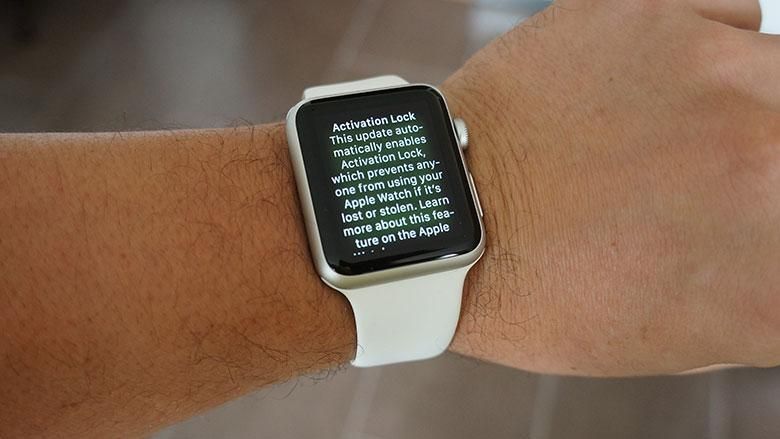
Even after erasing, Activation Lock keeps your Apple Watch tied to your Apple ID. This security feature is designed to prevent theft and unauthorized use.
Why Activation Lock Exists
- Enabled automatically when Find My [Apple Watch] is turned on
- Requires original Apple ID and password to set up the watch again
- Cannot be disabled remotely unless unpaired via iPhone
What It Means for Buyers
If you buy a used Apple Watch that’s still locked:
– Setup stops at the Apple ID screen
– No official bypass exists
– The device is essentially unusable
🛑 No workaround: Apple does not provide backdoor access. Never buy a secondhand Apple Watch unless the seller unpairs it in front of you.
Can Apple Unlock a Locked Apple Watch?
Yes—but only under strict conditions.
Requirements for Apple Store Assistance
- Original proof of purchase: Receipt, invoice, or gift card
- Physical presence at an Apple Store or authorized service provider
What Apple Can (And Can’t) Do
- ✅ Verify ownership and remove Activation Lock
- ❌ Refuse service if no proof is provided
- ❌ Cannot help if you bought the watch secondhand without documentation
💡 Note: If you’ve lost your passcode and receipt, Apple cannot unlock the device. It’s permanently locked.
Special Case: Apple Watch Series 1 Locked Out
If you have a Series 1 with no iPhone, no passcode, and no Apple ID, here’s the hard truth:
🔒 There is no functional way to reset or use the device.
Why It’s Unrecoverable
- No reliable iCloud remote erase
- No recovery mode
- Activation Lock persists after any wipe
- No DFU or firmware reset option
Third-Party Hardware Fix? (Not Practical)
A rare method involves:
– Opening the case
– Using an iBUS adapter to access the internal service port
– Flashing firmware directly
But this requires:
– Advanced technical skill
– Risk of permanent damage
– Cost exceeds the watch’s value
❌ Not recommended. The effort and risk far outweigh any benefit.
Remote Erase via iCloud (If Watch Is Online)
If Find My is enabled and the watch connects to Wi-Fi or cellular, you can erase it remotely.
Steps to Wipe Remotely
- Go to iCloud.com on any device.
- Sign in with the original Apple ID.
- Open Find My > Devices.
- Select your Apple Watch.
- Click “Erase This Device”.
- Confirm and wait.
✅ Effect: Performs a full erase, same as unpairing.
⚠️ Limitation: Only works if the watch is online. Older watches may not reconnect automatically.
💡 Useful for lost devices—but still leaves Activation Lock active unless followed by unpairing.
Prepare for Resale: Full Reset Checklist
Before selling or gifting your old Apple Watch:
✅ Must-Do Steps
- Back up data (automatic during unpairing)
- Unpair via iPhone (not direct reset)
- Enter Apple ID password to disable Activation Lock
- Remove cellular plan (if applicable)
- Confirm the watch shows “Hello” screen with no lock
❌ Avoid These Mistakes
- Resetting on the watch only → leaves Activation Lock active
- Skipping Apple ID sign-out → new user can’t set up
- Not removing cellular plan → risk of continued billing
💬 Buyer Advice: Never accept a used Apple Watch unless the seller unpairs it in front of you.
Troubleshooting Failed Resets
Sometimes the reset process hangs or fails.
Common Issues and Fixes
“Unpair” Option Grayed Out
- Cause: Bluetooth off, watch out of range, or low battery
- Fix: Charge both devices, enable Bluetooth, keep them close
Watch Stuck on Apple Logo After Reset
- Cause: Software corruption
- Fix: Try a force restart. If it persists, likely a hardware issue.
Erase All Content Option Missing
- Cause: WatchOS bug or MDM restriction (e.g., corporate device)
- Fix: Update watchOS via iPhone. If managed, contact your administrator.
Final Reset Decision Guide
| Your Situation | Best Action | Can It Be Sold? |
|---|---|---|
| Have iPhone & Apple ID | Unpair via iPhone app | ✅ Yes |
| Know passcode, no iPhone | Reset on watch | ❌ No (Activation Lock active) |
| Forgot passcode, have iPhone | Unpair remotely | ✅ Yes |
| No iPhone, no passcode, no ID | No working reset | ❌ No (unusable) |
| Apple Watch Series 1, locked | No solution | ❌ Consider recycling |
Summary: Can You Reset an Old Apple Watch?
Yes—but only if you have the right access.
- ✅ With iPhone and Apple ID: Full reset and unlock via unpairing.
- ✅ With passcode only: Factory reset works, but Activation Lock remains.
- ❌ Without Apple ID or passcode: No reset method works—device is permanently locked.
🚨 Critical Rule: Always unpair via iPhone before selling, losing access, or recycling your Apple Watch.
For devices like the Apple Watch Series 1, once credentials are lost, the watch cannot be reused. There are no safe, official workarounds. Treat Activation Lock as permanent unless you have proof of ownership and Apple’s assistance.
Final Advice
- Back up and unpair while you still can.
- Never buy a used Apple Watch without verifying it’s unlocked.
- If your old watch is non-functional, recycle it responsibly through Apple’s trade-in program.
Resetting an old Apple Watch isn’t just about wiping data—it’s about managing access and security. Do it right, and you’ll avoid leaving behind a digital paperweight.